

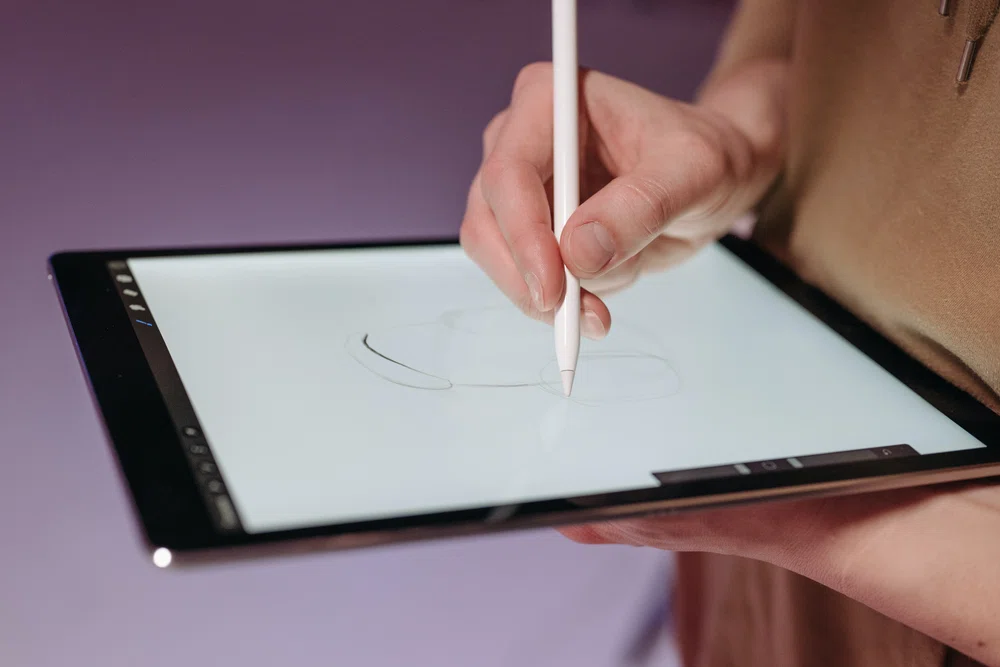
The best tablets with stylus in 2026 are no longer niche tools for artists — they are mainstream productivity devices for students annotating PDFs, professionals marking up documents, and creators sketching full illustrations. But pen quality varies enormously: latency, pressure sensitivity, palm rejection and screen lamination separate the great from the merely usable.
The most expensive tablet is not automatically the best writer. A mid-range tablet with excellent pen calibration will outperform a flagship with a sluggish stylus for daily note-taking. Here is how the current field stacks up.
Quick Picks: The Best Tablets with Stylus of 2026
- Best overall: iPad Air M2 — the sweet spot of performance, app quality and Apple Pencil Pro support at $599.
- Best for professional art: iPad Pro 13″ M4 — Tandem OLED, 120Hz ProMotion and the ultimate Procreate machine.
- Best Android premium: Samsung Galaxy Tab S11 Ultra — 14.6-inch AMOLED canvas with the S Pen included in the box.
- Best budget: Samsung Galaxy Tab S9 FE — S Pen included, 90Hz display and IP68 at $349.
- Best paper-like: reMarkable 2 — distraction-free E Ink writing that feels like real paper.
- Best e-reader combo: Amazon Kindle Scribe — reading plus note-taking in one E Ink device.
- Best Windows: Microsoft Surface Pro 11 — full desktop apps with Slim Pen support.
iPad Air M2 — Best Overall Tablet with Stylus
The iPad Air hits the sweet spot for most pen users. The M2 chip handles 50-page PDFs and complex diagrams without lag, the 10.9-inch Liquid Retina display is sharp at 264ppi, and support for the Apple Pencil Pro brings the squeeze gesture (switch pen to eraser without breaking flow), barrel roll and haptic feedback. At 462g it disappears into a backpack.
The catch: the Pencil is not in the box. Budget $79 for the USB-C Pencil or $129 for the Pencil Pro — the Pro is worth it for daily note-takers. The glass screen also feels slippery; a matte paper-like screen protector adds friction that handwriting loves. With GoodNotes 6 and Notability, the iPad Air has the best note-taking app ecosystem on any platform.
iPad Pro 13″ M4 — Best Tablet with Stylus for Professional Art
For serious illustration, the 13-inch iPad Pro is the benchmark. The Tandem OLED display with 120Hz ProMotion delivers color accuracy and smoothness no other tablet matches, and the M4 chews through layered Procreate canvases, Shapr3D models and 4K video timelines. The Apple Pencil Pro’s hover detection (sensing the pen up to 12mm above the screen) lets you preview a stroke before committing — a drafting-like interaction no rival offers.
It is expensive, especially once you add the Pencil Pro and a keyboard, and iPadOS still cannot run full desktop CAD. But for digital painting, concept art and design work, nothing else is this complete. If your workflow centers on drawing rather than documents, see our dedicated best tablets for drawing guide for artist-focused picks.
Samsung Galaxy Tab S11 Ultra — Best Android Tablet with Stylus
Samsung’s stylus story remains the best value in tablets: the S Pen ships in the box, needs no charging (battery-free EMR), and slots into Samsung Notes, which has genuinely excellent handwriting-to-text conversion. The 14.6-inch Dynamic AMOLED 2X display at 120Hz is the largest drawing canvas on any mainstream tablet — superb for illustration, plan review and split-screen reference-plus-canvas workflows.
The size is the trade-off: over 700g is not a handheld sketchbook. But for desk-based creative work with DeX multitasking and microSD expansion, it is the Android answer to the iPad Pro, and the included pen saves you $100+ versus Apple.
Samsung Galaxy Tab S9 FE — Best Budget Tablet with Stylus
The Tab S9 FE is the tablet to recommend to every student on a budget. At $349 with the S Pen included, it delivers the essentials: a 10.9-inch 90Hz display, 4,096 pressure levels with tilt support, 9ms-class pen latency that feels natural, 12+ hours of battery, IP68 water resistance and microSD expansion. Samsung Notes, OneNote and Nebo all run well.
The LCD panel cannot match OLED blacks and the Exynos chip is mid-range, but for handwriting, PDF annotation and lecture notes, the panel is more than good enough. It is proof that great pen feel does not require flagship money.
reMarkable 2 — Best Paper-Like Tablet with Stylus
The reMarkable 2 is not trying to be a computer — it is trying to be better paper, and it succeeds. The 10.3-inch E Ink Carta display has a textured surface that creates real friction under the Marker Plus stylus, latency is a barely-noticeable 21ms, and there is zero eye strain even after six straight hours. Battery lasts two weeks or more.
The limitations are deliberate: no apps, no browser, no color, and cloud sync costs $2.99/month. But that focus is the feature — no notifications, no tabs, no distractions. For writers, journalers and deep thinkers, it is the most focused writing device you can buy. If you need color highlighting or apps, look at the iPad Air instead.
Amazon Kindle Scribe — Best E-Reader Tablet with Stylus
The Kindle Scribe pairs Amazon’s e-reading experience with a proper writing layer: annotate books, journal, and sketch on an E Ink display with weeks of battery life. It is the natural pick for avid readers who want to mark up what they read without carrying a second device. The pen is included, and the writing feel is closer to the reMarkable than to a glass tablet.
It is not a general-purpose tablet — no apps, no color, no web browsing worth using. Buy it for reading plus notes, not as an iPad replacement.
Microsoft Surface Pro 11 — Best Windows Tablet with Stylus
When your workflow needs desktop software, only Windows will do. The Surface Pro 11 runs full OneNote, Photoshop, AutoCAD and Office with pen input via the Surface Slim Pen, on a 13-inch 2880 x 1920 touchscreen up to 120Hz. For architects and engineers, it is one of the few tablets that runs full desktop CAD natively — though note Autodesk does not support Revit or AutoCAD on the Snapdragon ARM models, so choose an Intel configuration if Autodesk is central.
The Slim Pen and keyboard are sold separately, pushing the real price well past $1,000. But as a laptop replacement that you can also sketch on, it has no equal.
Tablets with Stylus Buying Guide: What Makes a Great Pen Tablet
Pressure levels: 4,096 is the comfortable standard for professional illustration; 8,192 (Xiaomi Focus Pen, Wacom Pro Pen 2) adds finer granularity in subtle shading. Above 4,096, most illustrators will not notice the difference except in delicate watercolor-style strokes.
Latency: The delay between pen movement and the on-screen stroke. Anything under 10ms feels natural to most people — Samsung cites 2.8ms for the S Pen, Apple around 9ms for the Pencil. Test with a slow diagonal line at low pressure in store: cheap pens produce wavy lines that fast strokes hide.
Palm rejection and lamination: A laminated display (glass bonded directly to the panel) makes writing feel direct instead of detached. Good palm rejection lets you rest your hand naturally. Both matter more than raw specs for daily writing comfort.
Stylus compatibility: Pens are not interchangeable. The S Pen only works on Samsung tablets, Apple Pencil only on iPads, and each maker’s pen uses its own protocol. Always check compatibility before buying pen and tablet separately.
Apps decide the platform: Procreate only runs on iPad — if it is your app, the choice is made. For Clip Studio Paint, Krita, Sketchbook or Adobe Fresco, Android works perfectly and offers more hardware choice. Pick the ecosystem around your apps, not the other way round.
Still deciding between Apple models? Our guide to which iPad to buy in 2026 breaks down the full lineup.

Frequently Asked Questions
What is the best tablet with a stylus for students in 2026?
The Samsung Galaxy Tab S9 FE at $349 with the S Pen included is the value king — 90Hz display, 12-hour battery and IP68 durability. If you are in Apple’s ecosystem, the iPad Air M2 with Apple Pencil offers the best note-taking apps (GoodNotes, Notability) at $599 plus the pen.
Which tablet is best for artists and digital drawing?
The iPad Pro 13″ M4 for professionals (best display, Procreate, Apple Pencil Pro hover and squeeze), the Galaxy Tab S11 Ultra for Android artists (huge AMOLED canvas, S Pen included), and the Xiaomi Pad 7 with Focus Pen as a budget drawing option with 8,192 pressure levels.
Does any stylus work on any tablet?
No. Styluses use manufacturer-specific protocols — the S Pen only works on compatible Samsung tablets, Apple Pencil only on iPads, Xiaomi’s Focus Pen only on supported Xiaomi tablets. Check compatibility before buying a pen and tablet separately.
Do I need a Bluetooth stylus for drawing?
Not necessarily. Bluetooth adds extras like button shortcuts and gestures, but the stroke itself is captured via EMR or capacitive sensing, which does not need Bluetooth. For pure drawing, a non-Bluetooth pen works just as well.
Is a Windows tablet better than an iPad for stylus work?
It depends on the workflow. Windows tablets like the Surface Pro 11 win for desktop software (full Photoshop, CAD, Office with pen). iPads win for creative apps and pen polish (Procreate, Apple Pencil Pro). Android tablets offer the most flexibility and the best included-pen value.
Do more pressure levels really matter above 4,096?
Only at the margins. Once a pen tracks 4,096 levels cleanly, extra steps mostly change how feather-light strokes fade out — relevant for digital watercolorists, irrelevant for lineart, comics and general sketching. Pen calibration and low latency improve real-world feel far more than a bigger number on the box.
Final Verdict
The iPad Air M2 is the best tablet with stylus for most people — superb apps, great pen, sane price. Professionals should step up to the iPad Pro 13″ or the Galaxy Tab S11 Ultra’s giant canvas; students on a budget should grab the Tab S9 FE with its included S Pen; and focus-seekers should try the reMarkable 2’s paper-like calm. Match the tablet to your apps first, your hand second, and the spec sheet last.
