

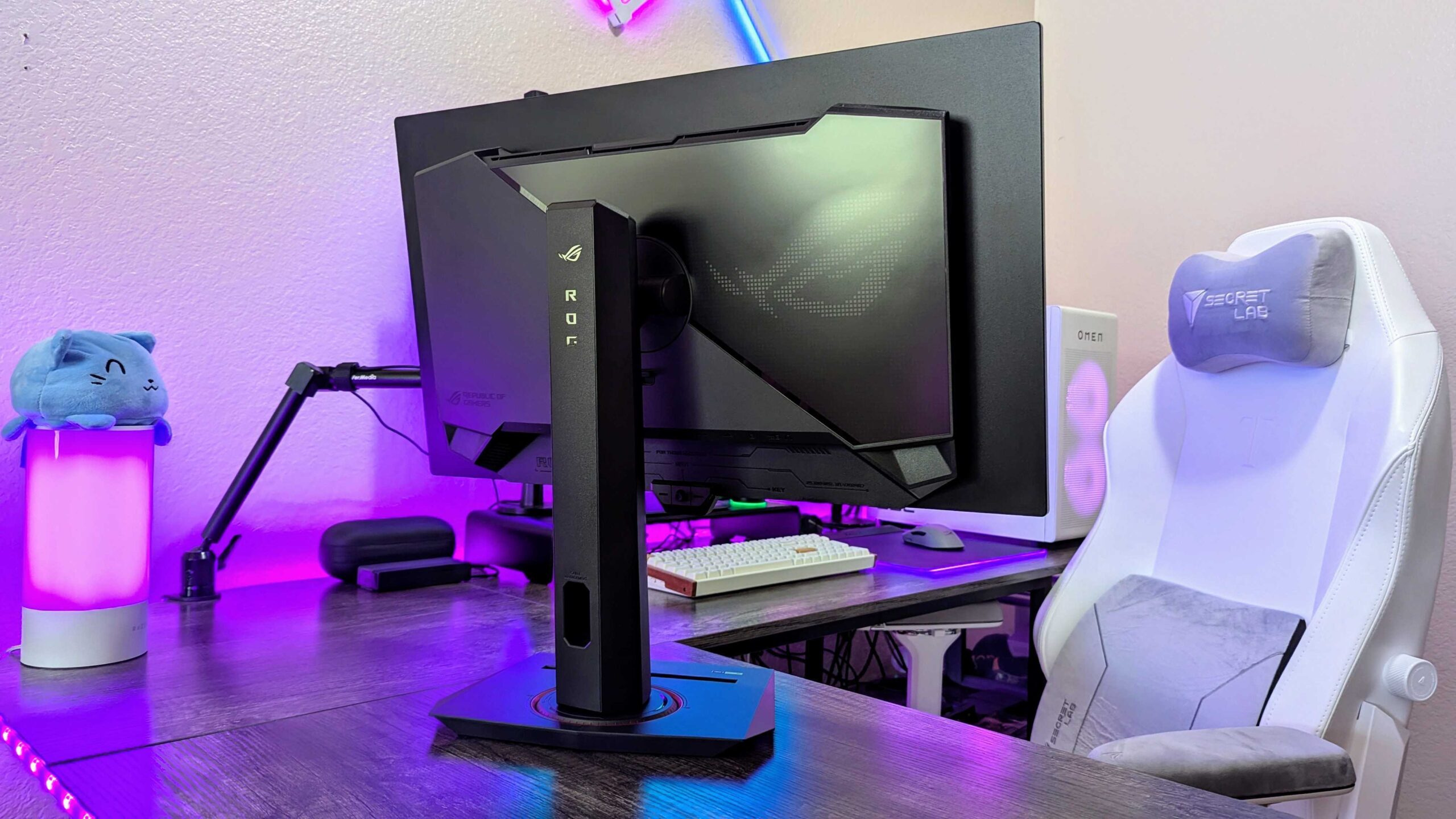
Best Monitors 2026
Your monitor is the one piece of hardware you look at for every hour you spend at your computer, so choosing from the best monitors 2026 has to offer matters more than almost any other upgrade. A great screen makes work sharper, games smoother and films richer, while a poor one quietly strains your eyes and wastes the power of the PC behind it. This guide pulls together the top tested picks of 2026 for work, gaming, creative use and tight budgets, so you can find the right screen for your desk without overspending on specs you will never use.
The sources do not agree on a single overall winner, and that disagreement is useful. TechRadar names the MSI MPG 322UR QD-OLED X24 its best monitor overall, while ClarityPick gives the same honour to the Dell UltraSharp U2724DE. The difference comes down to priorities: the MSI is a 4K OLED flagship built for everything at once, while the Dell is a 1440p productivity specialist with Thunderbolt docking. Both are excellent, and the right one depends on what your desk actually does all day.
Quick Picks: The Best Monitors 2026 at a Glance
- Best overall: MSI MPG 322UR QD-OLED X24 — 32-inch 4K QD-OLED, 240Hz, superb HDR
- Best do-it-all productivity monitor: Dell UltraSharp U2724DE — IPS Black, 120Hz, Thunderbolt 4, KVM, around $499
- Best budget monitor: BenQ GW2486TC — 24-inch 1080p, 100Hz, USB-C, around $190
- Best gaming monitor: Alienware AW2725DF — 27-inch 360Hz QD-OLED, 0.03ms response, around $899
- Best value gaming monitor: Alienware AW2726DM — 27-inch 240Hz OLED for $349
- Best 4K value monitor: LG 27UP850N-W — 27-inch 4K IPS, USB-C 90W, around $349
- Best monitor for creatives on a budget: ASUS ProArt PA278QV — factory-calibrated 100% sRGB, around $219
- Best budget gaming monitor: AOC Q27G41ZE — 27-inch 1440p at 240Hz for around $169
- Best ultrawide monitor: LG UltraGear GX9 — 44.5-inch 5K2K curved OLED
- Best curved value monitor: Alienware AW3425DWM — 34-inch curved ultrawide, 180Hz
- Best monitor for pure speed: Samsung Odyssey OLED G6 G60SF — a genuine 500Hz OLED
- Best home office monitor: Dell S2725DSM — 27-inch QHD, 144Hz, speakers, around $190
Best Overall Monitor: MSI MPG 322UR QD-OLED X24
TechRadar’s top pick for 2026 is the MSI MPG 322UR QD-OLED X24, a 32-inch 4K display that tries to be the single monitor for everything, and largely succeeds. Its fifth-generation tandem QD-OLED panel delivers the deep blacks and rich colour that LCD screens cannot match, with a 240Hz refresh rate and 0.03ms response time that keep fast games fluid. Text stays sharp at 4K, HDR genuinely impresses rather than merely ticking a box, and the stand adjusts for height, tilt, swivel and rotation.
Connectivity is equally generous: dual HDMI 2.1, DisplayPort 2.1 and a USB-C port with 98W power delivery mean a laptop or console can join the desk through a single cable while still charging. The trade-offs are the ones common to OLED: brightness is not its strong suit, the purple tint of QD-OLED is reduced rather than eliminated, and the price is firmly premium. If you want one screen to last for years across work, play and media, this is the strongest all-round argument in 2026.
Best Do-It-All Productivity Monitor: Dell UltraSharp U2724DE
If your monitor is mainly a work tool, the Dell UltraSharp U2724DE is the pick ClarityPick rates highest overall, and it is easy to see why. Its IPS Black panel reaches a 2,000:1 contrast ratio, double the roughly 1,000:1 of standard IPS, so blacks look deeper and shadow detail separates more clearly. The 27-inch 1440p panel runs at 120Hz, which makes scrolling and window movement feel noticeably smoother than a standard 60Hz office screen, and it arrives factory calibrated with 99% sRGB and 98% DCI-P3 coverage.
The real trick is docking. Thunderbolt 4 delivers up to 90W of charging alongside video, a second Thunderbolt port daisy-chains another monitor, and a built-in KVM switch lets one keyboard and mouse control two computers at the press of a button. Add DisplayPort, HDMI, 2.5G Ethernet pass-through and a full ergonomic stand, and the U2724DE turns into a docking station that happens to be a screen. The limits are honest: 1440p rather than 4K, 120Hz rather than competitive gaming speeds, and some IPS glow in dark corners. At around $499 it is a premium work purchase, but one that replaces several desk accessories at once.
Best Budget Monitor: BenQ GW2486TC
TechRadar’s best budget monitor proves how far a sub-$200 screen now goes. The BenQ GW2486TC is a 23.8-inch 1080p IPS display with 99% sRGB coverage, a 100Hz refresh rate, a 5ms response time and a fully adjustable stand offering 130mm of height adjustment plus swivel and tilt. USB-C and eye-comfort viewing modes round out a package that handles office work, streaming and light gaming without complaint.
Brightness of 250 nits is modest but fine for indoor office use, and the reviewer found it comfortable across a month of everyday work. What you give up at this price is cable management, a KVM switch and professional-grade colour tools. For a second screen, a student desk or a first home office, the GW2486TC is the obvious value choice, and it regularly drops further in sales.
Best Gaming Monitor: Alienware AW2725DF
For serious PC gamers, the Alienware AW2725DF remains the benchmark 27-inch flat gaming display in 2026. It was the world’s first 360Hz QD-OLED monitor, pairing that speed with a 0.03ms grey-to-grey response time, infinite contrast and 99.3% DCI-P3 colour coverage. VESA DisplayHDR True Black 400 certification backs HDR peaks up to 1,000 nits on small highlights, and the factory calibration report in the box measured Delta E under 2 for both sRGB and DCI-P3.
Adaptive sync runs through AMD FreeSync Premium Pro across a 48 to 360Hz range, so frame pacing stays smooth even when frame rates dip. The stand adjusts for height, tilt, swivel and 90-degree pivot. The caveats are real: the semi-glossy panel reflects in bright rooms, 1440p is the ceiling rather than 4K, there is no USB-C video input, and OLED burn-in remains a risk with static content, although Alienware covers burn-in under its three-year warranty. At around $899 it is a serious purchase, but no IPS panel matches its combination of speed and image quality.
Best Value Gaming Monitor: Alienware AW2726DM
Tom’s Guide names the Alienware AW2726DM the best value gaming monitor of 2026, and the $349 asking price explains why. You get a vivid 27-inch 1440p OLED panel at 240Hz with a 0.03ms response time, colour coverage above 100% for both sRGB and DCI-P3, and a subtle, understated design. Games like Cyberpunk 2077 look striking, while competitive shooters stay smooth and blur-free.
The compromises are brightness, with 181 nits measured in SDR and 342 nits in HDR, and the absence of RGB lighting and some ports. Neither matters much at this price. If you want genuine OLED gaming without paying flagship money, this is the easiest recommendation of the year, and two of them cost less than many single flagship monitors.
Best 4K Value Monitor: LG 27UP850N-W
For buyers whose priority is sharpness over speed, the LG 27UP850N-W delivers genuine 4K at one of the lowest prices in the category, around $349. Its 27-inch IPS panel packs 3840 x 2160 pixels into 163 pixels per inch, so text looks crisp and fine image detail stays visible. Colour coverage reaches 95% of DCI-P3, DisplayHDR 400 certification adds meaningful highlight range, and an anti-glare coating keeps the image clean under office lighting.
A USB-C port with 90W power delivery charges a laptop over the same cable that carries video, while HDMI and DisplayPort cover consoles and second devices. The stand adjusts for height, tilt, pivot and swivel, and built-in speakers cover meetings and casual media. The 60Hz refresh rate rules out serious gaming, and contrast is standard IPS rather than IPS Black, but for detailed work and media at a fair price, nothing else in 2026 matches this specification per dollar.
Best Monitor for Creatives on a Budget: ASUS ProArt PA278QV
Creative work lives or dies on colour trust, and the ASUS ProArt PA278QV delivers verified accuracy for around $219. Its 27-inch 1440p IPS panel covers 100% of sRGB and 100% of Rec.709, the two standards behind nearly all web, video and broadcast work, and every unit ships with Calman Verified calibration at Delta E under 2, a threshold where colour error is effectively invisible to the eye. A physical calibration report comes in the box.
ProArt Preset modes switch quickly between sRGB, Rec.709, Darkroom, Scenery, Reading and Rapid Rendering, while ProArt Palette gives six-axis colour adjustment across red, green, blue, cyan, magenta and yellow. The stand offers 150mm of height adjustment, wide swivel, tilt and full portrait pivot, and four USB 3.0 ports form a useful hub. You give up USB-C, wide colour gamut beyond sRGB and any gaming pretensions at 75Hz, but for photographers and video editors on a budget, this is the cheapest trustworthy screen from a major brand.
Best Budget Gaming Monitor: AOC Q27G41ZE
The AOC Q27G41ZE is the most startling value on this list: a 27-inch 1440p IPS panel at 240Hz, overclockable to 260Hz through the on-screen menu, with a 0.3ms MPRT response time and 99.9% sRGB coverage, all for around $169 and spotted as low as $144.99 on sale. FreeSync Premium support, verified G-Sync Compatible, keeps gameplay tear-free across the panel’s range, and Game Mode presets plus Shadow Control help visibility in dark scenes.
DisplayPort 1.4 unlocks the full 240Hz at 1440p, while HDMI 2.0 caps consoles at 144Hz. A three-year zero-bright-dot warranty, guaranteeing replacement if any bright pixel defect appears, is unusual and valuable at this price. The stand only tilts, with no height or pivot adjustment, and there is no USB hub or speakers. For budget-conscious competitive players, the screen itself is the bargain of 2026.
Best Ultrawide Monitor: LG UltraGear GX9
The LG UltraGear GX9 is what happens when one display is asked to replace two or three. Its 44.5-inch curved panel stretches to 5120 x 2160, a 5K2K resolution that gives a seamless panoramic workspace for spreadsheets, timelines and chat apps side by side. The aggressive 800R curve pulls the far edges into your field of view, creating a wraparound effect that testers found genuinely immersive in games like Baldur’s Gate 3 and Cyberpunk 2077.
A 165Hz refresh rate and 0.03ms response time keep it credible for gaming as well as work, and 98.5% DCI-P3 coverage makes colours pop. USB-C with power delivery, decent built-in audio and a wide port selection complete the package. The price is the obvious barrier, and a 44.5-inch panel demands a large desk. If you review footage on your desk, from action cameras to dash cams, that uninterrupted width makes scrubbing timelines and comparing clips far easier than on a standard screen.
Best Curved Value Monitor: Alienware AW3425DWM
If the GX9 is too much screen and too much money, the Alienware AW3425DWM brings curved immersion down to earth. Its 34-inch curved ultrawide panel runs at 3440 x 1440 with a 180Hz refresh rate, 1ms response time and a measured 95% colour gamut, enough for vibrant films and detailed everyday content. The design stays discreet, and the price undercuts pricier OLED ultrawides by a wide margin.
The trade-offs are connectivity: no Thunderbolt 3, no USB-C and no Picture-by-Picture multitasking, plus only two USB-A ports and no built-in speakers. For buyers who want immersion for games and multitasking without paying for flagship features, this is the sweet spot of the curved market.
Best Monitor for Pure Speed: Samsung Odyssey OLED G6 G60SF
Competitive players chasing every millisecond should look at the Samsung Odyssey OLED G6 G60SF, one of the fastest gaming monitors ever tested, with a genuine 500Hz refresh rate on a 27-inch 1440p QD-OLED panel and a 0.03ms response time. Motion blur is minimal, input lag is almost nonexistent, and fast-moving targets stay sharp at speeds where lesser panels smear.
TechRadar is blunt about who this is for: unless you play at an esports level, you will struggle to tell 500Hz apart from 240Hz, and the refresh rate only helps if your PC can actually reach 500 frames per second. There is no USB-C, and the price is high. For everyone else, a balanced 240Hz or 360Hz screen is the smarter buy.
Best Home Office Monitor: Dell S2725DSM
SmartTechBuying’s best overall home office monitor is the Dell S2725DSM, a 27-inch QHD panel at 2560 x 1440 with a 144Hz refresh rate, 1500:1 contrast and built-in dual 3W speakers. The fully ergonomic stand adjusts for height, tilt, swivel and pivot, and TUV Rheinland Eye Comfort certification suits long work sessions. At around $189.99 it is a strong default for documents, spreadsheets, video calls and multitasking.
The notable omission is USB-C, so laptop users who want single-cable docking should look at the ASUS ProArt PA278CV instead, which adds 65W USB-C charging, 100% sRGB and the same 27-inch QHD size for around $269.64. The Dell remains the better value for desktop users who connect over HDMI or DisplayPort.
Panel Technology Explained: IPS, VA, QD-OLED and IPS Black
Panel choice shapes everything else about a monitor. IPS panels deliver accurate colour and wide viewing angles, making them the safe default for work and general use. VA panels offer better contrast but slower response times, which can show as smearing in fast motion. QD-OLED combines a quantum dot layer with OLED’s per-pixel light control, producing infinite contrast, the fastest response times and the widest colour, at a higher price and with some need for light control.
IPS Black, Dell’s variation, doubles standard IPS contrast to around 2,000:1, sitting visibly between ordinary IPS and OLED for dark scenes. It is the pragmatic middle ground: deeper blacks than standard IPS without OLED’s burn-in worry or premium pricing. Your primary use should decide the panel. Gamers chasing motion clarity should prioritise QD-OLED or fast IPS, office workers with static windows all day are safer on IPS or IPS Black, and colour-critical creatives should prioritise verified accuracy over panel marketing.
Resolution vs Refresh Rate: The Core Trade-Off
Every monitor purchase balances sharpness against smoothness. A 4K panel at 60Hz looks sharper but feels slower, while a 1440p panel at 240Hz feels smoother but slightly less crisp at the same size. For gaming, most players benefit more from a higher refresh rate than a higher resolution, because fluid motion and fast response affect every second of play. For work and media, resolution matters more, because sharp text and fine detail pay off across the whole day.
At 27 inches, 1440p delivers around 109 pixels per inch, already sharp enough that most users cannot pick out individual pixels at normal desk distance, while 4K at the same size reaches 163 pixels per inch and looks noticeably crisper for text and photo work. The catch is graphics power: 4K demands far more from a GPU, so a 4K gaming monitor only makes sense on a high-end machine. Match the resolution to the hardware you actually own, not the hardware you wish you owned.
Screen Size Guide: 24, 27, 32 Inches and Ultrawide
Size is about viewing distance as much as desk space. A 24-inch screen suits small desks and 1080p, and remains the sensible budget size. Twenty-seven inches is the sweet spot for most buyers: large enough for split windows, small enough to take in at a glance, and the size where both 1440p and 4K make sense. Thirty-two inches is where 4K truly shines, since the larger canvas shows the extra detail without shrinking text, and it suits spreadsheets and timelines.
TechRadar notes that 32 inches is roughly the size at which a viewer sitting about three feet away can see the difference between 4K and 1440p. Ultrawide screens, typically 34 inches at 3440 x 1440 or larger, replace dual-monitor setups with one seamless panel, but they demand wide desks and waste their width if you mostly maximise a single window. Measure your desk before falling for a 44-inch panel.
HDR: What the Labels Actually Mean
HDR marketing is where monitor shopping gets misleading. Many screens advertise HDR while lacking the brightness and local dimming to display it properly, a trap several sources warn about explicitly. The VESA DisplayHDR tiers are the reality check: DisplayHDR 400 is an entry-level certification with modest brightness, while DisplayHDR True Black 400 and 500, used on OLED panels, certify genuine per-pixel blacks and highlight peaks up to 1,000 nits on small areas.
On OLED screens, HDR is transformative because each pixel produces its own light, so bright highlights sit beside true black. On budget LCD screens, HDR often means little more than accepting an HDR signal. If HDR films and games matter to you, look for a True Black certification or a high-tier DisplayHDR rating with local dimming, and treat an uncertified HDR badge as decoration.
Colour Accuracy: Gamuts, Delta E and Calibration
Colour specifications look technical, but three numbers tell the story. Gamut coverage, given as a percentage of sRGB, DCI-P3 or Adobe RGB, describes how wide a range of colours the screen can show: sRGB covers the web, DCI-P3 is the film standard, and Adobe RGB matters most to print photographers. Aim as close to 100% of your own gamut as possible. Delta E measures colour error, and a value under 2 means errors are effectively invisible to the human eye.
Factory calibration matters because it means the screen arrives accurate rather than merely capable of accuracy after professional tuning. The ASUS ProArt PA278QV and Dell UltraSharp U2724DE both ship calibrated, which is why they suit creative work out of the box. For everyone else, factory calibration is a nice bonus rather than a necessity: modern IPS panels generally look good for general use without it.
Connectivity: USB-C, Thunderbolt, KVM and Hubs
Connectivity is the hidden upgrade that changes daily life more than a slightly faster panel. A USB-C monitor with power delivery lets a laptop dock, charge and display over one cable: 65W covers a MacBook Air and most thin laptops, while 90W or more handles larger MacBook Pro models under load. Thunderbolt 4 adds daisy-chaining and higher bandwidth for multi-monitor desks.
A built-in KVM switch lets one keyboard and mouse control two computers, a genuine productivity multiplier for anyone switching between a work laptop and a personal PC. USB hubs, Ethernet pass-through and multiple video inputs turn a monitor into the centre of the desk rather than just a screen. Check the wattage your laptop needs before buying: a 65W port may not fully charge a 16-inch laptop under heavy load, and not every USB-C port on a laptop carries video, so confirm DisplayPort Alt Mode or Thunderbolt support first.
Ergonomics, Eye Comfort and Speakers
A monitor you cannot position correctly will hurt you long before its panel disappoints you. Look for height adjustment, tilt, swivel and pivot: the BenQ GW2486TC offers 130mm of height adjustment, the ASUS ProArt PA278QV offers 150mm plus full portrait pivot, and several picks here include all four movements. Eye-level placement, with the top of the screen at or slightly below eye height, prevents neck strain, and a tilt-only stand, like the AOC Q27G41ZE’s, may force you to buy a monitor arm later.
Eye-comfort certifications, low blue light modes and flicker-free backlights help across long sessions, and several budget picks carry TUV certification. Built-in speakers are a convenience, not a replacement for real audio: the Dell S2725DSM’s dual 3W speakers suit calls and casual media, while gaming monitors with speakers, like the Sony Inzone M9 II, are consistently described as mediocre. Budget for separate speakers or headphones if sound quality matters.
OLED Burn-In: Real Risk, Manageable Habits
OLED burn-in is real but manageable, and every serious source in 2026 says the same thing. Static content held in the same position for long periods, such as taskbars and unchanging windows, can leave a permanent ghost on an OLED panel. Gamers and film watchers who vary their content rarely encounter it, while office workers with static layouts should think twice.
Manufacturers have answered with pixel refresh cycles, screen-shift features, proximity sensors that dim the screen when you leave, and warranty cover: Alienware covers burn-in under its three-year Advanced Exchange warranty. Practical habits help too: hide the taskbar, vary your content, use a screensaver and avoid maximum brightness for static work. If your screen shows the same windows eight hours a day, an IPS Black monitor is the safer long-term choice.
How Much Should You Pay?
Monitor pricing in 2026 falls into clear bands. Around $170 to $200 buys a genuinely good screen: the AOC Q27G41ZE for gaming or the BenQ GW2486TC and Dell S2725DSM for work. The $220 to $350 band adds verified colour accuracy, 4K resolution or entry-level OLED, with the ASUS ProArt PA278QV, LG 27UP850N-W and Alienware AW2726DM leading their niches. The $500 to $900 band buys flagship territory: the Dell U2724DE for productivity and the Alienware AW2725DF for gaming.
Beyond $1,000, you are paying for size, 4K OLED or extreme refresh rates, and Tom’s Guide advises that most buyers should not need to pass $1,000 for the biggest and best setup. Prices in roundups are snapshots that change with sales, and several of these picks have already dropped hundreds below launch price. Wait for a sale on anything above $500, check the exact model revision, and confirm the warranty, since a three-year warranty is worth more than a one-year warranty on a $400 purchase.

FAQs About the Best Monitors 2026
Which monitor quality is best?
It depends on your use case. For most people, a 1440p monitor is the sweet spot, since the jump from 1080p to 1440p is far more visible than the jump from 1440p to 4K, and the price gap is smaller too. Gamers should prioritise refresh rate and response time, with 0.03ms OLED panels at the top of the scale. Creative workers should prioritise colour coverage and factory calibration. Office users should prioritise ergonomics, USB-C docking and eye comfort.
What is the best monitor in 2026?
There is no single answer, and the sources disagree honestly. TechRadar picks the MSI MPG 322UR QD-OLED X24 as the best monitor overall for its 4K OLED quality and 240Hz speed. ClarityPick picks the Dell UltraSharp U2724DE for its IPS Black contrast, Thunderbolt 4 docking and KVM switch at around $499. For gaming, the Alienware AW2725DF leads, and for budget buyers the AOC Q27G41ZE offers 1440p at 240Hz for around $169. Match the pick to your use, not to the headline.
Is 1440p or 4K better for a 27-inch monitor?
For gaming, 1440p is generally better at 27 inches: it needs far less GPU power, enabling higher frame rates, and at 109 pixels per inch it is already sharp at normal desk distances. For professional work such as photo editing, video production or detailed documents, 4K at 163 pixels per inch is noticeably sharper, with crisper text and finer detail. Choose 1440p with a higher refresh rate if gaming matters, and 4K if detail and sharpness for work matter more.
What is the best screen size for 4K?
Thirty-two inches is generally considered the best size for 4K, because at a typical viewing distance of about three feet it is the size where the difference between 4K and 1440p becomes clearly visible. Twenty-seven-inch 4K monitors are still excellent and look superb, but the sharpness gain over 1440p is smaller there. For 4K, go 32 inches if your desk allows it.
What is IPS Black and why does it matter?
IPS Black is a panel technology that reaches a contrast ratio of around 2,000:1, double the typical 1,000:1 of standard IPS displays. That produces noticeably deeper blacks and better separation between dark and light areas in the same scene, making games, films and dark content look significantly better than on standard IPS. It sits between standard IPS and OLED for contrast, without OLED’s burn-in risk, and the Dell U2724DE is the leading example on this list.
Do I need 240Hz or is 144Hz enough?
For most gamers, 144Hz is sufficient, especially for single-player or story-driven games where frame rates rarely exceed 144 anyway. The jump from 60Hz to 144Hz is dramatic and immediately noticeable, while the jump from 144Hz to 240Hz is real but more subtle, mainly benefiting competitive players in fast-paced games where reaction times matter and frame rates consistently exceed 144. If you play competitive shooters seriously and your GPU can sustain 200-plus frames per second at 1440p, 240Hz is worth it; otherwise spend the difference on a better panel.
Is OLED worth it for a gaming monitor in 2026?
In a room with some light control, OLED is genuinely transformative: infinite contrast, near-instant pixel response and a wide colour gamut produce image quality that IPS cannot match. Burn-in coverage in warranties, such as Alienware’s three-year cover, addresses the main longevity concern, and the semi-glossy surface is the remaining weakness in very bright rooms. If you game mainly in the evenings or away from direct sunlight, QD-OLED is absolutely worth the premium. If your gaming area is bright and uncontrolled, an IPS Black monitor is the more practical choice.
How do I choose the best gaming monitor?
It comes down to two factors: resolution and refresh rate. Resolution depends on your PC’s power: very powerful machines can drive 4K, mid-range machines suit 1440p, and budget machines pair best with 1080p at very high refresh rates. Refresh rate should match the frame rates your PC actually reaches: there is no point buying a 500Hz screen for a machine that delivers 90 frames per second. Check your GPU’s real performance first, then buy the panel that fits it.
How much should I pay for my gaming monitor?
Set a budget around the features you actually need. Excellent gaming displays exist below $800, including the Alienware AW2726DM at $349 and the AOC Q27G41ZE at around $169. Flagship 4K OLED gaming monitors run from around $900 to over $1,000, and Tom’s Guide advises that most buyers should not need to exceed $1,000 for the biggest and best setup. Smaller monitors are cheaper, and waiting for a sale can save hundreds on premium models.
What size gaming monitor do I need?
The smallest screens on the major lists are 25 inches, comfortable on a moderately sized desk, while 32-inch monitors need a large desk or a small entertainment nook. Ultrawide and curved monitors above 40 inches can act as TV replacements but take up a great deal of space even at the smaller end of their range. Measure your desk, check the stand’s footprint, and remember that a monitor arm can reclaim space a bulky stand wastes.
Verdict: The Best Monitors 2026 for Every Desk
The best monitor of 2026 is the one matched to how you actually use it. For a single screen that does everything, the MSI MPG 322UR QD-OLED X24 leads on pure quality, while the Dell UltraSharp U2724DE is the smarter buy for laptop-based work thanks to Thunderbolt docking and a KVM switch. Gamers get the most for their money from the Alienware AW2726DM at $349, or the AW2725DF at around $899 if they want the fastest OLED available. Budget buyers cannot go wrong with the AOC Q27G41ZE or the BenQ GW2486TC, and creative workers on a budget should start with the ASUS ProArt PA278QV.
Whatever you choose, get the fundamentals right first: the right size for your desk, a panel that suits your content, a refresh rate your hardware can actually use, and an ergonomic stand that keeps the screen at eye level. Get those four decisions right and any screen on this list will serve you well for years. Prices shift constantly, so check the current price, confirm the exact model, and buy on sale where you can.
