

iPad Pro M5 Review: Is Apple’s Most Powerful Tablet Worth It?
The iPad Pro M5 is Apple’s flagship tablet for 2026, and this iPad Pro M5 review pulls together hands-on testing from five major reviewers to answer the question that matters: is it actually worth buying? The headline change is the M5 chip, but that is far from the whole story. Faster file transfers, true fast charging, Wi-Fi 7, more memory and a huge software overhaul in iPadOS 26 all land in the same thin slab.
At $999 for the 11-inch model and $1,299 for the 13-inch, it starts at MacBook money, so the bar is high. Here is what five reviewers found — the good, the bad, and who should actually spend this much.
Design and Build: Impossibly Thin, Familiar Look
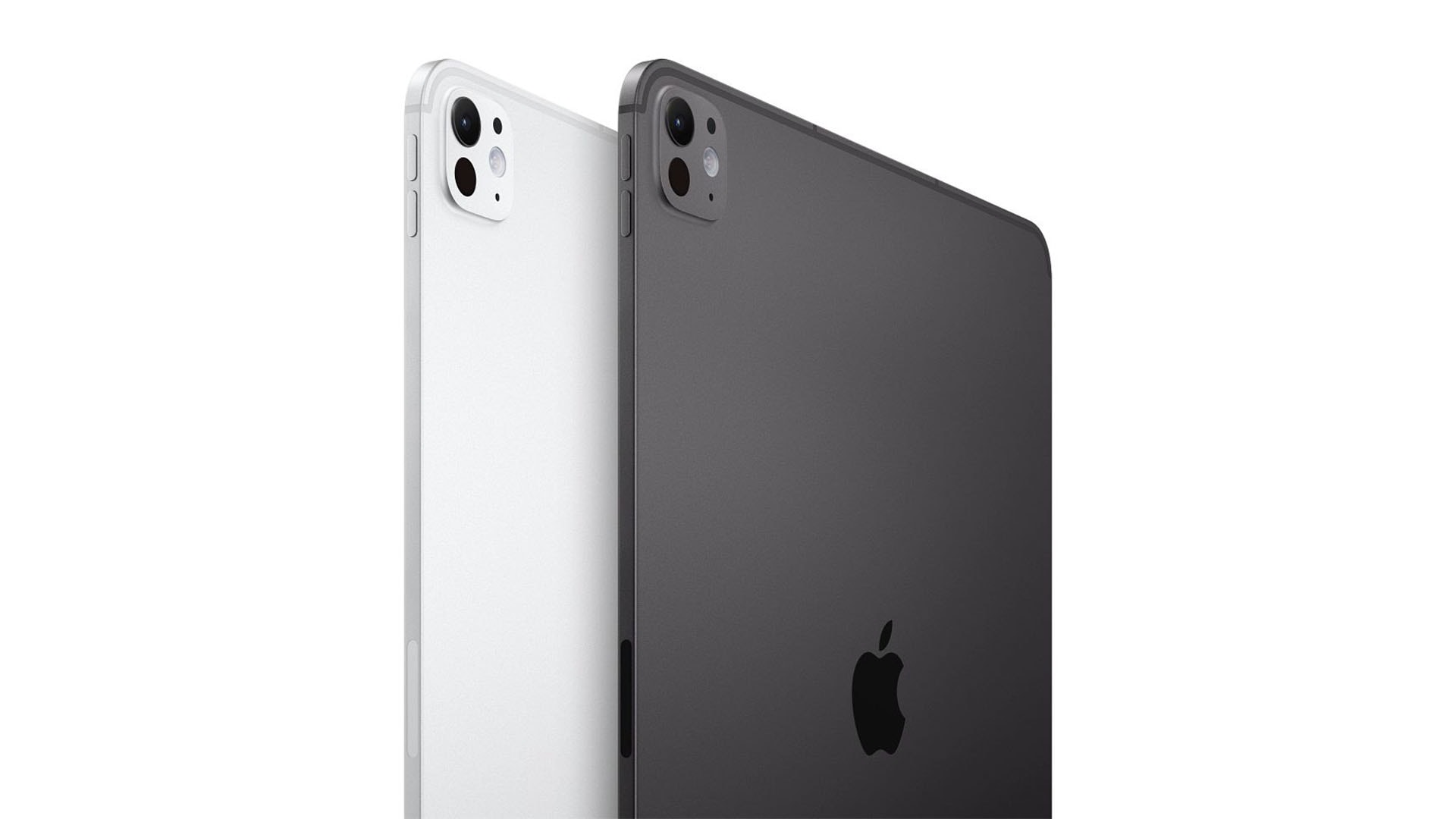
Apple did not redesign the iPad Pro M5, and reviewers agree that was the right call. The aluminium unibody is the same superb chassis that debuted with the M4 model: the 13-inch version measures just 5.1 mm thick, with the 11-inch a touch thicker at 5.3 mm. At 444 g (11-inch) and 579–580 g (13-inch) on the Wi-Fi models, the big one weighs roughly half of a MacBook Air.
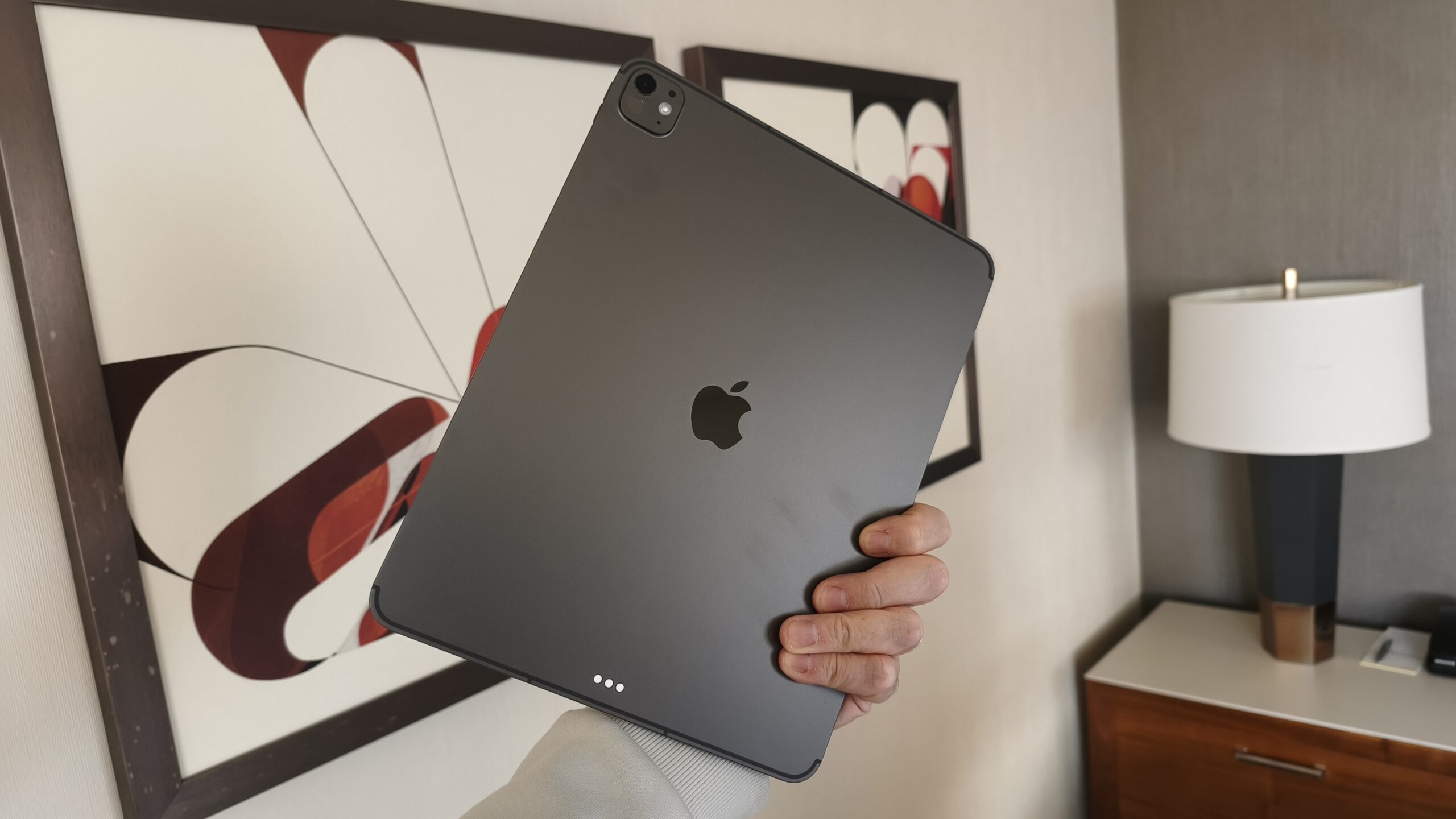
The rear camera bump is flat and barely noticeable, bezels are uniform, and the Smart Connector is still there for accessories. There are two colours — Silver and Space Black — which reviewers call boring but classy. The build feels solid and balanced in the hand, though the extreme thinness does make some testers nervous about tossing it into a bag without protection.
Everything about the frame screams premium: it’s rigid, reassuringly dense, and comfortable to hold for long reading or drawing sessions.
Display: The Tandem OLED Returns With 120Hz ProMotion
The screen is unchanged from the 2024 model, and nobody is complaining. Apple’s Tandem OLED — two OLED panels stacked for extra brightness — delivers 1,600 nits of peak HDR brightness, near-1,000 nits in SDR, true blacks, punchy colours and superb accuracy. The 11-inch panel runs at 2420×1668, the 13-inch at 2752×2064, both at 264 ppi with 120Hz ProMotion for silky scrolling.
A nano-texture glass option cuts glare dramatically, which reviewers who tested it on the M4 loved for outdoor and bright-studio use. The catch: Apple only offers it on the 1TB and 2TB models, and adds $100 to the price. Standard glass remains glossy and reflective.
One measured quirk: lab testing found the panel flickers at 240 Hz (PWM) below 88% brightness, which sensitive eyes may notice. There is also no always-on display. Gaming benefits from the panel’s near-instant 0.55 ms response time, plus 120Hz Adaptive Sync and MetalFX frame interpolation for surprisingly console-like performance.
Performance: The M5 Chip Is Frighteningly Fast
The M5 is built on a 3 nm process and delivers real, measurable gains. On the 256GB and 512GB models you get a 9-core CPU (3 performance + 6 efficiency cores) with a 10-core GPU; stepping up to 1TB or 2TB unlocks a 10-core CPU (4 performance + 6 efficiency). Every model pairs that with hardware-accelerated ray tracing and a faster 16-core Neural Engine.
Independent benchmarks tell the story: Geekbench 6 multi-core hits 15,651 (about 16% above the M4, 87% above an M1 iPad Pro), the Metal GPU test scores 74,125 (36% above M4, 123% above M1), and AI workloads run about 6% faster. The GPU also includes Neural Accelerators that Apple says deliver 3.5× faster AI performance than the M4.
In practice, reviewers edited large images, wrote thousands of words, streamed movies and ran pro apps with zero lag. Multitasking flies, and apps behave far closer to their macOS versions than before. For everyday notes, email and video, though, you will not feel the difference — this power is aimed at video editors, 3D artists and heavy multitaskers.
Memory and Storage: 12GB Standard, 2× Faster Transfers
Every M5 iPad Pro now ships with 12GB of unified memory at 256GB and 512GB — a 50% boost over before — while 1TB and 2TB models jump to 16GB with 153GB/s of memory bandwidth. Reviewers noticed apps no longer reloading when switching between heavy tasks, which makes the tablet feel noticeably more “desktop” in daily use.
Storage speed got an even bigger jump: Apple promises up to 2× faster read and write speeds, and one reviewer measured moving a 10.75GB file to an external SSD in 4.5 seconds (down from 14 seconds on the M4), hitting roughly 2.4GB/s. Copying onto the iPad itself took 4 seconds (2.7GB/s), down from 8 seconds. If you shuttle large video files around, this alone may save you more time than the faster chip.
Battery Life and Charging: 10 Hours, Plus Proper Fast Charging
Apple claims up to 10 hours of video on Wi-Fi (9 hours browsing, slightly less on cellular), and reviewers found that roughly accurate for mixed use. Battery capacities are 31.29Wh (11-inch) and 38.99Wh (13-inch). Heavy typing sessions with the Magic Keyboard attached drain it roughly twice as fast, and one lab review found runtimes slightly weaker than the predecessor’s.
The real headline: the iPad Pro M5 is the first iPad ever to support fast charging. A 60W charger gets you to about 50% in 30 minutes; one reviewer measured 43% in 30 minutes and 50% in 35 minutes with a 96W brick, reaching 100% in 1 hour 45 minutes. Apple’s own $39 40W Dynamic Power adapter can peak at 60W for short bursts. The snag is that no charger ships in the box — you must supply your own to use the feature.
Connectivity: Wi-Fi 7, Bluetooth 6, Thread and a New 5G Modem
The iPad Pro M5 carries Apple’s first in-house wireless chip, the N1, which brings Wi-Fi 7 (802.11be), Bluetooth 6 and Thread support. On a Wi-Fi 6 router, measured throughput was around 1.8–1.9 Gbps — already faster than the M4 — with a theoretical ceiling near 46 Gbps on Wi-Fi 7 networks. Bluetooth 6 is mostly future-proofing rather than something you’ll notice today, and Thread improves smart-home reliability.
Cellular models get Apple’s new C1X modem, claimed to deliver up to 50% faster 5G data with better efficiency. Reviewers noted the always-on connection remains a major edge over any MacBook — no phone hotspot needed on the road. One note: all cellular models are eSIM only.
There is still just a single USB-C port, though it runs at full USB4/Thunderbolt 40Gbps speed, driving external displays up to 6K at 60Hz — and this is the first iPad Pro that can push an external display at 120Hz with Adaptive Sync, a real win for video editors and gamers.
Cameras: Good for a Tablet, Not Your Phone’s Rival
The camera hardware is unchanged: a 12MP rear wide camera (f/1.8) with optical image stabilisation and a LiDAR scanner, plus a 12MP landscape-orientation front camera with Center Stage and Face ID. Rear video goes up to 4K ProRes at 60fps with solid microphone quality.
For a tablet, photo quality is genuinely good — reviewers rate it above most Android tablet rivals, with decent detail and colour for document scans and the odd snapshot. But no reviewer recommends a tablet as a primary camera; any decent smartphone still takes better photos. The front camera is the one you’ll actually use: landscape positioning is ideal for video calls with the Magic Keyboard attached, and Center Stage keeps you in frame as you move around. Face ID works in any orientation and makes unlocking and payments effortless.
Software: iPadOS 26 Makes It Feel Like a Mac
iPadOS 26 is arguably the biggest software upgrade the iPad has ever received. The headline is proper windowing: apps can be freely resized, layered and snapped into a grid (up to four at once), with a Mac-style menu bar and traffic-light window controls in every app. A new Liquid Glass design gives menus a translucent, layered look.
The Files app is far more desktop-like with list views and custom folders, the Phone app arrives on iPad for the first time (syncing calls and voicemails from your iPhone), a Preview app handles PDFs, and a dedicated Games app smooths gaming. Apple Intelligence is built in throughout: photo Clean Up removes distractions, Writing Tools and Image Playground generate text and images on-device.
The most-used pro apps — Procreate, Pixelmator, Goodnotes — all benefit, with reviewers praising how much closer the experience now feels to macOS. The long-standing complaints remain: no multiple user profiles, and it’s still not macOS, so professionals tied to desktop-only software will hit walls.
Apple typically supports iPads with updates for around seven years, so expect new features and security patches well into the 2030s.
Magic Keyboard and Apple Pencil Pro: Great, Sold Separately
The reviewed setup is rarely complete without the accessories, and they are excellent — but pricey. The Magic Keyboard adds a function row and a larger haptic trackpad with backlit keys and a MacBook-Pro-like typing feel; with it attached, the 11-inch package weighs 1.037 kg and runs roughly 13 mm thick. The Apple Pencil Pro supports precise handwriting, creative apps, and a squeeze gesture for context menus, charging magnetically on the tablet’s edge.
Prices: $129 for the Pencil Pro, from $299 for the Magic Keyboard. Fully loaded, a 13-inch iPad Pro with both easily passes $1,700, and a maxed-out configuration with accessories can exceed $2,500. Several reviewers note this puts the total squarely in MacBook territory.
iPad Pro M5 vs iPad Pro M4: What’s Actually New?
Side by side, the two look identical — the M5 keeps the same design, same Tandem OLED and same sizes. What changed: the M5 chip (roughly 16% faster CPU, 36% faster GPU), 12GB of RAM as standard instead of 8GB, up to 2× faster storage transfers, true fast charging, Wi-Fi 7/Bluetooth 6/Thread via the N1 chip, the C1X cellular modem, 120Hz external display support, and iPadOS 26 with windowing.
Every reviewer reaches the same conclusion: M4 owners should not upgrade. The differences are meaningful on paper but invisible in daily use. Coming from an M1 or M2 iPad Pro — or any older model — the jump is dramatic: close to double the CPU performance, triple-digit GPU gains, and a transformed operating system.
Price, Value and Alternatives
The iPad Pro M5 starts at $999 (11-inch, 256GB, Wi-Fi) and $1,299 (13-inch, 256GB). The 13-inch with 2TB, cellular and nano-texture glass tops out at $2,599; with accessories you can push past $2,500. Storage upgrades are expensive, and reviewers call the pricing eye-watering even while loving the product.
The biggest threat to the iPad Pro isn’t a rival — it’s Apple’s own lineup. For anyone browsing, streaming and doing light work, the iPad Air (M3) or even the base iPad delivers roughly 90% of the experience for far less money; see our best iPads of 2026 guide to compare the whole range. On the Android side, the Samsung Galaxy Tab S11 Ultra is the obvious alternative, with the Huawei MatePad Pro 12.2 also in the mix. For work-first buyers, our best tablets for work in 2026 compares laptops and tablets that can genuinely replace your computer.
Who Should Buy It: Our Verdict
The iPad Pro M5 is, by near-universal consensus, the best tablet ever made — stunning OLED display, desktop-class performance, an impossibly thin design, fast charging and a finally-grown-up operating system. Reviewer scores cluster around 90/100, with Cult of Mac awarding a full 5/5.
Buy it if you’re upgrading from an older iPad Pro (M1/M2 or earlier), or if you do real creative or pro work — video editing, illustration, 3D — and live in Apple’s ecosystem. Skip it if you own the M4 model (there’s almost nothing new for you), or if your tablet life is Netflix, email and note-taking (a cheaper iPad will serve you just as well). For professionals weighing a tablet against a laptop, check our best tablets for work in 2026 before committing MacBook money.
Full Specifications
| Spec | iPad Pro 11 (M5) | iPad Pro 13 (M5) |
|---|---|---|
| Chip | Apple M5 (3 nm) | Apple M5 (3 nm) |
| CPU / GPU | 9-core CPU (256/512GB) or 10-core CPU (1TB/2TB), 10-core GPU | Same |
| RAM | 12GB (256/512GB), 16GB (1TB/2TB) | Same |
| Memory bandwidth | 153GB/s | 153GB/s |
| Storage | 256GB / 512GB / 1TB / 2TB | Same |
| Display | 11″ Tandem OLED, 2420×1668, 264 ppi, 120Hz ProMotion, 1600 nits peak | 13″ Tandem OLED, 2752×2064, 264 ppi, 120Hz ProMotion, 1600 nits peak |
| Nano-texture glass | Optional (1TB/2TB only) | Optional (1TB/2TB only) |
| Size | 249.7 × 177.5 × 5.3 mm | 281.6 × 215.5 × 5.1 mm |
| Weight | 444 g (Wi-Fi) / 446 g (cellular) | 579 g (Wi-Fi) / 582 g (cellular) |
| Colours | Silver, Space Black | Silver, Space Black |
| Rear camera | 12MP wide f/1.8, OIS, LiDAR, 4K ProRes 60fps | Same |
| Front camera | 12MP landscape, Center Stage, Face ID | Same |
| Wireless | Wi-Fi 7, Bluetooth 6, Thread (N1 chip) | Same |
| Cellular | 5G via C1X modem, eSIM only | Same |
| Port | USB-C, USB4/Thunderbolt 40Gbps, DisplayPort | Same |
| External display | Up to 6K/60Hz or 4K/120Hz | Same |
| Battery | 31.29Wh, ~10 hrs video | 38.99Wh, ~10 hrs video |
| Charging | Fast charging, ~50% in 30 min (60W, charger sold separately) | Same |
| Speakers | Four-speaker audio | Same |
| OS | iPadOS 26 with Apple Intelligence | Same |
| Starting price | $999 / £999 | $1,299 / £1,299 |
Frequently Asked Questions
When was the iPad Pro M5 released?
Apple launched the iPad Pro with the M5 chip in October 2025, with reviews landing in late October. It is Apple’s flagship tablet heading into 2026, available in 11-inch and 13-inch sizes.
How much does the iPad Pro M5 cost?
The 11-inch starts at $999 and the 13-inch at $1,299 (256GB, Wi-Fi). A fully loaded 13-inch with 2TB storage, cellular and nano-texture glass costs $2,599, and adding the Apple Pencil Pro ($129) and Magic Keyboard (from $299) pushes a full setup past $2,500.
Is the iPad Pro M5 faster than the M4?
Yes, measurably: Geekbench 6 multi-core is about 16% higher, GPU performance about 36% higher, and AI workloads roughly 6% faster. The bigger practical gains come from the standard 12GB of RAM and storage transfers that are up to twice as fast.
What’s the difference between the 9-core and 10-core M5?
The 256GB and 512GB models ship with a 9-core CPU (3 performance + 6 efficiency cores) and 12GB of RAM. The 1TB and 2TB models get a 10-core CPU (4 performance + 6 efficiency cores) and 16GB of RAM. All models share the same 10-core GPU.
Does the iPad Pro M5 support fast charging?
Yes — it’s the first iPad with true fast charging, reaching roughly 50% in 30 minutes with a 60W USB-C charger. However, no charger is included in the box, so you’ll need to supply your own to use the feature.
How long does the iPad Pro M5 battery last?
Apple claims up to 10 hours of video playback on Wi-Fi and about 9 hours of web browsing. Reviewers found this roughly accurate for light use, though heavy work with the Magic Keyboard attached drains the battery around twice as fast.
Does the iPad Pro M5 have Wi-Fi 7?
Yes. Apple’s in-house N1 wireless chip adds Wi-Fi 7, Bluetooth 6 and Thread support. Measured Wi-Fi 6 throughput is around 1.8–1.9 Gbps, with much higher ceilings on Wi-Fi 7 networks. Cellular models also get the new C1X 5G modem and are eSIM only.
Is the nano-texture display worth it?
The nano-texture finish cuts glare dramatically and is excellent for outdoor or bright-studio use, but it slightly reduces the display’s brilliance. It’s also only available on the 1TB and 2TB models for an extra $100, so most buyers won’t be able to choose it.
Should I upgrade from the iPad Pro M4?
No. Every reviewer agrees the M5 is not worth the upgrade for M4 owners — the design and display are identical, and the performance gains are invisible in everyday use. It’s a strong upgrade from an M1, M2 or older iPad, though.
Can the iPad Pro M5 replace a laptop?
It gets closer than any iPad before it, thanks to iPadOS 26’s windowing system, the Magic Keyboard, 120Hz external display support and blistering performance. But it still runs iPadOS rather than macOS, lacks multiple user profiles, and misses desktop-only pro software — so it depends on your workflow.
What colours does the iPad Pro M5 come in?
Two: Silver and Space Black. Reviewers call the choice boring but classy, matching Apple’s pro-focused aesthetic for the tablet line.
