

Choosing the best VR headsets 2026 has to offer is really a question about you, not the hardware. We studied the leading expert rankings and hands-on reviews, merged everything they cover, and rebuilt it into one complete guide — top picks for every budget and use case, a plain-English buying breakdown, and honest answers to the questions every first-time buyer asks.
Best VR Headsets of 2026 at a Glance
The short answer: the Meta Quest 3 ($599) is the best VR headset for most people, the Quest 3S ($349) is the budget pick that keeps 90% of the experience, the PlayStation VR2 ($399) is the one for PS5 owners, and the Apple Vision Pro ($3,699) is the luxury spatial-computing showcase. PC enthusiasts should look at the Bigscreen Beyond 2 or Pimax Crystal Light instead.
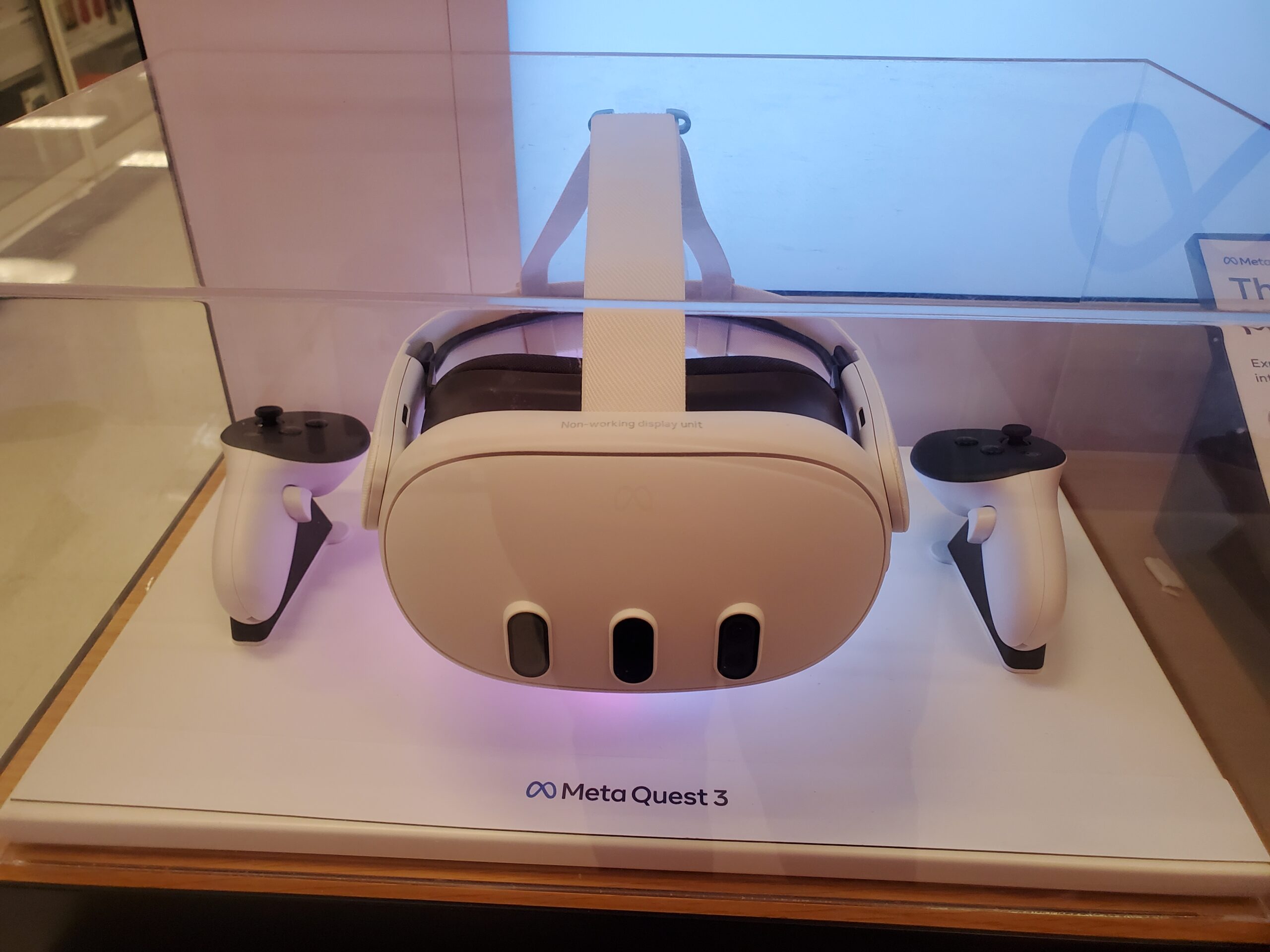
Best Overall: Meta Quest 3
No other headset balances this much at this price. The Quest 3 runs everything onboard with no PC, no wires, and no external sensors — you put it on and play. Pancake optics keep the image sharp across the lens with minimal screen-door effect, and the color passthrough is good enough for genuine mixed-reality use: browse your phone, grab a drink, or play tabletop MR games without removing the headset.
It also doubles as a capable PC VR headset over USB-C or wireless Air Link, so SteamVR titles like Half-Life: Alyx run at higher fidelity when you have a gaming PC nearby. The Snapdragon XR2 Gen 2 chip delivers roughly double the graphical power of the Quest 2, and Meta’s regular software updates have meaningfully improved performance since launch. For a deeper dive into how it stacks up in lab testing, see our best tech reviews of 2026.
Best Budget Pick: Meta Quest 3S
The 3S is the same brain in a cheaper body: the identical Snapdragon XR2 Gen 2 processor, the same Touch Plus controllers, and full access to the Quest game library — for $250 less. It even keeps color passthrough for mixed reality, which is remarkable at $349.
The savings come from the optics. Fresnel lenses replace the Quest 3’s pancake lenses, so edges look softer with more glare, and the display drops to 1832 x 1920 per eye. There is no depth sensor for room mapping and only three IPD notches instead of a continuous slider. For first-time buyers and families, those are entirely acceptable trade-offs — this is 90% of the Quest 3 experience for well under half the price of a console-plus-headset setup.
Best for PS5 Owners: PlayStation VR2
If you already own a PlayStation 5, nothing else gives you this much visual quality for the money. The dual OLED panels deliver deep blacks and vibrant colors that LCD headsets cannot match, eye tracking enables foveated rendering that punches above the console’s weight, and the Sense controllers’ haptics and adaptive triggers add genuine immersion.
The library is smaller than Quest’s but includes standout exclusives like Horizon Call of the Mountain and Gran Turismo 7, plus Sony’s $60 PC adapter unlocks SteamVR (minus some features). The catch is availability — US retail stock has been inconsistent, so check before you plan around it. And remember the real cost: headset plus PS5 puts the total setup well over $800.
Best Premium: Apple Vision Pro
The Vision Pro is less a VR headset than a spatial computer. Its micro-OLED displays pack around 23 million pixels with the best passthrough quality available, and the eye-and-hand tracking interface feels like the future — pinch your fingers to click, look to aim. Watching a film on a virtual 100-foot screen or replacing a multi-monitor desk setup is genuinely impressive.
But it is not a gaming headset: the visionOS game catalog is thin, fast-paced games suffer without proper controllers, and at $3,699 with a 750–800g headset plus external battery, it sits firmly in early-adopter territory. Glasses wearers need extra Zeiss inserts too. Buy it for media, productivity, and showing off — not for Beat Saber.
Best for PC VR: Bigscreen Beyond 2 and Pimax Crystal Light
Dedicated PC VR still wins on raw fidelity, and two headsets split the crown. The Bigscreen Beyond 2 ($959) weighs just 107 grams — it practically disappears on your face — with micro-OLED panels at 2560 x 2560 per eye. For sim racing and flight sims where you wear the headset for hours, nothing else is this comfortable. The price is the ecosystem: you need SteamVR base stations, a gaming PC, and separately bought controllers.
The Pimax Crystal Light goes the other direction: 2880 x 2880 per eye with local dimming for the sharpest image per dollar in PC VR, at the cost of a bigger, heavier headset and a beefy GPU. Valve’s own Steam Frame ($1,059) is the wildcard — wireless PC streaming plus standalone SteamOS play — but it is still stuck in a reservation queue. Note the Valve Index is discontinued as of late 2025, so do not buy one new.
Standalone vs PC VR vs Console: The Big Decision
This is the fork that matters most. Standalone headsets like the Quest 3 and 3S run everything onboard — no PC, no wires, no sensors. You trade some graphical horsepower for total freedom, and for most buyers that trade is worth it. PC VR headsets render far more complex scenes and support mods, but demand a gaming PC (think RTX 3070 or better), cables or wireless adapters, and often base stations you mount on walls.
Console VR sits in the middle: the PSVR2 needs only a PS5 and one USB-C cable, delivering premium visuals with console simplicity. Hybrids exist — the Quest 3 and Steam Frame both do standalone and PC streaming — and they are the most versatile buys if you straddle both worlds. Decide your platform first; the headset follows.
Display Quality: Resolution, Refresh Rate and Lenses
Resolution per eye is the headline number, but it is not the whole story. Most 2026 headsets offer at least 1832 x 1920 per eye, which is sharp enough for comfortable use — and the lens design matters as much as the pixel count. Pancake lenses (Quest 3, Vision Pro) give clearer edges, a bigger sweet spot, and slimmer headsets; Fresnel lenses (Quest 3S) look softer with more glare but keep prices down.
Refresh rate affects smoothness and comfort: 90Hz is the standard, 120Hz feels noticeably smoother and helps reduce motion sickness. For fast-paced games and sims, the higher rate is worth prioritizing. Display type matters too — OLED and micro-OLED deliver the deep blacks that make space games and horror titles sing, while LCD panels trade contrast for brightness and cost.
Tracking: Inside-Out vs Base Stations
Inside-out tracking — cameras on the headset watching the room — is the modern default and the reason VR setup is painless now. No external hardware, no calibration ritual. For the vast majority of games it is excellent, and it enables the pick-up-and-play experience that made standalone VR mainstream.
SteamVR lighthouse base stations remain the precision kings: millimeter-level accuracy that competitive players and professionals still prefer. But they require mounting, wiring, and a dedicated play space. Unless you are chasing esports-grade tracking or already own the ecosystem, inside-out is the right call — it is what every mainstream headset uses, and it keeps improving through software.
Comfort and Fit: The Spec Nobody Advertises
A headset you cannot wear for an hour is a bad headset regardless of its resolution. Weight distribution beats raw weight: a well-balanced 515g Quest 3 can feel better than a front-heavy lighter unit. Adjustable IPD — matching the lenses to your eye spacing — is essential for a clear image; the Quest 3’s continuous slider beats the 3S’s three fixed notches here.
Pancake optics allow slimmer, lighter designs, and breathable facial interfaces matter for long sessions. Budget for the strap: the default soft straps on budget headsets are the first upgrade most owners make, with quality halo or battery straps running $50–80. If you wear glasses, check for spacer support or prescription inserts before buying — the Vision Pro, notably, requires paid Zeiss inserts.
Content Library: The Ecosystem Decides
Hardware ages; libraries compound. The Meta Quest store has the largest standalone VR library by a wide margin — thousands of games, fitness apps, and social experiences in one storefront. SteamVR is the deepest PC catalog with mod support and flagship exclusives like Half-Life: Alyx. PlayStation VR2 offers a smaller but curated lineup with console-grade exclusives.
Apple’s visionOS excels at productivity and media apps but remains early for gaming. Pico’s library, while growing, is no match for Meta’s — a key reason the Pico 4 Ultra stays a niche pick despite solid hardware. Before buying, list the five experiences you actually want and confirm they exist on your chosen platform. For broader gadget context, our tech reviews of 2026 cover how these ecosystems evolved.
Battery Life and the Real Cost of Ownership
Expect two to three hours per charge from standalone headsets — the Quest 3 manages about 2.2 hours, the 3S around 2.5. That covers most gaming sessions, but marathon players end up buying battery straps, which conveniently also improve weight balance. The Steam Frame’s standalone mode lasts just 1–1.5 hours, which is why it is really a wireless PC headset first.
Budget beyond the sticker price: a good head strap ($50–80), a carrying case ($30–60), and games ($20–40 each) push the true first-year cost well above the headset price. PC VR adds the biggest hidden cost — the gaming PC itself. The cheapest headline price is rarely the cheapest total setup, so price the whole system before you commit.
Motion Sickness: What to Know
VR motion sickness is real and common — your eyes see movement while your inner ear insists you are sitting still, and the mismatch causes nausea. The good news: most people adapt within a week or two of regular short sessions, a process the community calls “getting your VR legs.”
Stack the deck in your favor: start with stationary experiences before free locomotion, take breaks every 20–30 minutes, sit down for intense games, and prefer titles with teleport movement options. Higher refresh rates (90Hz and up) measurably reduce discomfort, and some swear by ginger. If a demo makes you queasy in five minutes, do not assume the hardware is broken — assume you need a gentler on-ramp.

How to Choose: A Five-Question Filter
Run through this and the answer picks itself. One: what hardware do you already own — PS5, gaming PC, or nothing? Two: what is your all-in budget including accessories? Three: what is the primary use — gaming, fitness, social, productivity, or media? Four: do you value wireless simplicity or maximum visual fidelity? Five: will you wear it for hour-plus sessions where comfort dominates?
New to VR with no existing hardware: Quest 3, or 3S if money is tight. PS5 owner wanting premium VR: PSVR2. PC gamer with a Steam library: Quest 3 for versatility, Bigscreen Beyond 2 for comfort, Pimax for clarity. Professional or Apple-household media lover with budget to burn: Vision Pro or Samsung’s Galaxy XR.
Frequently Asked Questions
What is the best VR headset for most people?
The Meta Quest 3. It offers the best mix of standalone convenience, display quality, mixed-reality capability, and content library at $599, with no PC or console required. Every major ranking reaches the same conclusion.
What is the best budget VR headset?
The Meta Quest 3S at $349. It runs the same chip and full game library as the Quest 3 with modest compromises in optics and display resolution. It is the safest cheap entry into modern VR.
What is the best VR headset for PC gaming?
For versatility, the Quest 3 via Link or Air Link covers SteamVR well. For maximum fidelity, the Bigscreen Beyond 2 (comfort) or Pimax Crystal Light (clarity) are the specialist picks — both need a strong gaming PC.
What is the best VR headset for professionals?
The Apple Vision Pro for spatial computing and media, or Samsung’s Galaxy XR at roughly half the price. Both prioritize display quality and productivity over gaming value.
Is the Valve Index still worth buying?
No. Valve stopped manufacturing the Index in November 2025. Buyers wanting that style of PC VR should look at the Bigscreen Beyond 2, or join the waitlist for Valve’s Steam Frame.
Do VR headsets cause motion sickness?
They can, especially at first — it is a mismatch between what your eyes see and what your inner ear feels. Start with short, gentle sessions, take breaks, and most people adapt within a couple of weeks.
Can I wear glasses with a VR headset?
Often yes, but comfort varies — the facial seal can press on frames. Many headsets include glasses spacers, and prescription lens inserts are the best solution for regular users. The Vision Pro requires paid Zeiss inserts.
Do I need a powerful PC for VR?
Only for dedicated PC VR headsets. Standalone headsets like the Quest 3 need nothing at all, the PSVR2 needs a PS5, and the Vision Pro is fully self-contained.
What is the difference between VR, AR and mixed reality?
VR replaces your view entirely with a virtual world; AR overlays digital elements onto the real world; mixed reality blends both, letting virtual objects interact with your physical space. Modern headsets like the Quest 3 and Vision Pro do VR and mixed reality in one device.
The Bottom Line
For most people, in most situations, the answer is the Meta Quest 3 — the best blend of price, performance, library, and ease of use in 2026. Tight budget: Quest 3S. PS5 on the shelf: PlayStation VR2. Money-no-object media machine: Apple Vision Pro. And if you live in SteamVR with a powerful PC, the Bigscreen Beyond 2 or Pimax Crystal Light will show you what the platform can really do. Match the headset to your platform and your use case first, and the spec sheet will take care of itself.
