

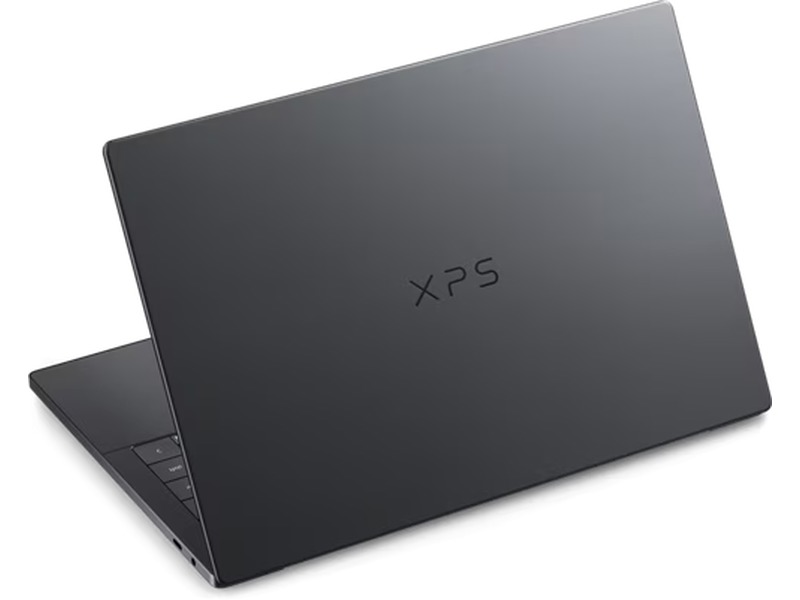
This Dell XPS 14 2026 review covers a laptop that feels like an apology letter and a flex at the same time. After a brief, odd stint as “Dell Premium,” the XPS name is back — and the 2026 refresh is the most convincing return-to-form this line has had in years. Battery life is the headline, but the redesign and Intel’s Panther Lake platform matter just as much.
Multiple reviewers converge on the same verdict: an 8.4/10-class ultrabook with category-defining endurance (over 22 hours in video playback testing on the OLED model), a stunning tandem OLED option, and real trade-offs in ports, keyboard feel, and graphics. Here’s the full breakdown.
Dell XPS 14 2026 Review: Key Specs at a Glance
Before diving into the details, here’s the hardware profile that anchors everything else — from the endurance numbers to the port situation. Configurations scale from an efficiency-focused Core Ultra 5 model up to a 32GB Core Ultra X7 flagship pushing $2,879.99.
| Spec | Detail |
|---|---|
| Model | Dell XPS 14 (DA14260) |
| CPU options | Intel Core Ultra 5 325, Core Ultra 7 355, Core Ultra X7 358H (Panther Lake / Core Ultra Series 3) |
| Memory | 16GB, 32GB, or 64GB LPDDR5x (soldered) |
| Storage | 512GB or 1TB PCIe 4.0 NVMe SSD (up to 6,520MB/s reads in testing) |
| Graphics | Intel Arc integrated — 12 Xe cores standard, Arc B390 on the X7 358H; 4 Xe cores on the Ultra 5 325. No discrete GPU option. |
| Display | 14-inch 2880×1800 tandem OLED touchscreen, 120Hz, 100% DCI-P3 — or 1920×1200 IPS, 120Hz, non-touch |
| Battery | 70Wh; tested 22+ hours (OLED) / 20h 41m (LCD, Tom’s Hardware); Dell claims up to 31 hours |
| Size / weight | 309.52 × 209.71 × 14.62mm (OLED) / 15.20mm (LCD); from 1.36kg (3.0 lb) |
| Ports | 3× Thunderbolt 4 USB-C (DisplayPort 2.1, Power Delivery), 3.5mm audio. No USB-A, HDMI, or SD. |
| Wireless | Wi-Fi 7 (Intel BE211), Bluetooth 6.0 |
| Webcam | 8MP / 4K HDR with Windows Hello and Intel IPU7 |
| Speakers | Quad-speaker: 2× 3W main + 2× 2W tweeters (10W total) |
| OS | Windows 11 Home / Pro |
| Price | From $1,599 (IPS) / $1,999+ (OLED) |
Design and Build Quality
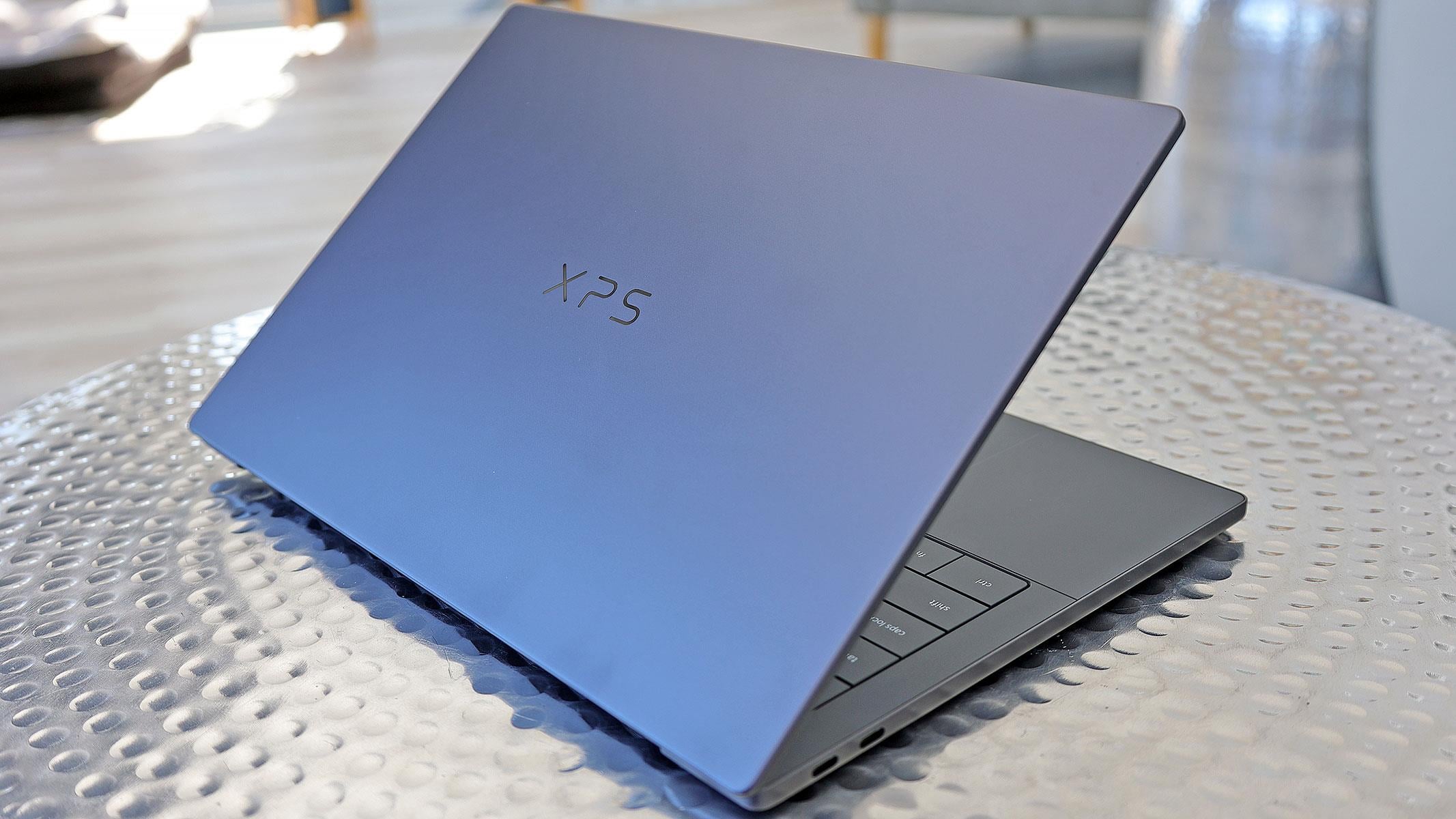
The 2026 XPS 14 is wider-shouldered and more assertive than the cautious MacBook approximation of the 2025 model. The CNC-machined aluminum chassis feels dense rather than heavy — “like a good mechanical watch,” as one reviewer put it — with a graphite finish, flatter edges, and the XPS logo proudly back on the lid.
At 1.36kg and 14.62mm thick for the OLED model, it’s Dell’s thinnest 14-inch laptop, though rivals like the ASUS Zenbook A14 undercut it by nearly half a kilogram. The slimness comes at costs felt elsewhere: the hinge caps out around 145° of opening, disassembly is an awkward tool-intensive job, and the graphite finish is, in one reviewer’s words, “very prone to fingerprints.”
Usability details are mostly improved. The press-fit hinge allows one-handed opening, the Gorilla Glass 3 palm rest stays cool under sustained loads, and the underside has no vents to block — so lap use stays comfortable. That sealed base, though, is exactly why servicing is more involved than enthusiasts would like.
Display: OLED vs IPS — Pick for Your Priorities
The tandem OLED is the head-turner: 2880×1800, 120Hz, touchscreen, with 100% sRGB, 97% AdobeRGB, and 100% DCI-P3 coverage. Colors look accurate by eye, blacks are true OLED blacks, and HDR adds real punch. It peaked around 400–440 nits SDR and up to 525 nits in HDR per Dell’s rating — good, but behind the brightest panels in this price class.
The IPS model trades contrast for brightness and endurance, peaking at 466–575 nits (one outlet measured over 500 nits vs. ~400 on OLED) and costing $400 less. Its variable refresh rate can drop as low as 1Hz, which is a meaningful part of how the LCD configuration stretches battery life so far.
Rule of thumb across every review: color-critical work, dark rooms, and indoor use favor OLED; bright sunlight, outdoor work, and maximum endurance favor IPS. Note OLED brightness and HDR behavior can lag the very best mini-LED and top-tier IPS competitors, and the glossy finish produces real reflections.
Performance: Intel Panther Lake in the Real World
Intel’s Panther Lake (Core Ultra Series 3) is less about raw benchmark leaps and more about performance-per-watt — and that efficiency is precisely what unlocks this laptop’s endurance. Day-to-day work with dozens of tabs, video calls, Photoshop, or code editors feels composed, with sustained loads that don’t throttle aggressively like earlier XPS generations.
The numbers back it up. The Core Ultra X7 358H scored 2,847 single-core and 16,720 multi-core in Geekbench 6 — slightly ahead of the M5 MacBook Air in multi-core, with Apple still far ahead in single-core. Cinebench 2024 returned 120/817, outperforming the Zenbook Duo and Zenbook S16 OLED.
One caution from Notebookcheck: the Core Ultra 7 355 loses much of what makes the higher-end Panther Lake H-series special, though it remains sensible for browsing, word processing, and general multimedia. For sustained hour-long renders, thicker competitors hold higher clocks longer — Dell tuned this machine for acoustics and battery, not boost charts.
Graphics: the Arc iGPU Reality Check
This is the year’s biggest architectural bet: Dell dropped the 2025 model’s optional RTX 4050 discrete GPU entirely, relying on Intel Arc integrated graphics instead. The Arc B390 scored 1,605 in 3DMark Steel Nomad and 29,936 in Solar Bay — well ahead of the M5 MacBook Air and Zenbook Duo — and GTA V Enhanced ran at a stable 60fps+ at native 2880×1800 on mostly high settings.
That said, it’s not a gaming laptop. The base Core Ultra 5 325’s 4-Xe-core graphics managed just 27fps in Shadow of the Tomb Raider at 1080p Highest (versus 36fps with the Arc B390). Workflows depending on CUDA, heavy Blender rendering, or demanding 3D titles will hit a ceiling fast — discrete GPU buyers should stay with the 2025 model or step up to the XPS 16.
Battery Life: The Story of This Laptop
This is where the XPS 14 sets a new standard for 14-inch Windows portables. In a video playback endurance test at 60% brightness, the OLED model still showed 3% battery at the 22-hour mark. The Core Ultra 7 355 logged 25 hours in the Procyon productivity benchmark — numbers previously reserved for Snapdragon and Apple Silicon machines.
The LCD model goes further: Tom’s Hardware measured 20 hours 41 minutes, and Hardware Canucks reportedly hit 43 hours of web browsing at 150 nits with the display at 1Hz. In real mixed use, expect 13–15 hours reliably — reviewers consistently left the charger at home. Standby drain was just 1–2% over eight hours.
Dell credits three things: Panther Lake’s idle efficiency, a first-to-market 900ED cell battery chemistry, and the variable refresh rate display dropping to 1Hz at idle. Dell’s official claims run up to 31 hours (and up to 27 hours of video playback on IPS) — treat those as best-case, but the independent numbers are transformative anyway. Note the X7 358H configuration logged closer to 17 hours, a fair trade for its stronger graphics.
Keyboard and Trackpad
The biggest usability correction of this generation: the capacitive touch function row is gone, replaced by physical function keys. It’s a small change with outsized impact for anyone whose brightness, volume, and shortcut keys are muscle memory — and it earned near-universal relief from reviewers.
The typing feel remains divisive. Key travel is just 0.8mm, shallow even by ultrabook standards, and the zero-lattice keys sit with no gaps. One reviewer watched monkeytype.com accuracy drop from 98% to 95% in week one (recovering by week three); another found the keyboard caused more typing errors outright. Comfortable for long sessions per some testers, “mushy” per others — heavy typists should try it in-store.
The haptic trackpad is the clear win: large, accurate, and now bordered with etched lines so you always know where its edges are. Click intensity is adjustable in Windows 11 settings, and it’s rated among the better trackpad experiences in the Windows ecosystem.
Ports and Connectivity
The port inventory is brutally simple: three Thunderbolt 4 USB-C ports (DisplayPort 2.1, Power Delivery, Kensington-lock compatible) and one 3.5mm audio jack. That’s it — no USB-A, no HDMI, no SD or MicroSD. Charging works from either side of the machine, which is genuinely useful at a desk.
This will frustrate many users, and reviewers say it should: at this price, a USB-C hub or Thunderbolt dock is a required add-on, not an option. A practical carry kit means a USB-C to HDMI adapter, a compact hub with at least two USB-A ports and PD pass-through, and — for creators — a USB-C card reader. If hub and dock shopping feels overwhelming, our roundup of the best gadgets for everyday life covers dependable picks that pair well with a minimal-port laptop like this.
Wireless is modern: Wi-Fi 7 via the Intel BE211 card and Bluetooth 6.0, with strong reliability reported in testing. The 8MP/4K HDR webcam, powered by Intel’s IPU7, delivers genuinely good video in mixed lighting with reliable Windows Hello facial recognition.
Thermals and Noise
Dell’s thermal redesign — larger, thinner fan blades optimized for airflow — is claimed to run 0.9 sones quieter and 5°C cooler than the previous generation. In practice, day-to-day desk work keeps the fans almost inaudible, a meaningful improvement over recent XPS predecessors. Normal browsing and writing stayed quiet and cool.
Push the machine and the fans become audible, though even at max speed they never approach “jet taking off” territory. Hotspots concentrate around the top of the keyboard deck; the palm rest and typing area stay comfortable. The tuning philosophy is explicit: sleekness, acoustics, and battery over brute-force sustained performance.
Speakers, Webcam and Privacy
The quad-speaker system is a genuine standout for a thin 14-inch laptop — louder than expected, able to fill a room, with solid stereo separation. Max volume gets a little harsh, so 80–90% is the sweet spot; bass still trails the MacBook. For music, movies, and calls without headphones, this is one of the better Windows setups available.
The webcam is upgraded to an 8MP/4K HDR module that looks clean in good light but turns grainy in low light — fine for meetings, not for content creation. The real gripe: there’s still no physical camera shutter. If you want hard privacy guarantees, grab a simple stick-on slider. We list solid camera covers, card readers, and other small essentials in our guide to the best accessories for every budget.
Creators should also note the missing MicroSD slot — a friction point for anyone offloading from action cams or drones in the field. One outlet even flagged a Windows driver issue limiting the webcam to 1440p despite the 4K spec, worth checking after setup.
Software
Dell’s software load is refreshingly light: a simple app manages power profiles, fan speeds, and display settings, then stays out of the way. One reviewer ran it for two weeks with none of the classic Windows laptop gremlins — no sleep/wake issues, random freezes, or touchpad inconsistencies.
Windows 11 Home or Pro ships depending on configuration, and the machine handles the modern essentials — Windows Hello, variable refresh, HDR — without fuss. There’s little bloat to complain about, which is increasingly rare in this segment.
Price, Configurations and Value
Pricing starts at $1,599 for the IPS model and $1,999+ for OLED, with the maxed-out X7 358H / 32GB / 1TB / OLED configuration reaching $2,879.99. The XPS line keeps getting more expensive — memory pricing, in particular, stings — but reviewers broadly agree this machine backs up the premium act with performance and endurance, unlike thin-and-lights that lean on design alone.
The configurations that make sense: best value is the Core Ultra 5-class with 16GB RAM, 512GB SSD, and the 2K non-touch panel — XPS build and battery without the OLED tax. The sweet spot is the X7-class with 32GB, 1TB, and the 2.8K OLED touch. Creator-forward buyers should max the CPU tier for their region with 32GB+ RAM and 1–2TB of storage.
Budget-conscious shoppers get a warning from the LCD-only review: at $1,409.99, the base Core Ultra 5 325 configuration sits in direct competition with AMD Ryzen AI machines that outperform it in CPU-heavy work. And if past patterns hold, discounts typically arrive within 3–6 months — patience could narrow the gap to more powerful alternatives.
Who Should Buy the Dell XPS 14 (2026)?
Buy it if you are: a frequent traveler working away from outlets all day; a professional needing color-accurate OLED for design or video; a Windows user who wants MacBook-class battery life; anyone frustrated by previous XPS thermal and noise issues; or a student wanting a premium 14-inch ultrabook for lectures and libraries. It’s also a strong fit for writers, developers, and creative professionals who need a portable, color-accurate Windows machine.
Consider alternatives if you: need a discrete GPU for gaming, Blender, or CUDA work; rely on USB-A, HDMI, or SD without wanting a hub; prioritize the lightest possible machine (see the ASUS Zenbook A14); type heavily all day and find shallow keyboards painful; or do long sustained renders where aggressive cooling wins.
Worth cross-shopping: the Apple MacBook Pro M5 and MacBook Air M5 (better efficiency per watt, tighter ecosystem); the Dell XPS 14 (2025) with optional RTX 4050 for GPU work; the ASUS Zenbook S16 OLED and Zenbook Duo for bigger OLED canvases; and the Lenovo Yoga Slim 7i, HP OmniBook Ultra, ThinkPad X1 Carbon, and Framework Laptop 13 Pro from the broader 2026 Windows field.
Dell XPS 14 (2026) Review: FAQs
How long does the Dell XPS 14 2026 battery last?
In video playback testing at 60% brightness, the OLED model lasted over 22 hours, while the Core Ultra 7 355 recorded 25 hours in the Procyon productivity benchmark and the X7 358H around 17 hours. The LCD model hit 20 hours 41 minutes in Tom’s Hardware testing. Expect 13–15 hours of real mixed use reliably.
Does the Dell XPS 14 2026 have a discrete GPU?
No — it ships exclusively with Intel Arc integrated graphics (12 Xe cores standard, Arc B390 on the X7 358H, 4 Xe cores on the Ultra 5 325). Dell traded the 2025 model’s RTX 4050 option for longer battery life and quieter thermals. Discrete GPU buyers should look at the XPS 14 (2025) or XPS 16.
What ports does the Dell XPS 14 2026 have?
Three Thunderbolt 4 USB-C ports (DisplayPort 2.1, Power Delivery) and a 3.5mm audio jack — no USB-A, HDMI, or SD card reader. A USB-C hub or Thunderbolt dock is effectively mandatory for most desk setups.
Is the Dell XPS 14 2026 good for gaming?
Casual gaming at 1080p medium settings works — Arc iGPU performance is roughly comparable to an RTX 3050 mobile, and GTA V Enhanced held 60fps+ at native 2.8K on high settings. Demanding AAA titles at high settings are not viable. It’s not a gaming laptop.
How does it compare to the MacBook Pro M5?
Both start at $1,599, but the MacBook Pro M5 leads in raw CPU/GPU efficiency per watt and AI workload performance. The XPS 14 closes the battery gap (13–15 hours real use vs. 14–17) and offers a competitive tandem OLED. It’s the pick for Windows-ecosystem users; platform-agnostic buyers prioritizing performance-per-watt still favor Apple.
What’s the difference between the 2025 and 2026 XPS 14?
The 2026 model brings a redesigned chassis with the XPS logo on the lid, Panther Lake processors, dramatically better battery life, improved thermals, physical function keys, and an etched trackpad border. It drops the 2025 model’s discrete GPU option. Choose 2025 for GPU work, 2026 for battery-first portability.
Which configuration should I buy?
Value pick: Core Ultra 5, 16GB, 512GB, 2K non-touch. Sweet spot: Core Ultra X7, 32GB, 1TB, 2.8K OLED touch. Creator-forward: highest CPU tier in your region, 32GB+ RAM, 1–2TB SSD, OLED. Pick the panel for your priorities — OLED for color, IPS for brightness and endurance.
Final Verdict
The Dell XPS 14 (2026) is a return to form in the truest sense. Not because it fixes every flaw — the keyboard remains divisive, the ports remain stubbornly minimal, and the missing discrete GPU will send some buyers elsewhere. But Dell built a laptop that knows exactly what it is: the Windows ultrabook for professionals who’ve stopped trusting their battery to outlast the day.
Leaving the charger at home for morning-through-evening workdays is a repeatable, reliable experience here. The tandem OLED competes with anything at this price, the chassis finally looks as premium as the XPS name implies, and Panther Lake’s thermals keep it quiet more often than not. Buy the OLED if your work is color-critical; buy the IPS if you work outdoors. Either way, budget for a Thunderbolt hub — and know that Dell listened. The product shows it.
