

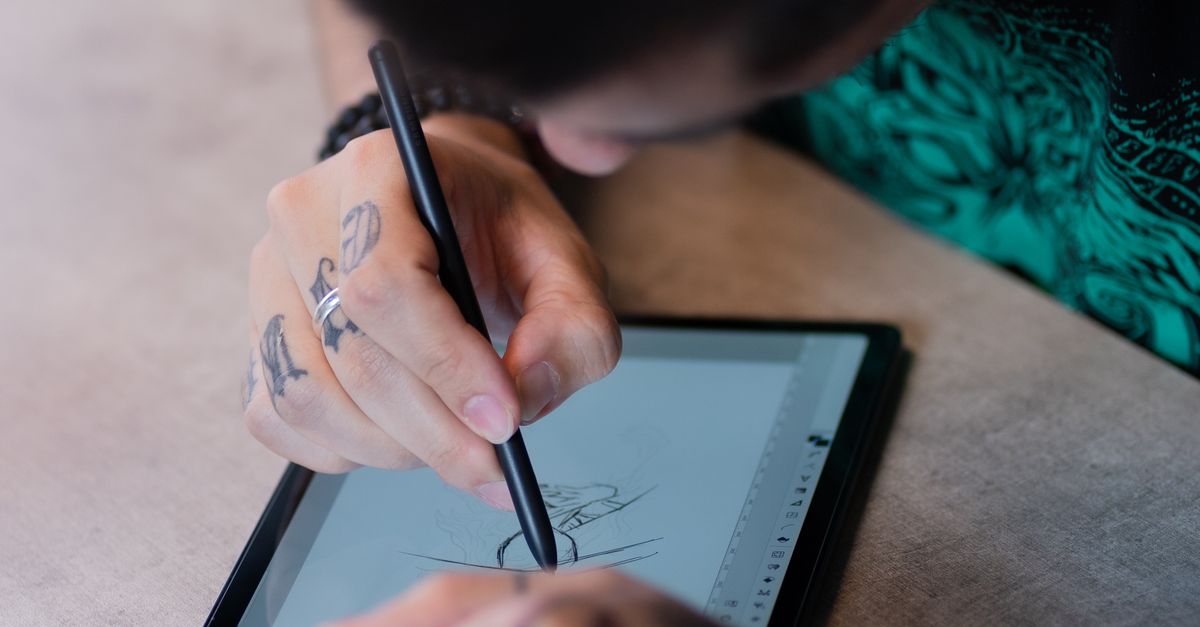
Finding the best tablets for drawing 2026 starts with one honest question: where and how do you actually draw? Some artists want a studio pen display wired to a powerful desktop. Others want a standalone Android tablet they can sketch on anywhere, with no computer in sight. And plenty are happy with a screenless pad, drawing on the surface while their eyes stay on the monitor.
The good news is that the drawing tablet market in 2026 is genuinely excellent at every price. Pressure sensitivity now stretches from 4,096 to 16,384 levels, battery-free pens are the industry standard, and laminated displays put your line exactly where the nib touches. This guide rounds up the strongest options for digital artists, designers, and illustrators, plus what to check before you buy.
Best Tablets for Drawing 2026: Our Top Picks
Here is the shortlist, with each pick’s strongest role. Scroll down for the full breakdown of every recommendation.
- Best overall: Wacom Cintiq Pro 27 — the professional studio pen display
- Best standalone: XPPen Magic Drawing Pad — full Android tablet for computer-free drawing
- Best budget pen display: Huion Kamvas 13 Gen 3 — direct-on-screen drawing for less
- Best for beginners: Wacom One 13 Touch — compact, simple, and easy to learn
- Best Apple tablet: iPad Pro 13 (M4) — the portable illustrator’s favorite
- Best screenless value: XP-Pen Deco Pro Gen 2 Medium — big active area, small price
- Best Android tablet: Samsung Galaxy Tab S10 Ultra — huge canvas with an included pen
Best Overall Drawing Tablet: Wacom Cintiq Pro 27
For professional illustrators and studio artists, the single most important trait is trust: you need the line to appear exactly where the nib lands, in exactly the color you chose. That is why fully laminated pen displays lead this category. With the glass bonded directly to the panel, there is no gap between pen tip and pixel, so strokes feel immediate and precise.
Color fidelity is the second pillar. Panels covering 99% sRGB and reaching deep into Adobe RGB and Display P3 territory keep your prints and client deliverables faithful to what you saw on screen. If your work ends up in print or on other calibrated displays, this is not a luxury — it is the whole point.
Workflow hardware seals the deal. Programmable express keys handle undo, zoom, and eraser toggles without reaching for the keyboard, and rotary dials control brush size or canvas rotation mid-stroke. Add tilt recognition up to ±60° and a battery-free pen that never needs charging, and you have a desk anchor worthy of the best tablets for drawing 2026. For a broader look at tablet hardware beyond art tools, see our guide to the best tablets of 2026.
Best Standalone Drawing Tablet: XPPen Magic Drawing Pad
A standalone drawing tablet is a complete Android device with its own processor, memory, and storage. You install your art apps, pick up the pen, and draw — on the couch, on a train, or in a park. For artists who hate being chained to a desk, this freedom is transformative.
Battery life decides how usable that freedom really is. The strongest models in this class carry large batteries that last through all-day sketch sessions, while compact 8-inch options are rated for up to 20 hours of drawing. If you travel or draw away from outlets, treat battery capacity as a headline spec.
Check memory and storage too. Around 6 to 8GB of RAM keeps layered files smooth, 128GB is a practical storage minimum, and some models expand up to 1TB for big project libraries. Matte, paper-like etched screens are another plus: they cut glare and give the nib a slight tooth, closer to the feel of real paper.
Best Budget Drawing Tablet 2026: Huion Kamvas 13 Gen 3
You do not need studio money to draw directly on a screen. The budget pen display class has matured to the point where affordable models ship with battery-free pens, tilt support, and laminated full-HD panels — features that were strictly premium just a few years ago.
At this price, prioritize the fundamentals: a responsive pen with thousands of pressure levels, a laminated display so your strokes land accurately, and a comfortable adjustable stand for long sessions. Shortcut keys are a bonus that genuinely speeds up painting once you map them to undo, brush size, and zoom.
Know your format before choosing a size. Smaller canvases are great for sketching and studies but feel cramped for full-page comic layouts or detailed panel work. If you draw large, step up to a bigger display rather than fighting a small one.
Best Drawing Tablet for Beginners
Beginners learn fastest when they can see the line appear under the pen tip, which is why a pen display is the easiest entry point into digital art. There is no hand-eye disconnect to overcome — you simply draw, the same way you would on paper.
Look for bundles that teach, not just hardware. Some beginner tablets ship with creative apps and step-by-step tutorials built in, and a few even include lifetime app upgrades. That guidance matters more than raw specs when you are still learning layers, brushes, and pressure control.
Connectivity should be painless. The friendliest models work over USB-C the moment you plug them into Windows, macOS, or Android, with no driver installation standing between you and your first sketch. Fewer setup hurdles means more drawing.
Our beginner shortlist
- Wacom One 13 Touch: compact pen display with touch support and simple USB-C setup — ideal first pen display.
- PicassoTab X11: 11-inch standalone Android tablet with tutorials, creative apps, and accessories included.
- PicassoTab A10: 10-inch standalone option with a laminated display and a gentle learning curve.
- RubensTab T11 Pro: strong standalone value with pen, glove, and stand case in the box.
Best Apple Tablet for Drawing: iPad Pro 13 (M4)
The iPad remains the default portable drawing studio, and for good reason. You get a thin, light slate with a laminated display, a high-refresh screen that keeps strokes fluid, and a pen with lag-free response, tilt, and pressure sensitivity. It slips into a bag and goes anywhere.
The software library is the real moat. Years of tablet-first art apps mean mature, touch-optimized tools for illustration, comics, and painting, with cloud sync to your desktop workflow. If you already live in the Apple ecosystem, the handoff between devices is seamless.
Budget for the extras. Premium styli are sold separately, and a good case, stand, or paper-feel screen protector genuinely improves the drawing experience. Our roundup of the best accessories worth buying in 2026 covers the chargers, stands, and storage that complete a mobile art setup.
Best Screenless Drawing Tablets
Screenless tablets ask for a short adjustment period: your hand moves on the pad while your eyes stay on the monitor. Most artists find it clicks within a few days, and then the advantages take over — lower prices, a cleaner desk, and an ergonomic posture that suits long illustration or photo-editing sessions.
The value here is remarkable. Ten-by-six-inch class hardware with 8,192 pressure levels, battery-free pens, ±60° tilt recognition, and USB-C connectivity sits in the $60–$80 range. That is professional-grade input hardware for the price of a dinner out.
Wacom remains the gold standard for driver polish and long-term reliability, which is why its premium screenless models command higher prices despite having no display. XP-Pen and Huion counter with more hardware for the money. Either way, map the express keys early — undo, zoom, and eraser toggles on the tablet save constant trips to the keyboard.
Screenless picks worth considering
- XP-Pen Deco Pro Gen 2 Medium: best value screenless tablet with a generous active area.
- Wacom Intuos Pro M: best premium screenless pick with the most refined pen feel.
- XP-Pen Deco 01 V3: 16,384 pressure levels, battery-free stylus, and 8 hotkeys at a beginner-friendly price.
- Huion Inspiroy H1060P: versatile 10 × 6.25-inch workhorse with customizable hotkeys.
- ugee M908: excellent all-rounder for illustration, concept art, and manga on a budget.
Best Android Tablet for Drawing: Samsung Galaxy Tab S10 Ultra
Android’s flagship answer for artists is a big, bright slate with a pen included in the box — no separate stylus purchase required. The expansive canvas suits detailed illustration and multitasking, with room for reference images beside your artwork.
Fourteen-inch-class displays hit a sweet spot for drawing: large enough for full compositions, still portable enough to carry. Expandable storage up to 1TB keeps large project files and brush libraries local instead of fighting cloud limits.
Android’s creative app library has matured considerably, with professional-grade painting and comic tools available alongside the usual sketching apps. If you want one device for drawing, media, and everyday use, this is the most versatile pick in the roundup.
How to Choose the Right Drawing Tablet
Before comparing models, lock in the four decisions that actually determine whether you will love your tablet: pen quality, display quality, whether it needs a computer, and how much value you get for the price.
Pressure Sensitivity and Pen Technology
Pressure levels come in tiers: 4,096 is plenty for beginners and note-taking, 8,192 is the professional standard, and 16,384 delivers the smoothest, most nuanced line variation. More important than the number is the pen itself — battery-free electromagnetic pens are the industry standard because they never need charging and respond consistently.
Tilt recognition (typically ±60°) lets you shade with the side of the nib like a real pencil, and programmable hotkeys or express keys keep common actions under your non-drawing hand. Test the pen’s initial activation force if you can: a pen that needs a hard press to start a line will fatigue your hand.
Display Quality
On pen displays, full lamination is the feature that matters most — it bonds the glass to the panel and eliminates the parallax gap that makes lines appear offset from the nib. Matte, anti-glare etched glass further improves the experience by cutting reflections and adding paper-like friction.
Resolution and color follow. Sharp 4K and 2.5K-class panels reveal fine detail, while wide color gamut coverage (99% sRGB and up, with strong Adobe RGB and Display P3 numbers on pro models) keeps your work accurate from screen to print. High refresh rates like 90Hz and 120Hz make panning and zooming feel buttery rather than choppy.
Standalone vs. Connected
Standalone Android drawing tablets need no computer at all — they run their own apps on their own hardware. This is the pick for portable, couch-and-café drawing, and battery ratings up to 13–20 hours make them genuinely all-day devices.
Pen displays and screenless tablets connect to a PC or Mac over USB-C and lean on its power. You get access to full desktop creative suites and bigger canvases, at the cost of being desk-bound. Some screenless models also work plug-and-play with Android phones, which is a handy backup.
Getting the Best Value
Here is the honest brand math for 2026: Wacom still carries the most prestige and the most polished drivers, but you pay a real premium — its pen displays cost notably more than comparable Huion and XP-Pen models. Huion wins on value across the board: start with the Kamvas 13 if your budget is tight, or step up to the Kamvas Pro 16 with its 2.5K display if you are serious about your art.
Match the tablet to your level, not your aspirations. A beginner does not need a 4K studio display, and a professional should not fight a small entry-level canvas. Buy the best pen and display you can afford in the category you will actually use daily.
Frequently Asked Questions
What is the difference between a pen display and a pen tablet?
A pen display has a built-in screen — you draw directly on it and watch your work appear under the pen tip, which makes it intuitive for beginners. A pen tablet (also called a screenless or graphics tablet) has no screen: you draw on its surface while the result appears on your separate monitor. Pen displays are easier to learn; pen tablets are lighter, cheaper, and often preferred by experienced artists for long sessions.
What is the best tablet for drawing in 2026?
It depends on your workflow. The Wacom Cintiq Pro 27 is the best overall pick for professional studio work, the XPPen Magic Drawing Pad is the best standalone tablet for computer-free drawing, and the Huion Kamvas 13 Gen 3 is the best budget pen display. For portability, the iPad Pro 13 (M4) is unmatched, while the XP-Pen Deco Pro Gen 2 Medium offers the best screenless value.
Do I need a computer to use a drawing tablet?
Not always. Standalone Android drawing tablets run their own apps and need no computer at all. Pen displays, however, must be connected to a PC or Mac to work. Some screenless tablets also support plug-and-play use with Android devices over USB-C, so check the connectivity specs of the model you are considering.
How many pressure levels do I need?
For beginners, 4,096 levels are more than enough to learn digital drawing. The 8,192-level standard covers professional illustration, comics, and design work comfortably. The 16,384-level tier offers the finest control over subtle line-weight changes, which matters most for detailed inking and painterly work. Pen quality and software matter at least as much as the raw number.
Is Wacom worth the premium over Huion or XP-Pen?
Wacom earns its premium through the most polished drivers, the most refined pen feel, and long-term reliability — it remains the gold standard many studios standardize on. But Huion and XP-Pen now offer comparable or better hardware specs at significantly lower prices, and independent roundups increasingly call them the better product for the money. Choose Wacom for maximum polish, Huion or XP-Pen for maximum value.
Which drawing apps work on these tablets?
It depends on the platform. iPads run Procreate and a deep library of tablet-first art apps. Android tablets support Clip Studio Paint and other mobile creative apps, and many beginner tablets bundle their own creative software with tutorials. Pen displays connected to a computer run full desktop suites — whatever your studio already uses will work.
The best tablets for drawing 2026 prove there has never been a better time to draw digitally. Whether you choose a studio-grade pen display, a go-anywhere standalone tablet, or a budget screenless pad, the fundamentals — a responsive battery-free pen, a laminated display or a trusted monitor, and software you enjoy — matter far more than the logo on the bezel. Pick the category that fits your workflow, buy the best pen quality your budget allows, and get drawing.
