

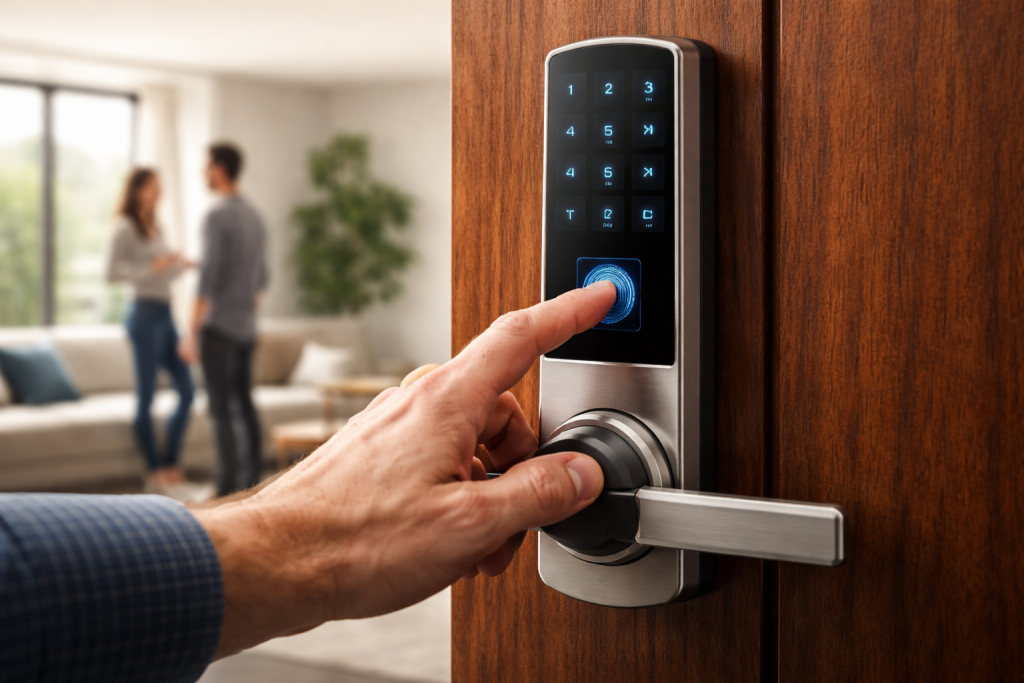
Fumbling for keys in the dark or wondering whether you remembered to lock up are problems that belong in the past. The best smart lock of 2026 does more than open with your phone — it combines real deadbolt security with convenience that genuinely makes life easier, from fingerprint entry to hands-free unlocking as you walk up with groceries. This guide draws on five current expert buying guides to find the right lock for every home, renter, and budget.
What a Smart Lock Actually Does
A smart deadbolt does everything a traditional deadbolt does, plus control and convenience: unlock with a phone app, a keypad code, a fingerprint, or a voice command. Away from home, you can check whether the door is locked, get alerts when someone enters, and create temporary codes for guests, cleaners, or dog walkers. You’ll never get locked out from forgetting keys, and if you leave wondering whether you locked up, you check and fix it from your phone in seconds.
But keep expectations honest: a smart lock is a layer, not a security system. It doesn’t detect a break-in if the intruder kicks the door, it doesn’t call the police or record video, and it doesn’t protect the door itself — a hollow-core door, a worn-out strike plate, or an exposed frame stay the same vulnerabilities they were before the upgrade. For the full setup, pair the lock with other smart home devices like a video doorbell and alarm.
The Best Smart Locks of 2026 at a Glance
- Schlage Encode Plus (~$280) — Best overall — Keypad, key, Home Key, app — Apple Home, Matter, Alexa, Google
- Yale Assure Lock 3 Ultra ($349) — Best hands-free — UWB, keypad, app — Matter, all platforms
- August Wi-Fi 4th Gen (~$200) — Best for renters — App, auto-unlock, existing key — Alexa, Google, Apple Home
- Level Lock+ Matter (~$330) — Best invisible design — Key, Home Key, NFC card, app — Apple Home, Matter
- Yale Assure Lock 2 (~$260) — Best aesthetics — Touchscreen, fingerprint opt., key, app — Wi-Fi / Matter / HomeKit modules
- Aqara U200 ($229) — Best value fingerprint — Fingerprint, keypad, app — Matter, Thread
- Eufy C220 (~$130) — Best budget — Fingerprint, keypad, key, app — Alexa, Google
- Lockly Vision Elite ($399) — Best with built-in camera — Fingerprint, PIN Genie, app — Wi-Fi
Best Overall: Schlage Encode Plus
The Encode Plus is the smart lock recommended first for homeowners because it gets every layer right at once. The deadbolt is ANSI/BHMA Grade 1 — the highest residential grade — so the lock body resists forced entry as well as a non-electronic high-security deadbolt. Wi-Fi is built in with no hub required, the touchscreen keypad is illuminated, weatherproof, and fingerprint-resistant, and there’s a physical key cylinder as fallback.
What pushes it to the top is Apple Home Key: hold your iPhone or Apple Watch within an inch of the deadbolt and it opens — no app, no code. It’s the only lock here that combines Grade 1 hardware with Home Key in a single unit. Add the built-in alarm with triggered alerts, up to 100 access codes, and Matter support alongside Alexa and Google, and you have the deadbolt meant to last a decade. The one caveat: Grade 1 is also what some insurers reference for discounts, so call your carrier before you buy if that matters.
Best Hands-Free: Yale Assure Lock 3 Ultra
Ultra-wideband is the biggest leap in smart locks in years: the phone detects precisely where you are relative to the door, enabling true hands-free unlocking as you approach — without the false triggers that plagued earlier Bluetooth-based auto-unlock. The Assure Lock 3 Ultra is the gold standard for it, with Matter certification, built-in Wi-Fi (no bridge), a tamper-resistant design with alarm, and battery life up to 12 months.
Installation takes under 15 minutes and works with existing deadbolts on most standard doors. The sleek touchscreen keypad carries a privacy shield, though users report it can be harder to read in direct sunlight. At $349 it’s premium money, and UWB only works with compatible smartphones (iPhone 11 and newer, select Androids) — but if you want the most advanced smart lock technology available in 2026, this is it.
Best for Renters: August Wi-Fi Smart Lock (4th Gen)
The August is the lock recommended to every renter because it’s the only top-tier smart lock that installs without changing the outside of the door. It mounts on the interior side of your existing deadbolt — your landlord’s keyed cylinder stays outside, physical keys and master keys still work — while a motor turns the thumb-turn from inside, giving you Wi-Fi, app control, auto-unlock, and remote guest access.
DoorSense, a magnetic sensor in the box, tells you whether the door is actually open or closed — not just whether the bolt is extended. When your lease ends, you remove four screws and take it with you: no landlord conversation, no security-deposit risk. Two caveats: it’s the largest interior-side device here, there’s no keypad (phone or keys only), and you should disable auto-unlock if your door opens directly into a public hallway.
Best Invisible Design: Level Lock+ (Matter Edition)
The Level Lock+ is for buyers who refuse to put a smart-looking device on the door at all. The entire mechanism — motor, battery, antenna — lives inside the deadbolt body. From the street, the door shows nothing but a normal-looking deadbolt cylinder, which matters in high-end neighborhoods, historic houses where HOAs forbid visible electronics, and for anyone who doesn’t want to advertise a power source on the door.
It supports Apple Home Key and Matter, and ships with NFC unlock cards you can hand to a houseguest or contractor — a credit-card-shaped tap-to-unlock credential needing no app or code. A single CR2 battery lasts roughly a year. The trade-offs: at around $330 it’s the most expensive standard pick, there’s no keypad, and installation is more complex — professional installation is recommended, and your door must meet the thickness requirements.
Best for Aesthetics: Yale Assure Lock 2
If you’ve rejected a numbered-button keypad on aesthetic grounds, the Assure Lock 2’s touchscreen face is a clean black panel that lights up only when you tap it, on a body slimmer and closer to a traditional deadbolt profile than the chunkier Schlage. Yale’s app is one of the better-designed in the category, with clean guest-code scheduling and a usable activity log.
The ecosystem story is module-based: the lock ships with Wi-Fi, while Matter or Apple HomeKit come via a small snap-in replacement module — fiddlier than Schlage’s all-in-one, but you choose your ecosystem at purchase. An optional fingerprint module reads your print and opens the door in under a second, storing up to 25 fingerprints and 250 PIN codes. Yale also sells a key-free variant, but the keyed version is the one to buy — the physical fallback is worth more than the cosmetic upgrade.
Best Value with Fingerprint: Aqara Smart Lock U200
Aqara’s U200 brings premium features to a mid-range $229: fingerprint reader, keypad, and smartphone access, with Matter over Thread and a built-in rechargeable battery charged over USB-C — eliminating the ongoing $10–15 a year most locks cost in AA batteries. The fingerprint sensor earns consistent praise for speed and accuracy, and IPX5 water resistance handles the elements.
The catch is the hub: full smart-home integration requires an Aqara hub (another $50–70), and some users report occasional app connectivity hiccups. But if you want multiple entry methods and no battery-buying treadmill at a mid-range price, the value proposition is outstanding.
Best Budget: Eufy Smart Lock C220
When the budget cap is firm at $150 and you still want Wi-Fi, app control, and fingerprint unlock, the C220 is the pick. At around $130 you get a fast capacitive fingerprint reader handling a couple dozen prints, an illuminated keypad, IP65 weatherproofing, built-in Wi-Fi with no hub, and a physical key fallback — plus it works locally without internet.
The limits are clear: Alexa and Google Home only, no Matter or HomeKit, and no Grade 1 rating. One ownership note for buyers who weight it: Eufy is Anker-owned and China-headquartered, though the lock sits on no current US restricted-entity list. For “fingerprint and Wi-Fi at the lowest defensible price,” this is the lock.
Best with a Built-In Camera: Lockly Vision Elite
Lockly’s Vision Elite combines a smart lock with a 1080p video doorbell: two devices in one saves door space and installation time. The PIN Genie keypad changes button positions on every use — an anti-peep technology that defeats shoulder surfing — alongside a fingerprint reader, offline access codes that work without connectivity, and two-way audio.
At $399 it’s the highest price here, the design is bulkier from the camera integration, and cloud video storage needs a $3–10/month subscription. But for security-focused users who want the lock and the camera unified — see who’s at the door and let them in from one app — nothing else consolidates the stack like this.

How to Choose the Best Smart Lock for Your Home
Match your ecosystem first. Most households are committed to Apple, Google, or Amazon. Apple users should look at the Schlage Encode Plus or Level Lock+ for the best Home Key integration — unlocking with an iPhone or Apple Watch, even using power-reserve mode when the phone battery dies. Google households get the deepest integration from the Nest x Yale. For universal compatibility, Matter-certified locks work across all platforms without picking sides — over 85% of locks released in 2025–2026 include it.
Pick your connectivity. Wi-Fi locks connect directly to the router for remote control with no extra hardware, but drain batteries faster. Bluetooth works within about 30 feet unless paired with a bridge. Z-Wave and Zigbee are low-power but need a hub. Matter/Thread combines low power with direct cross-platform integration — the newest and most future-proof option.
Choose the entry method for your people. Keypads are the most reliable and easiest to share — hand a code to the cleaner or dog walker and revoke it later. Fingerprint is fastest for a single user but slower to enroll households and unreliable in cold or wet weather. Keyless touchscreens look cleanest but are harder for children or older relatives. For most households, a keypad model fits every user pattern.
Check the door before you buy. Most locks fit standard US door prep (2-1/8 inch bore hole, adjustable backset), but measure your door thickness (usually 1-3/8″ to 1-3/4″) and backset (2-3/8″ or 2-3/4″) first — door compatibility issues generate the most returns. Metal doors may need longer screws, and retrofit locks like August need the existing deadbolt in good working order.
Mind installation reality. August wins easiest-install: 10–15 minutes attaching to your existing interior deadbolt. Most full deadbolt replacements take 20–30 minutes with a screwdriver — if you can install a regular deadbolt, you can handle them. The Level Lock+ installs inside the door edge and benefits from professional installation. The number-one cause of problems is over-tightening screws, followed by skipping the calibration step that teaches the lock your door’s positions.
Lock down the digital side. Every pick here uses AES 128- or 256-bit encryption — properly configured, a smart lock is harder to hack than a traditional lock is to pick. The real weak links are weak account passwords and shared codes that never get updated: use a unique password with two-factor authentication, update firmware regularly, audit who has access quarterly, and actually enable the tamper alerts most users never turn on. Voice control through smart speaker options is handy, but keep the security basics first.
Frequently Asked Questions
Are smart locks actually safe? Can they be hacked?
The locks here use AES-128 encryption and rolling-code authentication — the same class of security as modern car key fobs. The realistic attack surface isn’t the wireless link; it’s the door, the strike plate, and the deadbolt grade. Every pick is ANSI/BHMA Grade 2 or better (the Encode Plus is Grade 1). Enable two-factor authentication on the manufacturer’s account, and disable auto-unlock if your door sits in a high-traffic area.
Will a smart lock work with Apple Home, Alexa, or Google Home?
All five top picks support at least one major ecosystem. The Encode Plus, Assure Lock 2 (with module), and Level Lock+ support Apple Home including Home Key; all support Alexa and Google Home via Wi-Fi. If Apple Home Key is the priority, pick the Encode Plus or Level Lock+; if you’re Google- or Amazon-only, August or Eufy give the best price-to-feature ratio.
Can I install a smart lock in a rental apartment?
Yes — install the August Wi-Fi Smart Lock (4th Gen). It’s the only mainstream smart lock that mounts inside your existing deadbolt without changing the keyed cylinder outside, so the landlord’s master key and your physical keys keep working. When you move, unscrew it in ten minutes and the door looks exactly as it did on move-in day.
What happens if the Wi-Fi or power goes out?
Every lock here works locally without internet — the keypad, fingerprint reader, Home Key tap, or physical key opens the door even if the router is dead. What you lose during an outage is remote control and logging. Batteries last 6 to 12 months, the lock warns you for weeks before dying, and all accept a key fallback. There’s no realistic scenario where you’re locked out from a battery or network problem if you read the warnings.
What happens if the battery dies?
Every pick has a backup: most accept a physical key, and several have a USB-C or 9V battery terminal on the exterior that provides temporary power to unlock. Low-battery warnings arrive weeks before the batteries actually die, so running out by surprise is unlikely if you pay attention to notifications.
Do smart locks work with existing doors?
Most fit standard US door preparations. Check your door thickness, backset measurement, and whether the door is metal (which may need longer screws). Non-standard doors, like euro-profile cylinders, may need different hardware — check the manufacturer’s compatibility tool before buying.
Do I need a hub for a smart lock?
Not necessarily. Wi-Fi locks connect directly to your router; Bluetooth locks can reach the internet through a Wi-Fi bridge; Matter/Thread locks work with any Matter controller like a newer Echo, HomePod, or Nest speaker. Z-Wave and Zigbee locks do need a dedicated hub.
Do smart locks lower my homeowners insurance?
Sometimes — it varies by carrier. Discounts usually require a Grade 1 or Grade 2 deadbolt on an exterior door, bundled into a broader smart-home or monitored-security rider (typically 5–10%). The Encode Plus’s Grade 1 rating meets the threshold some carriers reference. Call your carrier before you buy if the discount is a deciding factor.
Fingerprint, keypad, or keyless — which unlock method is best?
Pick the method that matches your most-frequent users. Keypads are most reliable and easiest to share with family or service people. Fingerprint is fastest for one user but unreliable in cold or wet weather. Keyless touchscreens look cleanest but challenge children and older relatives. A keypad model fits the most household patterns.
I already have a video doorbell — do I still need a smart lock?
Yes, because they solve different problems: the doorbell tells you who’s at the door and records what happens, while the lock controls whether they get in. Together they give the most-asked-for combination — see the delivery driver on the doorbell, confirm the package was placed inside, then re-lock the door, all from your phone.
Final Word
A smart lock is the single highest-leverage upgrade most homes can make — it removes hide-a-key risk, ends the lost-key panic, and hands you remote control over who enters and when. Match the buying pattern to your home (Apple household, renter, design-first, or budget), check the door measurements before ordering, and remember the strike plate matters as much as the lock body.
