

Finding the best tablets for streaming 2026 starts with one truth: the screen matters more than the chip. A mid-range processor plays Netflix all evening, but a dull display or tinny speakers announce themselves within five minutes of every film. This guide ranks each pick on what actually shapes movie nights — panel quality, HDR support, Widevine DRM level, speakers and genuine video playback time.
From OLED cinemas to cheap family couch tablets, these twelve picks cover every budget — choose by how you watch.
Quick Picks
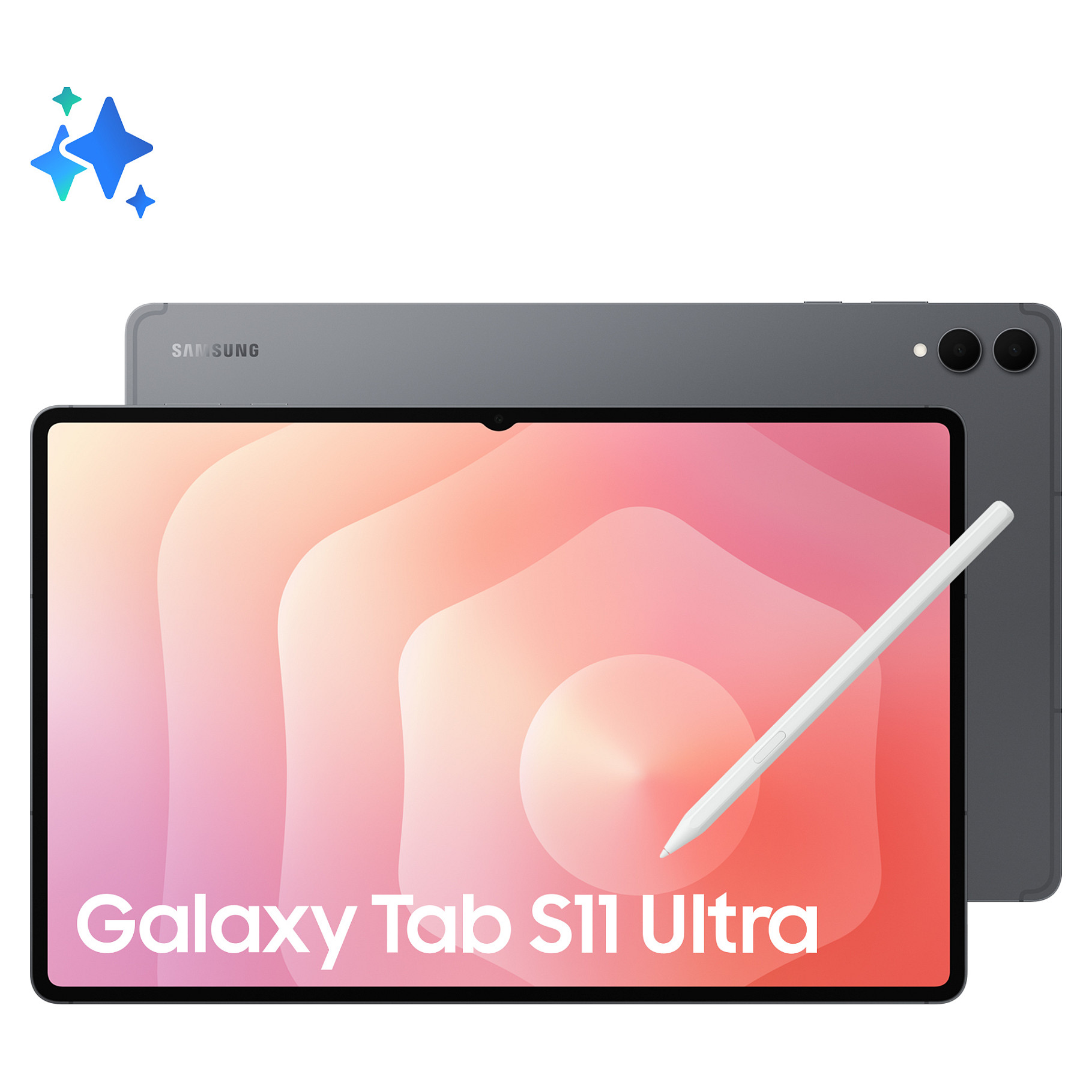
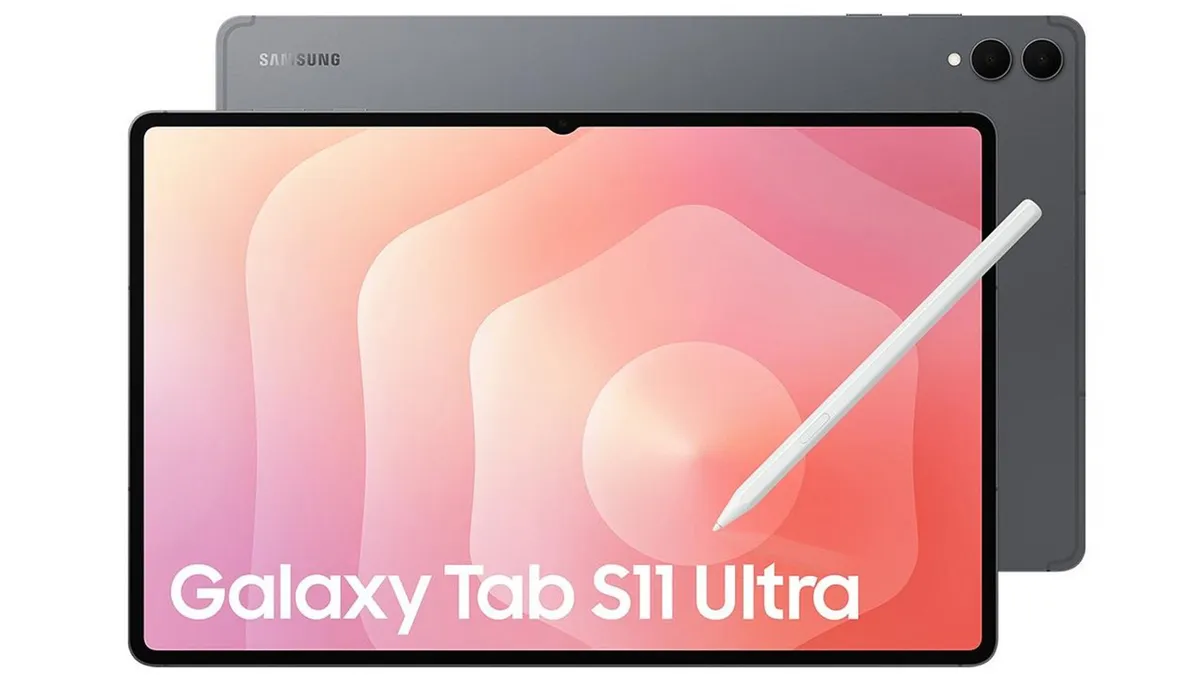
- Best overall: Galaxy Tab S11 Ultra — 14.6-inch AMOLED cinema, quad speakers, huge battery.
- Best picture quality: iPad Pro M5 — tandem OLED, Dolby Vision, deepest tablet contrast.
- Best Apple value: iPad Air — 11 or 13-inch Liquid Retina, far below Pro pricing.
- Best all-rounder: iPad 11 (A16) — sharp display, strong speakers, 10-hour battery.
- Best big-screen Android: Galaxy Tab S10 Ultra — 14.6-inch AMOLED with HDR10+.
- Best mid-range big screen: Galaxy Tab S9 FE+ — 12.4 inches, 16-hour battery.
- Best budget big screen: Lenovo Tab P12 — 12.7 inches, Widevine L1 for true HD.
- Best ultra-cheap: Fire HD 10 — 1080p streaming for very little money.
- Best premium Fire: Fire Max 11 — Dolby Atmos, 11-inch display.
- Best budget compact: Xiaomi Pad 6 — 11-inch 2.8K screen, quad speakers, L1.
- Best-value Android: Lenovo Idea Tab — 2.5K display, Dolby Atmos, microSD to 2TB.
- Best for travel: iPad mini — 8.3-inch powerhouse for flights.
Best Tablets for Streaming 2026: 12 Picks Compared
Samsung Galaxy Tab S11 Ultra — Best Overall Streaming Tablet
The 14.6-inch Dynamic AMOLED 2X panel pairs 2960×1848 resolution with 120Hz, anti-reflective coating and 1600 nits of peak HDR brightness. Dark scenes stay properly black, four loud speakers fill a room, and Samsung rates it for roughly 23 hours of wireless video — several films per charge. At 692g it belongs on a stand or your lap, and you pay for an S Pen, Wi-Fi 7 and a flagship chip a streaming-only buyer will barely touch. Verdict: the closest thing to a portable OLED cinema in 2026.
Apple iPad Pro M5 — Best Picture Quality
Apple’s tandem OLED — Ultra Retina XDR — delivers 1000 nits full-screen, 1600 nits peak HDR and a 2,000,000:1 contrast ratio, with ProMotion and low reflectivity. In dark rooms it outclasses every LCD tablet. The 444-gram 11-inch model is easy to live with; the 579-gram 13-inch is the bigger canvas but wants a stand. Four speakers sound rich, and Netflix, Disney+ and Max support Dolby Vision. The M5 chip is nearly irrelevant for streaming — you pay purely for the screen. Verdict: expensive overkill for casual viewers, but the best-looking panel for films.
Apple iPad Air — Best Apple Value
The current iPad Air hits a sweet spot: premium feel and strong performance without Pro pricing. Its 11 and 13-inch Liquid Retina LCDs lack OLED blacks but stay bright and colour-accurate, and iPadOS offers the most mature versions of the major streaming apps. Verdict: the sensible place for most Apple fans to stop.
Apple iPad 11 (A16) — Best All-Rounder for Most People
For the classic couch scenario — open Netflix, disappear for three hours — the standard iPad is the easiest recommendation here. The 11-inch 2360×1640 display reaches 500 nits, the landscape stereo speakers are genuinely decent, and Apple rates it for ten hours of video. The 2025 model starts at 128GB, leaving room for offline downloads. It stays at 60Hz on LCD — irrelevant at this price. Verdict: the safest streaming tablet for most households.
Samsung Galaxy Tab S10 Ultra — Best Big-Screen Android Alternative
The previous-generation Ultra remains superb and is often discounted. Its 14.6-inch 120Hz AMOLED display supports HDR10+, so eligible Netflix titles play with proper dynamic contrast. Quad speakers deliver loud, wide sound, and the 11,200mAh battery keeps films running for hours. Verdict: a theatrical Android screen, often cheaper than its successor.
Samsung Galaxy Tab S9 FE+ — Best Mid-Range Big Screen
The Tab S9 FE+ proves you need not spend flagship money. The 12.4-inch LCD is sharp and bright, and endurance is the story: up to 16 hours of video playback. Stereo speakers handle dialogue cleanly, the S Pen comes in the box, and an IP68 rating shrugs off splashes. Verdict: big-screen binge-watching without the flagship bill.
Lenovo Tab P12 — Best Budget Big Screen
The Tab P12 targets one buyer: a large family-streaming screen without a premium price. The 12.7-inch LCD suits shared viewing, quad speakers give dialogue presence, and Lenovo confirms Widevine L1 — so Netflix and Disney+ stream in HD rather than SD. A 10,200mAh battery stretches to around 12 hours. Verdict: the cheapest honest route to a genuinely large HD streaming screen.
Amazon Fire HD 10 — Best Ultra-Cheap Streamer
The Fire HD 10 needs no justification beyond price. The 10.1-inch 1080p display handles Netflix, Prime Video, YouTube and Disney+ well, battery life stretches to around 13 hours, and Prime Video integrates naturally with Fire OS. Caveats: Fire OS uses Amazon’s Appstore rather than Google Play, and lock-screen models show sponsored content unless you pay to remove it. Verdict: the no-brainer budget pick. Compare Amazon’s full range in our best Amazon Fire tablets of 2026 roundup.
Amazon Fire Max 11 — Best Premium Amazon Pick
The Fire Max 11 is Amazon’s most convincing tablet. The 11-inch 2000×1200 display is sharper than the HD 10, Dolby Atmos gives films more spacious sound, and the 14-hour battery is among the best at this price. Netflix and the other major apps are all in the Amazon Appstore, though Fire OS means Google Play stays absent. As a couch companion for streaming — and evening reading, covered in our best tablets for reading 2026 guide — it is excellent value. Verdict: the best Fire tablet for film lovers.
Xiaomi Pad 6 — Best Budget Compact
The Pad 6 nails the fundamentals. The 11-inch 2.8K-class LCD is sharp, four speakers punch well above the price, and Xiaomi confirms Widevine L1, so HD streams arrive as intended. The compact build travels well. You give up OLED contrast and iPadOS polish, but you gain a tablet that does streaming’s two essentials — picture and sound — properly. Verdict: the budget Android that gets the important things right.
Lenovo Idea Tab — Best-Value Android All-Rounder
The Idea Tab is the value pick for buyers who want proper Android rather than Fire OS. Its 11-inch 90Hz 2.5K display keeps scrolling smooth, four Dolby Atmos speakers upgrade typical budget audio, and Lenovo claims around 12 hours of YouTube per charge. The microSD slot takes cards up to 2TB. Verdict: maximum movie-night value on full Android.
Apple iPad mini — Best for Travel and Downloads
The iPad mini is not the best movie tablet for the living room, and it does not pretend to be. The 8.3-inch Liquid Retina display with P3 wide colour and an anti-reflective coating is easy to hold on a plane or train, the A17 Pro keeps everything fluid, and it fits in small bags. Least immersive here, but for flights and downloads it wins on portability. Verdict: the travel-first pick — small screen, huge convenience.
Display Quality: Why OLED and AMOLED Win Movie Nights
Panel technology decides how films look far more than resolution does. OLED and AMOLED pixels switch fully off, producing true blacks and enormous contrast — most visible in dark scenes, where cheap LCDs turn shadows grey. The iPad Pro’s tandem OLED and Samsung’s Dynamic AMOLED 2X are the night-time benchmarks.
Good LCDs are not a disaster: the iPad’s Liquid Retina and better mid-range LCDs stay bright, sharp and colour-accurate, and in well-lit rooms the gap narrows. Resolution is secondary — judge displays by contrast, colour accuracy and brightness first, pixel count last.
Screen Size: Finding Your Sweet Spot
For most buyers, 10 to 13 inches is the sweet spot, with around 11 inches ideal — much bigger than a phone without becoming awkward to hold. Move to 13 or 14.6 inches and films gain cinematic weight, but you will switch to a stand or your lap.
Smaller tablets have their place: the 8.3-inch iPad mini disappears into a bag and rests in one hand. Ask not “what is biggest?” but “where will I actually watch?” — the right size follows the scenario.
Sound Quality and Speakers
Weak speakers can ruin a great screen, yet sound is the feature buyers most often ignore. Avoid single-speaker tablets, insist on stereo at minimum, and pick four speakers when the price gap is small. Quad-speaker setups — on the iPad Pro, Galaxy Tab S11 Ultra, Tab P12 and Pad 6 — sound wider and clearer, with dialogue that stays intelligible without cranking the volume.
Speaker placement matters: drivers on both sides in landscape sound more natural than those clustered on one edge, and Dolby Atmos adds spaciousness. But no tablet speaker replaces headphones — wireless earbuds or noise-cancelling headphones on a flight improve the experience more than upgrading from one mid-range LCD to another.
HDR Formats Explained: Dolby Vision, HDR10 and HDR10+
HDR gives modern films their punch: brighter highlights, deeper shadows, more detail in between. Dolby Vision is the most advanced, adjusting brightness scene by scene, and appears on iPads and premium Android tablets. HDR10 is the open baseline; HDR10+ adds dynamic metadata, and Netflix began rolling it out to certified devices in 2025.
Two practical notes: Netflix requires its Premium plan for HDR, and availability varies by device and title. A missing “4K” badge does not always mean poor quality — tablet apps emphasise HDR rendering, and some devices play at full panel quality without showing a 4K label.
Widevine L1: The Streaming Detail Nobody Should Ignore
Widevine is Google’s DRM system, and its level decides what resolution apps may serve you. L1 permits HD and above; L3 caps most services at standard definition. A budget tablet can run Netflix perfectly and still show soft, blurry video because it only carries L3 — which the maker will never advertise.
That is why the Tab P12 and Pad 6 earn recommendations: both confirm L1. Verify it in specifications or owner reports before buying a budget Android tablet, or check after purchase in the Netflix app under App Settings, Diagnostics, Playback Specification. iPads handle DRM through the OS, so this does not apply to them.
Battery Life for Binge-Watchers
Streaming video is hungrier than browsing, especially at high brightness and volume, so treat manufacturer claims as optimistic. Aim for at least 8 to 10 hours of real video playback — enough for several films or most of a long flight. The Tab S9 FE+ stretches to 16 hours, the Fire tablets sit around 13 to 14, and the Tab S11 Ultra claims roughly 23.
Do not judge endurance by capacity alone: screen size, panel type, chip efficiency and brightness all shape power use. Independent video-playback tests beat the figure on the box, and fast charging is a bonus — a short top-up can recover several hours of viewing.
Streaming Services on Tablets: Netflix, Disney+, Max, Prime Video and YouTube
Setup is straightforward: install the official app, sign in, and pick the highest quality your plan supports. Each service has quirks:
Netflix is the easiest app and the best for offline downloads — save episodes before a flight and you remove buffering, weak hotel Wi-Fi and data charges. Higher-quality downloads look better on large screens but eat storage, so 128GB is the comfortable starting point.
Max rewards good screens most: HBO series and Warner Bros. films lean on dark, moody cinematography — exactly where OLED and AMOLED pull ahead of LCDs. Check your titles support offline downloads before leaving home.
Disney+ is the family champion: Disney, Pixar, Marvel, Star Wars and National Geographic in one app, most of it downloadable, with profiles and parental controls for the kids.
Prime Video is the natural fit for Amazon households and is woven into Fire tablets. A handful of high-quality downloads consumes noticeable storage, so travellers should favour 128GB or more.
YouTube is the odd one out — documentaries, long videos, podcasts and live streams. Prioritise good speakers and a bright display over refresh rate; YouTube Premium adds offline downloads for eligible videos.
App Compatibility: Fire OS vs Full Android vs iPadOS
Most iPads and mainstream Android tablets run every major streaming app without fuss, but the ecosystem underneath matters. Fire tablets run Fire OS with the Amazon Appstore instead of Google Play: the big services are all present, but the catalogue beyond them is thinner.
Huawei tablets and some ultra-budget Android brands can be more limited still, with missing apps or weaker DRM that quietly degrades quality. The safe rule: choose iPadOS or recent Android with full Google Play, confirm your apps are available, and verify HD playback before the return window closes.
How Much Should You Spend?
For most people, $250 to $500 is where value peaks: good LCD screens, solid speakers and strong battery life. A $400 tablet with a bright display and ten hours of video beats a far more expensive tablet bought for its benchmark scores.
Under $200, compromises show — weaker displays, thinner sound, slower chips, shorter support. Past $500, premium features appear, though OLED usually lives higher still. Under $500, prioritise screen and speakers; pay extra for OLED only if picture quality is a top priority.
Why a Tablet Is the Best Way to Watch Movies Anywhere
A phone is fine for short clips, but a full film feels cramped. An 11-inch tablet gives you dramatically more screen without becoming difficult to carry. Unlike a TV, it follows you: bed, sofa, kitchen, plane, train and hotel room.
Travel is where tablets earn their keep: thin and light, with offline downloads that free you from airport Wi-Fi and expensive data. Download two or three films at home and a long flight becomes genuinely pleasant.
Accessories That Make Movie Nights Better
- Stand case: holding any tablet through a two-hour film gets tiring — two stable angles cover desk and bed use while protecting the device.
- Headphones: private listening still wins for a proper film session. Noise-cancelling pairs are transformative on flights, cutting engine drone.
- Power bank: streaming drains batteries steadily. Choose a USB-C model with enough output — larger tablets sip slowly from phone chargers.
Setting Up for the Best Picture
A few minutes of setup extracts better quality. Check your plan and app first: Netflix needs Premium for HDR, and an outdated app can silently cap quality. On Android, confirm your Widevine level under Netflix’s App Settings, Diagnostics, Playback Specification. Keep bandwidth stable at 5–15 Mbps, and look for HDR10+ badges on eligible Netflix titles on recent Samsung tablets.
What Most Buyers Get Wrong
“I need 4K” — usually not: panel quality, contrast, brightness and glare handling matter far more than a 4K label on tablet screens. “The most expensive tablet is automatically right” — wrong too; a casual streamer will be happier, and richer, with an iPad Air or Fire HD 10. “Bigger is always better” — only with a stand. And “budget tablets are basically the same now” — closer than before, but “good enough” and “best for movies” remain different categories.
Frequently Asked Questions (FAQs) About Streaming Tablets
What is the best tablet for watching Netflix?
The iPad 11 (A16) suits most people: a sharp 11-inch display, strong speakers, ten-hour battery and excellent Netflix support at a sensible price. If budget is no obstacle, the Galaxy Tab S11 Ultra wins for pure movie watching with its huge AMOLED display and HDR10+ support.
Is an iPad or an Android tablet better for movies?
Both are excellent — the OS matters less than the display, speakers and price. iPads offer better app support and longer updates; Android gives more screen sizes and technologies, including large affordable OLED models. Compare panels first, platforms second.
Does OLED matter for watching movies?
Yes, particularly for night-time viewing: OLED and AMOLED pixels switch fully off, delivering deeper blacks, stronger contrast and more impactful HDR. That said, a good LCD on a reasonably priced tablet still looks excellent and is the smarter buy on a tight budget.
What screen size is best for watching movies on a tablet?
For most people, 10 to 13 inches is ideal, with around 11 inches the sweet spot — much bigger than a phone without becoming awkward. Larger 13 to 14.6-inch tablets are more cinematic but want a stand; the 8.3-inch iPad mini trades immersion for portability.
How much should I spend on a tablet for streaming?
For most buyers, $250 to $500 is right — a good display, solid speakers and strong battery without paying for performance streaming apps never use. Under $200 you will notice weaker screens and sound; above $500 you pay for premium extras like OLED.
Is the iPad Air good enough for movies?
Yes, for most people: bright, colour-accurate Liquid Retina display, premium build and app experience, and a price well below the Pro. It simply is not the best screen for maximum cinematic impact — that is the iPad Pro’s territory.
Is the Fire HD 10 worth it for Netflix and YouTube?
Yes, if you want a cheap casual streamer and keep expectations realistic — the 1080p screen, long battery and major apps cover the basics brilliantly. No, if you expect premium display quality or the app freedom of full Android or iPadOS.
Is the iPad mini too small for films?
For home movie nights, often yes — the 8.3-inch screen cannot match an 11-inch tablet’s immersion. For flights, commuting and downloads, no: it is a portability-first device that slips into small bags and rests in one hand.
Is 64GB of storage enough for movies?
Yes, if you mainly stream over Wi-Fi. But if you download films for travel, 128GB is safer — apps, system files and offline video fill 64GB fast.
Can I download movies to watch offline on tablets?
Yes — Netflix, Disney+, Prime Video, Max and YouTube Premium all support offline downloads. Save films at home on fast Wi-Fi and never depend on unreliable hotel or aeroplane internet.
Do tablets support all popular streaming apps?
Almost all mainstream tablets support Netflix, Disney+, Prime Video, Max and YouTube. But check before buying: Fire tablets use Amazon’s Appstore rather than Google Play, and some ultra-budget tablets may lack apps or stream at reduced quality.
How important is battery life for a movie tablet?
Very — nothing ruins a film night like a dying battery at the climax. Aim for 8 to 10 hours of video playback, 10-plus if you travel often. Treat manufacturer claims as optimistic.
Final Verdict
Cut through the noise and the choice is simple: the iPad Pro M5 if screen quality is the entire point; the Galaxy Tab S11 Ultra for the biggest, most cinematic Android screen; the iPad Air or standard iPad for Apple quality without the Pro premium; the Fire HD 10 or Fire Max 11 if price is the first filter; the iPad mini if your films happen at 35,000 feet.
The wrong move is paying for the longest spec sheet without deciding what you value. For the best tablets for streaming 2026, the decision is never about the fastest chip — it is about OLED contrast, screen size, value, cheap streaming or portability. Pick the one that matches your evenings.
