

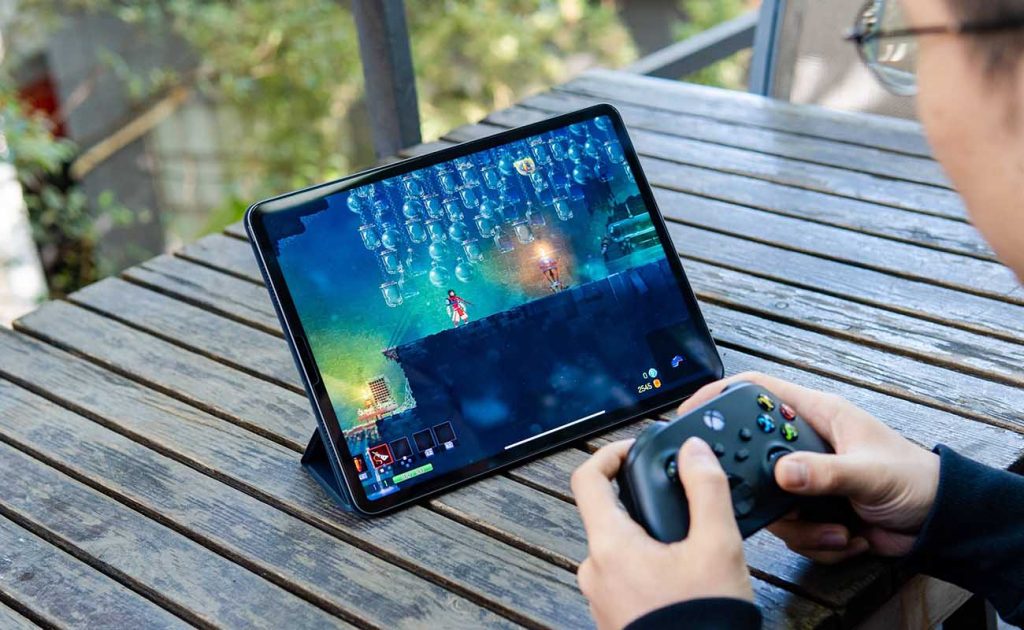
Gaming tablets in 2026 are no longer a casual-only affair. The best gaming tablets now handle 120Hz multiplayer shooters, console-quality ports with ray tracing, and cloud gaming through GeForce NOW and Xbox Cloud that feels surprisingly close to native. Pick the wrong one, though, and you get frame drops ten minutes into every match.
A great gaming tablet is not just “fast.” It needs a high-refresh display, sustained performance without thermal throttling, strong speakers or low-latency audio, enough storage for modern game installs, and a controller ecosystem that turns it into a couch console. These are the tablets that get all of that right.
Quick Picks: The Best Gaming Tablets of 2026
- Best overall: iPad Pro M4 (11″ / 13″) — the benchmark for polished mobile gaming, with a Tandem OLED 120Hz display and exclusive AAA ports.
- Best Android: OnePlus Pad 3 — Snapdragon 8 Elite, 144Hz 3.4K display and vapor-chamber cooling at a price that embarrasses flagships.
- Best big screen: Samsung Galaxy Tab S11 Ultra — a 14.6-inch Dynamic AMOLED 2X panel that turns any game into a cinema.
- Best compact: Lenovo Legion Tab Gen 3 — flagship power in a handheld-friendly size.
- Best for competitive play: REDMAGIC Nova — 144Hz display, 550Hz touch sampling and active ICE cooling built for long sessions.
- Best value: OnePlus Pad 2 — Snapdragon 8 Gen 3 gaming for under $500.
- Best budget: Xiaomi Redmi Pad 2 — solid casual gaming without breaking the bank.
What Actually Matters in Gaming Tablets
Benchmarks lie by omission. A chip that scores brilliantly for thirty seconds and then throttles is worse than a slightly slower chip with great thermals. Long matches expose thermal throttling, battery drain under load and frame drops after 10-15 minutes — so cooling design matters more than peak scores.
Refresh rate is the second pillar. For shooters, racing and competitive games, 120Hz or higher makes aiming and movement feel connected, and low touch latency matters just as much as the panel itself. Then there is audio: strong stereo speakers for couch play, or low-latency Bluetooth (or USB-C audio) so competitive play does not suffer from laggy sound.
Storage is the quiet killer. Modern mobile games run 5-20GB each, so 128GB fills fast — 256GB is the comfortable starting point, and microSD helps on Android tablets that support it. Finally, check the controller situation: Xbox and PlayStation controllers pair natively with both iPadOS and Android, and a telescopic controller turns a tablet into a handheld console.
iPad Pro M4 — Best Overall Gaming Tablet
The iPad Pro remains the gaming tablet benchmark. The 13-inch model pairs a Tandem OLED display (2752 x 2064, 120Hz ProMotion, 1600 nits HDR peak) with the Apple M4’s 10-core CPU and 10-core GPU, including hardware-accelerated ray tracing. In real-world testing it holds 60fps locked in Genshin Impact at max graphics and 55-60fps in Resident Evil Village — console ports that simply do not exist on Android.
What seals it is the ecosystem. Apple Arcade offers premium titles optimized for the hardware, exclusive AAA games like Baldur’s Gate 3 and Death Stranding launch on iPad first, and controller support is the most polished in the business. Battery life stretches to 8-10 hours of gaming, and three-hour Genshin sessions show no meaningful thermal throttling.
The trade-offs are price (from $1,099), no microSD expansion, and accessories sold separately. But for the best pick-up-and-play gaming experience with zero tinkering, nothing touches it.
OnePlus Pad 3 — Best Android Gaming Tablet
For Android gamers, the OnePlus Pad 3 is the strongest all-rounder. The Snapdragon 8 Elite chip drives a 13.2-inch 3.4K display with a 144Hz adaptive refresh rate, and a vapor-chamber cooling system keeps frame rates stable through long sessions. Eight speakers — four woofers and four tweeters — give it some of the best directional audio on any tablet.
The numbers are serious: up to 16GB of LPDDR5X RAM, 512GB of UFS 4.0 storage, a 12,140mAh battery with 80W fast charging, and around 6 hours of AAA gaming per charge. Android game optimization still varies title to title more than on iPadOS, and you may need to tune a few game profiles — but at its price, the Pad 3 delivers roughly 90% of flagship performance for far less money.
For the wider Android tablet landscape beyond gaming, see our roundup of the best Android tablets tested and compared.
Samsung Galaxy Tab S11 Ultra — Best Big-Screen Gaming Tablet
If immersion is the goal, the 14.6-inch Dynamic AMOLED 2X display on the Tab S11 Ultra is unmatched. The MediaTek Dimensity 9400+ handles demanding games with ease, the 120Hz panel keeps motion smooth, and Samsung includes the S Pen in the box. Quad speakers with Dolby Atmos, microSD expansion and Samsung DeX round out a tablet that doubles as a portable TV and light workstation.
The size is the compromise: at well over 700g it is not a handheld device, and extended touch gaming needs a stand or a controller. Battery life also varies heavily with brightness on a panel this large. But for couch gaming with a controller, split-screen play with a guide open beside the game, or cloud gaming on the biggest screen available, it is in a class of one.
Lenovo Legion Tab Gen 3 — Best Compact Gaming Tablet
Not everyone wants a 14-inch slab. The Legion Tab Gen 3 is the “small but serious” Android gaming tablet: flagship-class performance in a compact body that is actually comfortable to hold for long sessions. It is the closest a tablet gets to handheld-console ergonomics while keeping a screen far bigger than any phone.
The smaller display is less cinematic for RPGs and media, but for competitive touch games, emulation and travel play, the form factor wins. If your hands cramp on big tablets, this is your pick.
Prefer something even more portable? Our guide to the best gaming phones covers pocket-sized options for serious mobile gamers.
REDMAGIC Nova — Best for Competitive and Long Sessions
The REDMAGIC Nova is the only tablet here built like a gaming peripheral. Its 10.9-inch 2.8K LCD runs at 144Hz with 550Hz touch sampling — the fastest touch response in the category — and the ICE multi-layer vapor-chamber cooling system keeps temperatures in check through marathon sessions. Bypass charging powers the tablet directly from the adapter during play, reducing battery wear.
The Snapdragon 8 Gen 3, 12-16GB of RAM and 10,100mAh battery with 80W charging (0-100% in under an hour) complete the package, alongside Game Space software for performance tuning. Downsides: the LCD cannot match OLED contrast, there is no microSD slot, and the aggressive gaming aesthetic is not for everyone. For ranked shooters and esports practice, though, it is purpose-built.
OnePlus Pad 2 — Best Value Gaming Tablet
The OnePlus Pad 2 puts the same Snapdragon 8 Gen 3 found in $1,000 tablets into a device that costs under $500. The 12.1-inch 3K LCD runs at 144Hz, 12GB of RAM handles heavy multitasking, the 9,510mAh battery delivers 7-9 hours of gaming, and 67W SuperVOOC charging refills it in about 90 minutes. Six Dolby Atmos speakers and clean OxygenOS software round out remarkable value.
You give up OLED contrast, microSD expansion and water resistance — but for pure frames per dollar, nothing else is close.
Xiaomi Redmi Pad 2 — Best Budget Gaming Tablet
For casual gamers on a strict budget, the Redmi Pad 2 is the sensible floor. It handles popular titles like PUBG Mobile and Mobile Legends smoothly, stays light and comfortable for long sessions, and keeps the price firmly in impulse-buy territory. Demanding games at high settings are beyond it, and software updates may be limited — but as a first gaming tablet or a secondary device, it is hard to argue with.
Accessories That Instantly Upgrade Tablet Gaming
A controller is the single biggest upgrade: an Xbox Wireless Controller or PlayStation DualSense pairs natively and transforms shooters, racers and platformers. Second, invest in low-latency audio — standard Bluetooth adds noticeable delay, so look for earbuds with a gaming mode or use USB-C wired audio for competitive play.
Third, a simple stand turns any tablet into a mini console for desk or couch play, keeping your hands free for the controller. And plan storage early: 256GB internal is the sweet spot, and on Android tablets a microSD card is cheap insurance for media — though most games still prefer internal storage.

Frequently Asked Questions
What is the difference between a gaming tablet and a regular tablet?
Gaming tablets prioritize sustained performance with better cooling, high-refresh-rate displays (120Hz+), and gaming-focused software like performance modes and game launchers. Regular tablets can still play games well but may throttle during long sessions and lack those optimizations.
How important is refresh rate for gaming?
Very, for fast-paced games. 120Hz or higher makes shooters, racers and competitive titles feel noticeably smoother and more responsive. For casual puzzle or card games, 60Hz is perfectly fine — do not pay extra for refresh rate you will not use.
Do I need 5G for gaming on a tablet?
Only if you regularly game away from Wi-Fi. Most tablet gaming happens on home Wi-Fi, and cloud gaming in particular wants a stable, fast connection. 5G adds cost and drains battery faster, so skip it unless you travel constantly.
Can a tablet replace a gaming laptop?
For mobile games, yes — tablets handle them better than laptops. For PC games, no: you need a laptop or desktop for that library. Cloud gaming services like GeForce NOW and Xbox Cloud bridge the gap, streaming PC and console games to any decent tablet.
How much storage do I need for gaming?
Games are the hungriest apps you will install — a handful of big titles can swallow 100GB without trying. Get as much internal storage as your budget allows, because games load fastest from it, and treat a microSD slot (where offered) as overflow for videos, downloads and media rather than game installs.
Is a controller necessary for tablet gaming?
Not for touch-native games, but it transforms the experience for shooters, racing games, platformers and cloud-streamed console titles. Xbox and PlayStation controllers pair natively with iPadOS and Android, so it is a cheap upgrade with a big payoff.
Should I choose an iPad or an Android tablet for gaming?
iPads win on game optimization, exclusive AAA ports and polish — the iPad Pro is the safest “just works” choice. Android tablets win on value, display choice (including 144Hz), expandable storage and emulation. Pick the ecosystem whose games you already play.
Final Verdict
The iPad Pro M4 is still the easiest recommendation for the best overall gaming tablet experience: unmatched chip, display and game library in one polished package. Android-first buyers should get the OnePlus Pad 3 for flagship gaming at a sane price, go big with the Galaxy Tab S11 Ultra for immersion, or grab the REDMAGIC Nova if competitive shooters are life. And remember the golden rule of gaming tablets: sustained cooling beats peak benchmarks every single time.
