

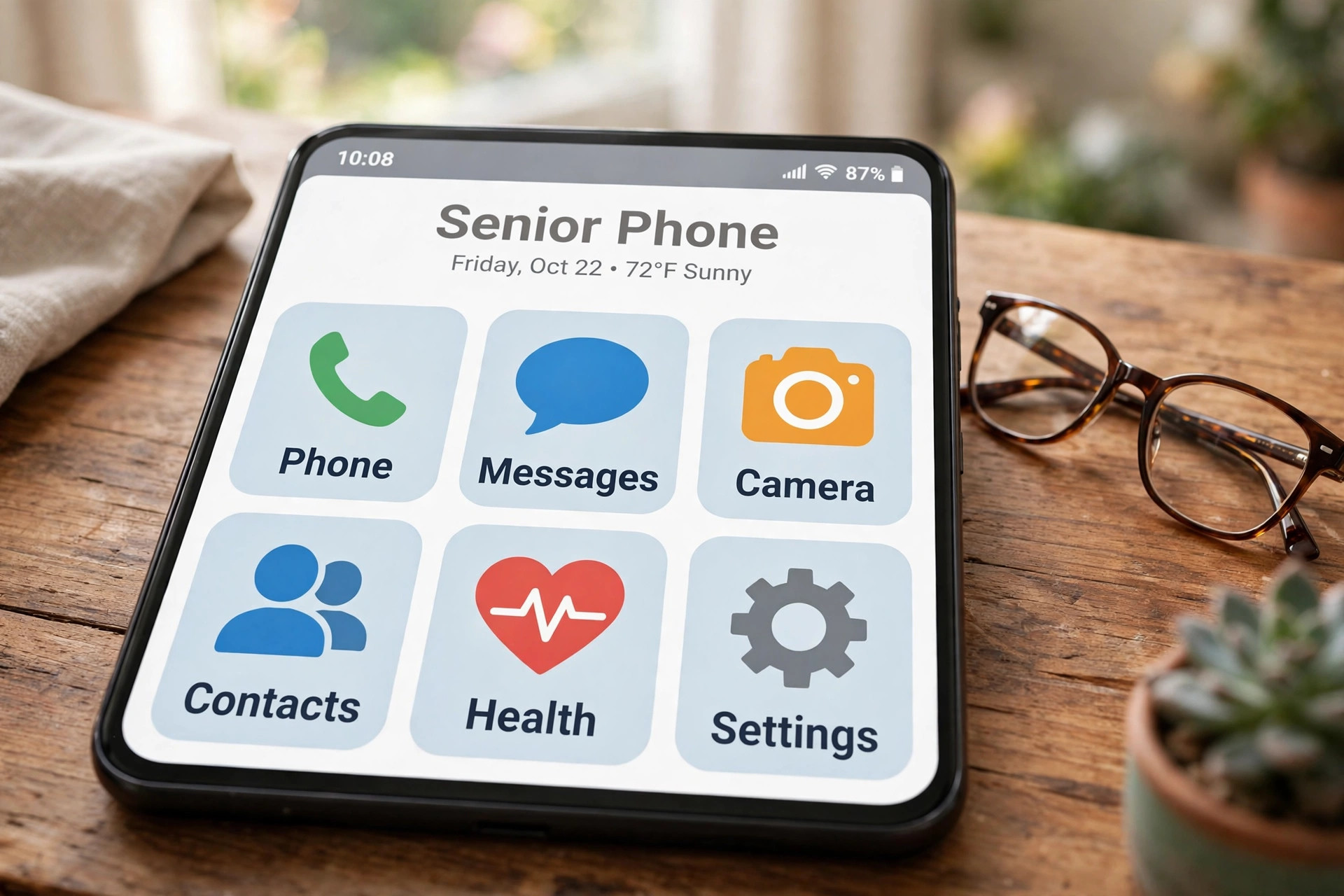
Best Phones for Seniors 2026: Capability and Safety, Not Just Big Buttons
The best phones for seniors in 2026 are not just about big buttons any more. Across five expert roundups that compared 25 options and hands-on tested around a dozen, the same truth kept surfacing: the right phone sits at the intersection of capability and safety — a screen you can actually read, speakers you can actually hear, an interface that doesn’t punish a mis-tap, and help that is one button away when something goes wrong.
Whether you’re shopping for a parent, a grandparent, or yourself, this guide covers the full spectrum: dead-simple flip phones, senior-tuned smartphones, full-featured phones with senior modes, and even phones designed for dementia. Every pick below is current for 2026, with honest trade-offs spelled out.
The Best Phones for Seniors at a Glance
| Phone | Best for | Price | Hearing aid rating |
|---|---|---|---|
| Lively Jitterbug Smart5 | Easiest smartphone overall | ~$120 | HAC 2019 (≈M4/T4) |
| Consumer Cellular IRIS Easy Flip | Cheapest simple phone | ~$59 | M4/T4 |
| Samsung Galaxy A16 5G | Best value on any carrier | ~$150–200 | M3/T3 |
| Lively Jitterbug Flip3 | Flip phone + medical alert | ~$80 | HAC 2019 (≈M4/T4) |
| iPhone 17e | Best for iPhone families | ~$600 | M3/T4 |
| Google Pixel 10a | Longest software support | ~$499 | Hearing features built in |
| Moto G Stylus (2026) | Dexterity-friendly stylus | Mid-range | Varies |
| RAZ Memory Cell Phone | Dementia and memory loss | ~$349 | Caregiver-managed |
| Alcatel Go Flip 4 | Simple flip with apps | ~$59 | HAC |
| iPhone 17 | Most durable flagship | ~$800 | M3/T4 |
How to Choose the Right Phone for a Senior
Before comparing models, match the phone to the person — not the other way round. The roundups converge on the same checklist.
Start with the interface, not the spec sheet. List-based menus (Jitterbug), Samsung’s Easy Mode and Apple’s Assistive Access all strip a smartphone down to enormous high-contrast buttons. Staying in an ecosystem the senior already knows — iPhone or Android — is often easier than switching.
Check hearing-aid compatibility properly. US phones carry M/T ratings: M measures radio-frequency interference with hearing aids in acoustic mode, T measures telecoil coupling, on a 1–4 scale. M4/T4 is top tier; M3/T3 is the legal minimum to be sold as hearing-aid compatible, and some users hear interference at M3. If the buyer wears hearing aids, check the manufacturer’s compliance page, not just the marketing.
Screen legibility beats pixel density. For ageing eyes, what matters is angular size, contrast and brightness — a big 6.7-inch mid-resolution AMOLED or a 3000-nit panel helps more than a flagship’s extra pixels. Adjustable text size and screen zoom are non-negotiable.
Count the total cost. Device price is only the start: add the monthly plan, activation fees ($35 on Lively, $10 on Consumer Cellular) and any safety-service subscriptions. 55+ plans from T-Mobile ($50–90), AT&T, Consumer Cellular ($20–50) and Mint ($15) change the maths considerably.
Decide who sets it up. Senior modes like Assistive Access and Easy Mode assume a helper configures the phone and takes the call when something breaks. Sort out the support person before comparing specs.
Flip or smartphone? Choose a flip phone for the simplest possible experience — real buttons, calls and texts, minimal learning curve, low cost. Choose a smartphone for video calls, maps, photos, messaging apps, voice assistants and health or emergency apps. For the full decision framework, see our complete smartphone buying guide.
Beware the unlock trap. Older “unlocked” phones may lack VoLTE support and simply stop working on modern networks. Check 4G LTE and VoLTE/HD Voice support on your carrier, and run the carrier’s IMEI checker before buying anything second-hand.
The Best Phones for Seniors in Detail
Lively Jitterbug Smart5 — Easiest Smartphone Overall
The 2026 Lively flagship ($119.99) runs Android 16 on a 6.75-inch display with 5G, 128GB of storage and a 50MP camera — respectable specs wrapped in the simplest interface in the business: a plain list-based menu with enormous text. Dual speakers, live call captioning, voice typing and Google Assistant cover hearing and vision needs, and the optional Urgent Response service connects to a live agent at the press of a button.
The catches: it is locked to Lively’s plans ($19.99–49.99/month), safety features cost extra on top, and performance lags behind mainstream phones. For a senior who wants a smartphone without the smartphone anxiety, nothing else is this approachable.
Consumer Cellular IRIS Easy Flip — Cheapest Simple Phone
At $59, the IRIS Easy Flip is the budget king of simple. A 2.8-inch internal and external display, big tactile backlit buttons, one-touch speed dialling, M4/T4 hearing-aid rating and a 5MP camera with a selfie mode via the outer screen. It even browses the web and acts as a hotspot.
Battery life is the weak spot at around 7 hours of talk, there is no 5G and no emergency-response service, and Consumer Cellular lists it “while supplies last” — availability can vary. Paired with a $20–50/month no-contract plan (and an AARP discount), it remains the cheapest credible option. Shoppers watching their budget should also scan our best phones under every budget.
Samsung Galaxy A16 5G — Best Value on Any Carrier
The street-price champion at roughly $150–200 unlocked. You get a 6.7-inch AMOLED display, 5G, expandable storage, a 50MP camera, a headphone jack and up to 47 hours of talk time. Samsung’s Easy Mode — the same implementation as its $650+ flagships — enlarges the entire interface and adds touch-and-hold delay so accidental taps don’t launch chaos.
Trade-offs: the M3/T3 hearing-aid rating is mid-tier, and the screen can look dull in bright sunlight. But for a senior comfortable with a normal smartphone who just wants it bigger, louder and cheaper, this is the value pick no roundup argues with.
Lively Jitterbug Flip3 — Best Flip Phone With Medical Alert
The Flip3 ($79.99) is the flip phone for people who want a safety net. Beyond the big backlit buttons, non-slip grip and powerful speaker, it has a dedicated red Help button that reaches a live Urgent Response agent around the clock, plus Alexa voice-assisted calling and texting — a genuine help for arthritis or mobility issues. Read-aloud menus, adjustable text and keypad feedback round out the accessibility story.
It is locked to Lively, the camera is a modest 5MP, and there is no internet access. But as a pure communication device with a panic button, it is superbly focused.
iPhone 17e — Best for iPhone Families
Launched in March 2026 at $599, the iPhone 17e replaced the 16e as Apple’s budget pick. The 6.1-inch Super Retina XDR display, A19 chip, 48MP camera and M3/T4 rating are solid — but the senior story is Assistive Access, which strips iOS to a handful of enormous high-contrast buttons, ideally set up with a trusted family member. FaceTime, Emergency SOS, Medical ID and location sharing come free with the ecosystem.
It is the right choice when the whole family is on iPhone and someone can provide tech support. The 6.1-inch screen is small for some readers, and there is no headphone jack.
Google Pixel 10a — Best Long-Term Support
The Pixel 10a ($499, launched March 2026) is the longevity play: seven years of OS and security updates, a blazing 3000-nit 120Hz display that stays readable in sunlight, and Google’s hearing-accessibility suite — live captions, real-time transcription and sound alerts. Call Screen quietly murders spam calls.
The honest caveat: there is no single “simple mode” switch. Accessibility is configured setting by setting — font scaling here, magnification there. For a senior (or helper) willing to spend an afternoon setting it up, it is a phone that will stay current into the 2030s.
Moto G Stylus (2026) — Best for Shaky Hands
A new kind of senior pick: the built-in active stylus gives an alternative to fat-finger touch navigation — write a note, tap precisely, avoid the mis-tap spiral. Around it sits a 6.7-inch 120Hz AMOLED, 128GB plus microSD, and IP68/IP69 water and dust resistance. Skip it if the stylus will go unused; buy it if a pen feels more natural than a fingertip.
RAZ Memory Cell Phone — Best for Dementia and Memory Loss
Three of the five roundups hand this category to RAZ. The $349 Memory Cell Phone shows a static home screen with up to 50 photo contacts — tap a face to call — a dedicated 911 button, and no apps or internet to get lost in. The real product is the caregiver portal: remote contact management, whitelist-only calling to block scams, quiet hours, call limits and location monitoring. For Alzheimer’s and dementia households, it is in a class of one.
Alcatel Go Flip 4 — Simple Flip With Apps
The surprise value flip at $59: 12-hour talk time (reviewers stretched it to two weeks of standby), big buttons, a loud speaker — and KaiOS with WhatsApp and Facebook, a rarity on flip phones. The 2MP camera is poor and there are no medical-alert features, but as a simple connected phone it earned one of the highest scores in the roundups.
iPhone 17 — Most Durable Flagship
For the tech-comfortable senior who wants a proper flagship, the $799 iPhone 17 brings Ceramic Shield 2 glass that survived drop tests unscathed, serious water resistance, the 48MP Dual Fusion camera and Apple’s full accessibility stack. Overkill for basic needs — perfect for the senior who video-calls the grandkids daily and wants the best camera in the family.
Carriers and 55+ Plans Worth Knowing
The phone is half the decision; the plan is the other half. Consumer Cellular ($20–50/month, no contracts, AARP discount) wins most “best carrier” nods for range and flexibility. Lively’s plans ($14.99–44.99) only work with Jitterbug phones but bundle in the support line many buyers actually need. T-Mobile’s 55+ unlimited plans ($50–90) come with travel perks, AT&T’s 55+ plan needs age verification, Mint Mobile starts at $15, and the federal Lifeline programme discounts service for qualifying low-income households.
Who Should Buy What
- Wants the simplest smartphone: Jitterbug Smart5.
- Wants the cheapest simple phone: IRIS Easy Flip.
- Wants value on any carrier: Galaxy A16 5G.
- Wants a flip with a panic button: Jitterbug Flip3.
- Family is all iPhone: iPhone 17e.
- Wants a phone that lasts a decade: Pixel 10a.
- Shaky hands or loves a pen: Moto G Stylus (2026).
- Dementia or memory loss: RAZ Memory Cell Phone.
- Wants a real flagship: iPhone 17.

Frequently Asked Questions
What cell phone does AARP recommend for seniors?
AARP generally points to easy-to-use senior-friendly options such as the IRIS Easy Flip, Jitterbug Flip3 or Jitterbug Smart5 — simple interfaces first, specs second.
What is the downside to a Jitterbug phone?
Limited flexibility: the Flip3 has no apps or internet, the Smart5 runs slower than mainstream phones, safety features cost extra, and all Jitterbug phones are locked to Lively’s network.
iPhones, Androids or flip phones — which is better for seniors?
It depends on the person. iPhones suit seniors already in Apple’s world who want advanced features with family support; Android suits value-seekers who want customisation; flip phones suit anyone who mainly wants simple calling and texting.
How big should the screen be?
At least 2.5 inches on a flip phone; for smartphones, bigger is better for ageing eyes — 6.7 inches and up with adjustable text is the sweet spot.
What’s the easiest smartphone for a senior to learn?
The Jitterbug Smart5, thanks to its list-based menu. That said, staying with a familiar iPhone or Android can be easier than learning any new system.
Do seniors really need 5G?
Not essential, but it means faster internet and a phone that stays usable longer — worth it for video calling and regular browsing.
How important are emergency features?
Very, for anyone living alone or with health concerns. An Urgent Response or SOS button is genuinely useful — just check whether the service needs a subscription first.
Should I get a flip phone or a smartphone for a senior?
Flip for basic calling and texting with real buttons and the shortest learning curve; smartphone for video calls, internet, apps and voice assistants. Match it to the senior’s comfort with technology, not their age.
What is the best carrier for senior phone plans?
Consumer Cellular usually wins for plan range and no-contract flexibility; Lively is the top pick if you want its phones with built-in support. Compare 55+ plans on total monthly cost, not just the headline rate.
Is there a cell phone that only makes calls?
Yes — the RAZ Memory Cell Phone is calling-focused by design, built for dementia and memory disorders, with a caregiver portal managing everything remotely.
The Verdict
There is no single “best phone for seniors” — there is only the best phone for a particular senior. But the field has never been stronger: the Jitterbug Smart5 makes the smartphone fear-free, the IRIS Easy Flip keeps it under $60, the Galaxy A16 5G delivers flagship senior features at a mid-range price, and the RAZ Memory Cell Phone serves families facing dementia with rare thoughtfulness.
Start with the person — their eyes, their ears, their hands, and who will help when something goes wrong — then pick from the list above. Get that match right, and the phone stops being a source of frustration and starts being what it should be: a connection.
