

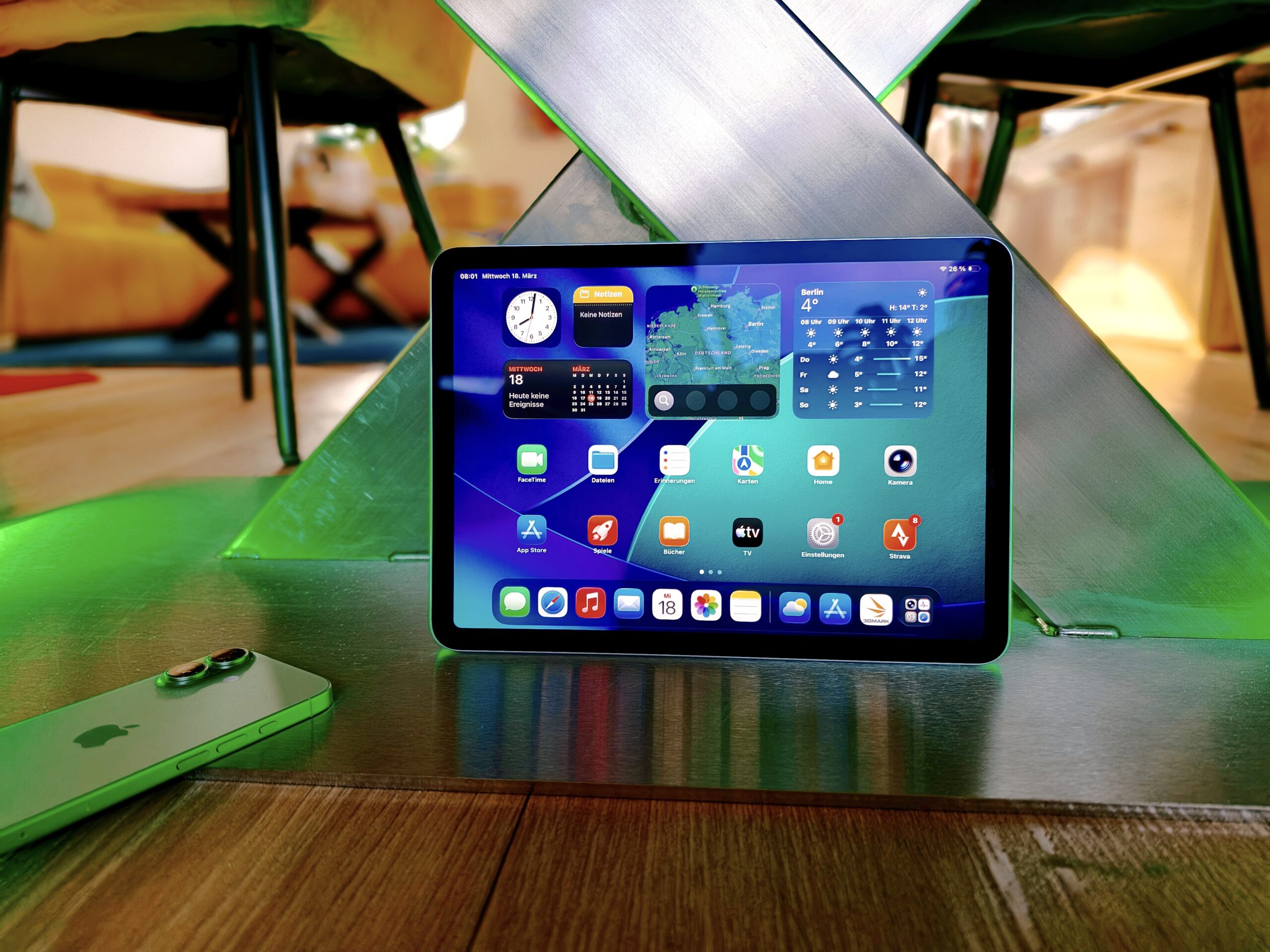
The 11-inch tablet is the sweet spot of the whole market: big enough for real work and glorious film nights, small enough to carry everywhere. Picking the best 11-inch tablets 2026 has to offer is trickier than it looks, because prices shifted sharply this year: Apple and Samsung both raised list prices as memory chips got more expensive, so buying more tablet than you need now costs real money.
This guide matches ten standout 11-inch slates to the people they suit best. Every pick below is a current-generation model, we have noted what each one costs once you add the pen you will probably want, and we flag where a cheaper model does the same job.
Quick Picks: The Best 11-Inch Tablets at a Glance
- Best for most people: Apple iPad Air 11-inch (M4) — M4 power, 12GB of RAM, and years of updates for far less than a Pro.
- Best Android tablet: Samsung Galaxy Tab S11 — a 120Hz AMOLED panel, the S Pen in the box, and desktop-style DeX mode.
- Best value: Apple iPad 11-inch (A16) — the full iPad experience for streaming, school and email at a fraction of the price.
- Best for creative professionals: Apple iPad Pro 11-inch (M5) — tandem OLED with 120Hz ProMotion, Face ID and Thunderbolt.
- Best for demanding creatives on Android: Lenovo Yoga Tab AI — 11.1-inch 3.2K 144Hz display, Snapdragon 8 Gen 3.
- Best for students: Lenovo Idea Tab College — a crisp 2.5K display with pen and folio case bundled.
- Best budget Android: Samsung Galaxy Tab A11+ Plus 2026 — a smooth 90Hz screen and quad speakers for casual viewing.
- Best ultra-budget pick: Amazon Fire Max 11 — 14-hour battery and an 11-inch screen for under $200.
- Best older flagship deal: Samsung Galaxy Tab S9 11-inch — last year’s premium hardware at a friendlier street price.
- Best stripped-down student pick: Lenovo Idea Tab — the same 2.5K panel as the College edition at this roundup’s lowest price.
Our Top 11-Inch Tablet Picks for 2026
1. Apple iPad Air 11-inch (M4) — Best for Most People
Specs: 11-inch Liquid Retina LCD (2360 x 1640, 500 nits, P3) | Apple M4 chip | 12GB RAM | 128GB–1TB storage | Touch ID | Wi-Fi 7 | Optional 5G | ~$749 list
The Air has quietly become the iPad most people should buy, and the 2026 refresh strengthens the case. The move to the M4 chip matters, but the bigger story is the jump from 8GB to 12GB of memory: apps stop reloading when you hop between them, and there is headroom for heavier iPadOS features arriving over the next few years.
The panel is the one compromise: still a 60Hz LCD, so scrolling looks less silky than on the Pro or most Android tablets at this price. The pen and keyboard cost extra too — with the Apple Pencil Pro ($129) the real setup price lands at $878. If you only stream, browse and read, the standard iPad does all of that for far less. For everyone else — students, working adults, families wanting one tablet that does most things well — this is the default recommendation.
2. Samsung Galaxy Tab S11 — Best Android Tablet
Specs: 11-inch Dynamic AMOLED 2X (2560 x 1600, 120Hz, 1,600 nits peak) | MediaTek Dimensity 9400+ | 12GB RAM | 128GB/256GB + microSD to 2TB | 8,400mAh, 45W charging | IP68 | S Pen included | ~$899.99 list, often discounted
The Tab S11 is the closest Android has come to matching the iPad Air, and in some ways it beats it. The AMOLED screen is simply a better movie panel than any LCD iPad: deep blacks and 120Hz smoothness. The S Pen comes in the box — no $129 accessory tax — which changes the buying maths completely: once you add a pen to the Air, the two tablets land within a few dozen dollars of each other.
Beyond the display, you get IP68 water and dust resistance (rare on tablets), Samsung DeX for a desktop-style workspace, and seven Android upgrades with seven years of security updates. The one honest caveat is the app library: Android still has fewer tablet-designed apps than iPadOS, especially for pro drawing and video editing. If you carry an Android phone, this is the 11-inch tablet to buy — and post–Prime Day street prices around $660 have made it unusually good value.
3. Apple iPad 11-inch (A16) — Best Value
Specs: 11-inch Liquid Retina LCD (2360 x 1640, 500 nits) | Apple A16 chip | 128GB base storage | Touch ID | 12MP landscape front camera | USB-C | ~$449 list, often ~$400–$425
You do not need an M-series chip to watch films, join video calls or finish homework, and this iPad is the proof. You get the same App Store, the same ecosystem and the same polished basics as the Air for roughly $300 less. The 12MP front camera sits on the landscape edge so you stay framed on calls, battery life covers a full day, and it works with the cheaper Apple Pencil (USB-C) plus the Magic Keyboard Folio.
Two things to know before you buy. First, the A16 does not support Apple Intelligence and never will. Second, the display is 60Hz rather than 120Hz, which nobody notices until they compare side by side. For families, younger students, grandparents who video-call and anyone whose tablet life is streaming, reading and email, this is where the smart money stops.
4. Apple iPad Pro 11-inch (M5) — Best for Creative Professionals
Specs: 11-inch Ultra Retina XDR tandem OLED (120Hz ProMotion) | Apple M5 chip | 256GB base storage | Face ID | Thunderbolt / USB 4 | Wi-Fi 7 | ~$1,199 list, street ~$1,139
The Pro earns its price through the screen as much as the silicon. The tandem OLED panel with 120Hz ProMotion makes HDR video and photos look superb, the M5 chip is faster than most laptops, and the 5.3mm body is astonishingly thin. Face ID and a Thunderbolt port complete a package aimed squarely at photographers, video editors and illustrators whose paid work runs on the tablet.
The honest question is whether you will use what you are paying for. With a Pencil Pro added you are past $1,300 before a keyboard, and for email, browsing and documents the Air does the job just as well. If your livelihood involves LumaFusion, Procreate or Final Cut Pro for iPad, nothing else in this roundup touches it.
5. Lenovo Yoga Tab AI — Best for Demanding Creatives on Android
Specs: 11.1-inch 3.2K LTPS IPS touchscreen (144Hz) | Snapdragon 8 Gen 3 | 12GB RAM | 512GB UFS + microSD | Pro Pen and keyboard bundled
This is the sleeper pick of the 11-inch class. The 144Hz refresh rate is the fastest in this roundup, the 3.2K resolution is the sharpest, and the Snapdragon 8 Gen 3 is a genuine flagship chip. With 12GB of RAM and half a terabyte of storage plus expansion, it is built for heavy multitasking and large creative projects.
Lenovo bundles the Pro Pen and a keyboard, which fixes the accessory maths that plagues other premium tablets. The trade-offs are shorter software support than Samsung promises and a camera setup about which little is published. If your priority is raw display quality and processing muscle per dollar, this is the most tablet for the money at the premium end.
6. Lenovo Idea Tab College — Best for Students
Specs: 11-inch 2.5K IPS touchscreen (90Hz) | MediaTek Dimensity 6300 | 8GB RAM | 256GB storage | Pen and folio case included
The College edition is Lenovo’s answer to the student brief: a sharp 2.5K panel, enough RAM to keep lecture notes, browser tabs and video calls alive together, and — crucially — a pen and folio case in the box. That bundle matters because students are exactly the buyers who feel a $129 stylus surcharge most. The 90Hz refresh rate keeps scrolling smooth, and the Dimensity 6300 handles everyday academic workloads without lag.
7. Samsung Galaxy Tab A11+ Plus 2026 — Best Budget Android
Specs: 11-inch TFT LCD (1920 x 1200, 90Hz) | MediaTek Dimensity 7300 octa-core | 6GB RAM | 128GB storage | 7,040mAh battery | Quad Dolby Atmos speakers | Wi-Fi only
Samsung’s budget 11-incher is the tablet you hand to a parent or a teenager without worrying. The 90Hz screen is smooth for the price, the quad Dolby Atmos speakers make it a genuinely good movie watcher, and the Dimensity 7300 is reliable for everyday tasks.
Be clear-eyed about what you are giving up: this is Wi-Fi only, so it stays home or tethers to a phone, and it cannot touch the Tab S11’s AMOLED panel or multitasking muscle. But for casual media consumption, homework and video calls, it delivers the large screen and good sound that matter most — at a price that sits comfortably in budget territory.
8. Amazon Fire Max 11 — Best Ultra-Budget Pick
Specs: 11-inch LCD (2000 x 1200) | Octa-core chip | 4GB RAM | 64GB/128GB + microSD to 1TB | 14-hour battery | Fingerprint sensor | Wi-Fi 6 | ~$189.99 (128GB on sale)
The Fire Max 11 remains the budget pick that does not feel like a compromise for casual use. The 11-inch display is bright and colour-accurate, the aluminium body feels sturdier than the price suggests, and the 14-hour battery claim holds up in real-world use.
The trade-off is Fire OS: there is no Google Play Store, so Gmail, YouTube and Google Docs are not available out of the box. If you live in Amazon’s ecosystem — Prime Video, Kindle, Audible — that barely matters, and this is the most tablet per dollar anywhere.
9. Samsung Galaxy Tab S9 11-inch — Best Older Flagship Deal
Specs: 11-inch AMOLED (120Hz) | Snapdragon 8 Gen 2 | 8GB RAM | 128GB/256GB + microSD | S Pen included
Last year’s flagship is this year’s bargain, and the Tab S9 has aged gracefully. The AMOLED panel and Snapdragon 8 Gen 2 still outperform every budget tablet on this list, the S Pen is in the box, and Samsung’s update commitment keeps it supported for years. Street prices have drifted well below launch as retailers clear stock.
You give up the S11’s newer chip, brighter panel and longer update runway, but if the S11’s price stings, the S9 delivers roughly 85% of the premium Samsung experience for meaningfully less. Check that you are buying new stock with a proper warranty rather than a grey import.
10. Lenovo Idea Tab — Best Stripped-Down Student Pick
Specs: 11-inch 2.5K IPS touchscreen | MediaTek Dimensity 6300 | 4GB RAM | 128GB storage | Pen and folio case included
The standard Idea Tab takes the College edition’s formula and trims it to the essentials: the same crisp 2.5K 11-inch panel and bundled pen and folio case, but 4GB of RAM and 128GB of storage. For notes, documents, reading and video that is plenty, and it is the lowest-priced big-brand 11-inch tablet in this roundup.
The 4GB of memory is the honest limitation: keep your tab count reasonable and skip demanding games. But the display quality per dollar is exceptional, and including the pen at this price is something neither Apple nor Samsung will do.
How to Choose the Right 11-Inch Tablet
Screen and Display
The display is the component you stare at for hours, so it deserves first priority. AMOLED and OLED panels deliver deeper blacks and punchier contrast than LCD, which shows most in dark-room film watching. Refresh rate matters too: 120Hz or 144Hz scrolling feels dramatically smoother than 60Hz. Resolution-wise, anything at or above 2000 x 1200 looks sharp at 11 inches; the 2.5K and 3.2K panels on the Lenovo picks are a genuine step up for text-heavy work.
Performance and Chip
Match the chip to the workload, not to your aspirations. Streaming, browsing, email and schoolwork run happily on an A16, a Dimensity 6300 or an octa-core budget chip. Video editing, 3D games and heavy multitasking are where the M4, M5, Dimensity 9400+ and Snapdragon 8 Gen 3 earn their keep. RAM matters as much as the processor: 8GB is the comfortable minimum for serious multitasking, 12GB future-proofs the tablet, and 4GB is fine only for light use.
Battery Life
Look for 10 hours or more of real-world use as the baseline — every pick in this guide meets it, with the Fire Max 11 stretching to a claimed 14 hours. Raw milliamp-hour ratings help compare within a brand but mislead across operating systems, and 45W charging on the Samsung flagships refills the tank far faster than the trickle chargers bundled with budget slates. Check independent battery tests rather than trusting the manufacturer’s headline figure alone.
Storage
Most tablets in this roundup start at 128GB, which covers apps, documents and a healthy offline media library. The deciding question is expansion: Samsung and Lenovo tablets accept microSD cards up to 1TB or 2TB, while iPads have no expansion slot — choose your capacity at purchase. If you shoot 4K video or hoard films for flights, pay for 256GB upfront on an iPad; on an Android tablet, buy the base model and a cheap microSD card.
Cameras
Tablet cameras matter less than phone cameras, but the front camera deserves attention because video calls are a primary tablet job. Look for at least a 12MP landscape-oriented front camera — centred on the long edge, it keeps you framed naturally. Rear cameras are a bonus for scanning documents; do not pay extra for camera specs on a tablet the way you would on a phone.
Connectivity: Wi-Fi vs Cellular
Most buyers should buy Wi-Fi only and tether to their phone’s hotspot when needed — cheaper upfront, no monthly plan. Cellular earns its premium for commuters, field workers and anyone who regularly works where Wi-Fi is unreliable. Note that a cellular tablet needs its own data plan, a real monthly cost. If constant connectivity is central to your use, our roundup of the best tablets with 5G in 2026 compares the cellular options in detail.
Stylus and Keyboard: Count the Real Price
The sticker price is not the setup price. An iPad Air at $749 becomes $878 once you add the Apple Pencil Pro; the iPad Pro passes $1,300. Samsung and Lenovo include the pen, which is why the Tab S11 and the Lenovo picks cost less in practice than their list prices suggest. Before you buy, add up tablet + pen + keyboard case at real street prices — the “cheaper” tablet is not always cheaper.
Software and Ecosystem
This is the decision that outlasts every spec sheet. iPads have the best tablet-optimised apps, the longest support and the smoothest integration with an iPhone or Mac — but accessories cost extra and there is no storage expansion. Android tablets offer more price choice, bundled pens and microSD slots, with Samsung’s seven-year update promise now rivalling Apple — our roundup of the best Android tablets of 2026 covers the wider field; the trade-off is fewer pro-grade tablet apps. Fire OS is superb value inside Amazon’s ecosystem and painful outside it. Pick the ecosystem first, then the tablet.
11-Inch Tablets Compared: Specs and Prices
| Tablet | Display | Chip / RAM | Pen included? | Approx. price |
|---|---|---|---|---|
| iPad Air 11-inch (M4) | 11″ LCD, 60Hz | M4 / 12GB | No ($129 extra) | ~$749 |
| Galaxy Tab S11 | 11″ AMOLED 2X, 120Hz | Dimensity 9400+ / 12GB | No ($129 extra) | ~$900 ($660 street) |
| iPad 11-inch (A16) | 11″ LCD, 60Hz | A16 | No ($79 extra) | ~$449 ($400 street) |
| iPad Pro 11-inch (M5) | 11″ tandem OLED, 120Hz | M5 | No ($129 extra) | ~$1,199 |
| Lenovo Yoga Tab AI | 11.1″ 3.2K IPS, 144Hz | Snapdragon 8 Gen 3 / 12GB | Yes | Premium tier |
| Lenovo Idea Tab College | 11″ 2.5K IPS, 90Hz | Dimensity 6300 / 8GB | Yes | Budget tier |
| Galaxy Tab A11+ Plus 2026 | 11″ LCD, 90Hz | Dimensity 7300 / 6GB | No | Budget tier |
| Fire Max 11 | 11″ LCD, 60Hz | Octa-core / 4GB | No (optional) | ~$190 |
| Galaxy Tab S9 | 11″ AMOLED, 120Hz | Snapdragon 8 Gen 2 / 8GB | Yes | Discounted |
| Lenovo Idea Tab | 11″ 2.5K IPS | Dimensity 6300 / 4GB | Yes | Lowest in roundup |
Prices checked against October 2026 listings; street prices move with sales.
Frequently Asked Questions
Which 11-inch tablet is best for most people in 2026?
The iPad Air 11-inch (M4) is the safest all-round recommendation: fast chip, 12GB of RAM, years of updates and a price far below the Pro. If you prefer Android, the Galaxy Tab S11 is the equivalent pick, with a better screen and the pen included. Buyers on a tight budget who mainly stream and browse should save the money and take the standard iPad 11-inch (A16) instead.
Should I buy an iPad or an Android tablet?
Choose by ecosystem, not by spec sheet. iPads offer the best tablet-optimised apps and the longest support, and they integrate seamlessly with an iPhone or Mac. Android tablets — led by Samsung — give you more screen and price choice, bundled styluses, microSD expansion and, on the Tab S11, seven years of updates. If you live inside Amazon’s world of Prime Video and Kindle, the Fire Max 11 is unbeatable value; outside it, the missing Google Play Store is a real limitation.
Can an 11-inch tablet replace a laptop?
For many people, yes — with the right accessories. An iPad Air or Pro with a Magic Keyboard handles documents, email and browsing; a Galaxy Tab S11 with a keyboard and DeX mode becomes a convincing desktop-style workspace. The honest limits are desktop-only software and heavy multi-window work — if your job depends on Windows-only programs, a 2-in-1 remains the better tool.
Is 128GB of storage enough on a tablet?
For most buyers, yes — provided you can expand it. On Samsung and Lenovo tablets a microSD card (up to 1–2TB) removes all anxiety, so buy the base model. iPads have no expansion slot, so think ahead: 128GB suits streaming and schoolwork, but 4K video shooters and offline film hoarders should pay for 256GB at purchase because there is no second chance.
Do I need a cellular (4G/5G) tablet, or is Wi-Fi enough?
Wi-Fi is enough for most people — tether to your phone’s hotspot when you need data away from home and skip the upfront premium and monthly plan. Buy cellular if you commute with the tablet daily or work in the field. Remember a cellular model also needs its own data plan, an ongoing cost many buyers forget.
Can I make phone calls or use a SIM card in a tablet?
Modern tablets increasingly support SIM cards: many Samsung, Lenovo and cellular iPad models accept a nano-SIM or eSIM for mobile data, though the cellular versions cost more. Nearly all Samsung tablets support the calling feature, while iPads accept a SIM for data but cannot make traditional phone calls. Any tablet, SIM or not, can make video and voice calls over Wi-Fi using apps like FaceTime, WhatsApp or Skype, and a phone hotspot usually beats carrying a separate dongle.
Is OLED vs LCD on a tablet — does it matter?
It matters most for film watching in dim rooms, where OLED’s true blacks and higher contrast are visibly superior. For daytime browsing, documents and children’s homework, a good LCD is perfectly fine and keeps the price down. High refresh rate (90Hz and above) arguably makes a bigger everyday difference than the panel technology, because smoother scrolling is something you feel constantly.
How long will my tablet keep getting software updates?
Apple leads here: iPads typically receive five to seven years of iPadOS updates. Samsung now promises seven Android upgrades and seven years of security patches on its flagship Tab S series — a genuine match for Apple. Lenovo’s budget tablets promise fewer updates, and Fire tablets get security maintenance but a slower feature cadence. If you keep devices for years, favour Apple or Samsung flagships.
What should I look for when buying a tablet?
Start with your budget and your ecosystem: iPadOS, Android or Fire OS. Then weigh the display, the chip and RAM against your actual workload, battery life of at least 10 hours, and whether the stylus and keyboard you will want are included or cost extra. Finally, check the update commitment — a cheap tablet abandoned after two years is no bargain.

