

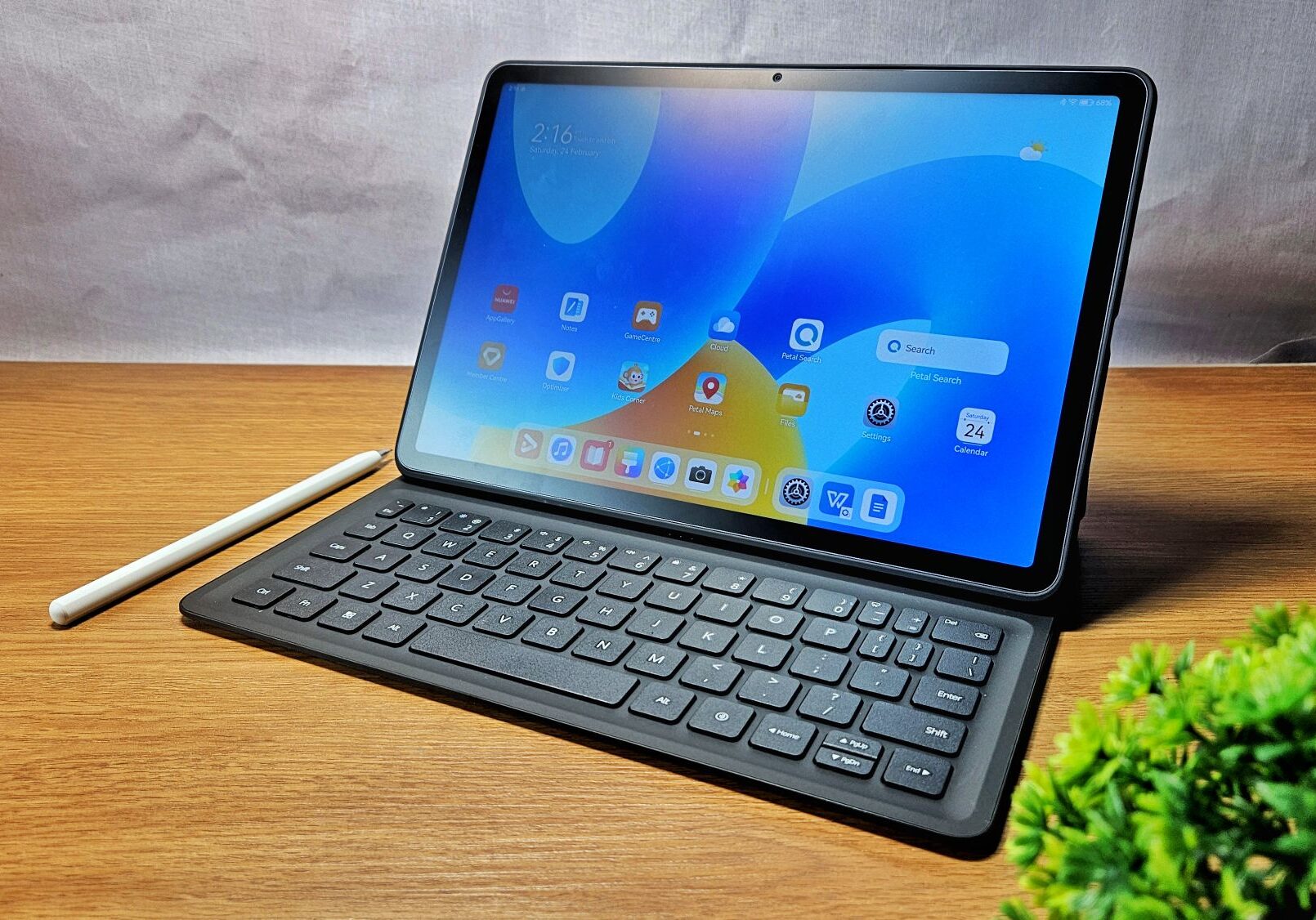
Finding the best budget tablets 2026 has to offer is easier than ever — but also trickier. Prices have crept up this year, with industry data showing worldwide tablet shipments falling 12.3% year over year in Q2 2026 and rising memory costs squeezing availability. That makes it even more important to spend wisely. The good news? You no longer need flagship money to get a genuinely good tablet. Under $300 now buys smooth streaming, reading, homework, video calls, and even note-taking — as long as you match the device to what you will actually do with it.
In this guide, we break down the strongest affordable tablets of the year, what to look for before you buy, which ones to avoid, and how to make a cheap tablet last as long as possible.
What “Budget” Means for a Tablet in 2026
Two years ago, “budget” meant settling. In 2026, it means choosing. Even entry-level tablets now ship with 11-inch displays, high refresh rates, and quad speakers — features that used to be premium-only.
The trade-off sits elsewhere: software support. Apple still updates its tablets for roughly five to six years, Samsung now promises up to seven years of updates on some models, and most other Android makers offer two to three years. That support window is what separates a bargain from a trap, because a tablet that stops receiving security patches becomes a risk, especially for kids.
So our definition of a great budget pick is simple: solid hardware today, a real update policy, and a price that stays under $300 without coupons or trade-ins.
The Best Budget Tablets 2026: Our Top Picks
Here are the strongest affordable tablets you can buy right now, grouped by what each one does best. If you are shopping the whole tablet market rather than just the affordable end, our guide to the best tablets of 2026 covers the premium options too.
Samsung Galaxy Tab A9+ — Best Cheap Android Tablet
The Galaxy Tab A9+ remains the cheapest genuinely usable tablet, starting around $128. It runs full Android with the Google Play Store, which immediately sets it apart from the locked-down Fire OS crowd.
You get a big, smooth display, expandable storage, and Samsung’s reliable software support. It will not win any speed contests, but for browsing, streaming, reading, and casual games it is the benchmark everything else under $150 has to beat.
Apple iPad (9th Generation) — Best Budget iPad Under $200
At around $155 used, the iPad (9th generation) is the cheapest iPad still supported by iPadOS 27. It has a 10.2-inch display, the A13 Bionic chip, Touch ID in the home button, and support for the first-generation Apple Pencil.
Be honest with yourself about its limits: it is the last base iPad with a Lightning port, the 64GB of base storage fills quickly, and it is now the oldest supported base iPad — think of it as a two-to-three-year device. For streaming, reading, video calls, and a child’s first tablet, it is still excellent value.
Samsung Galaxy Tab A11+ — Best for Long-Term Android Support
The Tab A11+ launched at $249.99 and packs an 11-inch screen, 6GB of memory, and 128GB of storage with a microSD slot that takes cards up to 2TB. Samsung’s Easy Mode enlarges icons and text and strips the home screen down to the basics — a real help for grandparents and first-time users.
Heavy multitasking can make 6GB feel slow, and the 8GB version costs more, but as a shared family tablet or a device you plan to keep for years, its support window is the standout feature among affordable Androids.
Amazon Fire HD 10 — Best for Streaming and Reading
Around $140 — and often under $100 on sale — the Fire HD 10 delivers a sharp 10-inch screen and long battery life for less money than almost anything else. For pure media consumption, nothing matches its price.
The catch is Amazon’s app store instead of Google Play, which limits the apps you can install. Treat it as a content-consumption device for streaming, e-books, and kids rather than a productivity machine, and it is exceptional value.
Lenovo Tab Plus Gen 2 — Best Budget Entertainment Tablet
Lenovo built this one around media: a 12.1-inch display at 2560 × 1600 with up to a 120Hz refresh rate, a built-in rotating kickstand, and a nine-speaker JBL audio system with tweeters, woofers, and passive radiators.
Tested battery life reaches around 16 hours at 60Hz, and the 10,200mAh battery charges at up to 45W. It weighs about 1.69 pounds, so it is a desk-and-couch tablet rather than a travel companion — but at sale prices under $300, the entertainment hardware per dollar is unmatched.
Xiaomi Redmi Pad 2 — Best Value Android for Media
The Redmi Pad 2 is the pick for media lovers who want a big screen and strong speakers without paying Samsung or Apple prices. Like its sibling the Redmi Pad 2 Pro — one of the best for battery life — it punches above its weight on entertainment hardware.
Software support is shorter than what Apple or Samsung offer, but if your priority is movies, YouTube, and reading at the lowest possible price, the hardware value here is outstanding.
Motorola Moto Pad (2026) — Best Budget 5G Tablet
At $249.99, the moto pad packs an 11-inch 2.5K display at 90Hz, 8GB of memory, 128GB of storage, microSD expansion, quad speakers with Dolby Atmos, and — unusually at this price — built-in 5G.
Tested battery life came in at about 10 hours and 31 minutes, and the MediaTek Dimensity 6300 handles everyday tasks fine even if graphics performance trails pricier tablets. In a lightweight aluminum body at about 1.06 pounds, it covers browsing, schoolwork, meetings, and travel without leaving the budget zone.
Samsung Galaxy Tab S10 Lite — Best for Note-Taking on a Budget
For students and anyone who annotates documents, the Tab S10 Lite is the budget pick that punches above its class: the S Pen comes in the box, so handwriting costs you nothing extra.
The 10.9-inch display runs up to 90Hz, the 8,000mAh battery delivered over 15 hours in browsing tests, and Samsung promises up to seven years of software support. At sale prices around $330 it stretches the budget line — but nothing else near it includes both a stylus and that long a support window.
How to Choose the Best Budget Tablet in 2026
Start with the task, not the brand. A great streaming tablet and a great note-taking tablet are not always the same device.
- For notes and study: a base iPad with an Apple Pencil, or a Galaxy Tab with its S Pen — handwriting and PDF annotation work beautifully on both.
- For streaming and reading: the Fire HD 10, the Redmi Pad 2, or a Lenovo tablet with strong speakers.
- For a cheap all-rounder: the Galaxy Tab A9+ — full Android, expandable storage, and a low price.
- For longevity: an iPad or a Samsung with a long support window — the device that stays secure the longest is the cheapest over time.
- For kids: a Fire HD Kids edition or Amazon’s newer Kids Tablets with real parental controls and a tough case.
Then pick your ecosystem. If the rest of the family uses iPhones and you want FaceTime to just work, an iPad is the natural choice. If everyone is on Android or you want expandable storage and an included stylus, a Galaxy Tab fits better.
Budget Tablet Specs That Actually Matter
Ignore the megapixel counts on cameras — you will not photograph anything important on a $250 tablet. The specs that change daily life are the display, the battery, and the storage.
For the screen, aim for 10 inches or more at Full HD or better, with a high refresh rate (90Hz and up) if you can get it — it makes scrolling and video feel noticeably smoother. For the battery, 7,000mAh or more covers a full day of mixed use; the best budget picks stretch past 12 hours of browsing.
For storage, 128GB is the sweet spot in 2026, and on Android models a microSD slot is the cheapest way to add room for downloaded movies and shows. Also insist on at least 4GB of RAM — 3GB feels sluggish with modern apps — and avoid any tablet still shipping with Android 11 or older.
How Long Will a Budget Tablet Last?
Longevity varies more than the price suggests. iPads receive updates for roughly five to six years, so even a cheap iPad stays secure and useful far longer than most Android tablets, which often get two to three years. Samsung sits in between on most models, with standout exceptions like the seven-year promise on the Tab S10 Lite.
Physically, tablets have no moving parts and tend to last for years — software support and battery wear are the limiting factors, not breakage. One smart trick: buy last year’s model on sale. Tablets barely change year to year, so a previous-generation iPad or Galaxy Tab at 20–30% off performs nearly identically for meaningfully less money.
Round out the setup with a few inexpensive add-ons — a folio case, and maybe one of the best gadgets 2026 worth buying like a Bluetooth keyboard or earbuds — and a $250 tablet can genuinely cover light laptop duty.
Tablets to Skip in 2026
iPadOS 27 dropped five iPad models: the iPad (8th generation) and older, the iPad mini (5th generation), the iPad Air (3rd generation), and the 11-inch iPad Pro (1st generation) and 12.9-inch iPad Pro (3rd generation). They are cheap for that reason, and they will not get new features or full security support. Avoid them unless you only need a basic media screen.
The same logic applies to no-name under-$100 Android tablets. Many stop getting security updates soon after purchase — if they ever got any. For a child’s tablet or a grandparent’s device, that matters more than the spec sheet. Stick with a brand that publishes how long it will support the device.
Accessories That Make a Budget Tablet Better
A stylus turns a budget tablet into a note-taking and sketching machine — the Apple Pencil for iPad, the included S Pen on some Galaxy Tabs, or a cheap capacitive stylus for basic Android tablets. A folio case with a stand props it up for watching and typing, and a Bluetooth keyboard makes it a light laptop replacement for emails and documents.
A microSD card, on Android tablets that support it, is the cheapest way to add storage for movies and offline media — often far cheaper than paying for a higher-storage model upfront. Spending $30–50 on the right accessory often unlocks more value than spending $100 more on the tablet itself.

Frequently Asked Questions
Is the iPad (9th generation) still worth buying in 2026?
Yes, on a budget. It still runs iPadOS 27 and starts around $155 used. It is now the oldest supported base iPad, so it makes the most sense for streaming, reading, video calls, and kids rather than as a five-year purchase.
Should I buy an iPad or an Android tablet on a budget?
Choose an iPad for the best app quality, longest support, and note-taking. Choose Android — Galaxy Tab, Xiaomi, Lenovo, Motorola — for lower prices, expandable storage, included styluses, and media-focused hardware. If you will keep it for years, the iPad’s longevity makes it the better value despite the higher upfront cost; for pure streaming, cheap Android or Fire tablets win.
Which iPads are no longer supported?
iPadOS 27 dropped the iPad (8th generation), iPad mini (5th generation), iPad Air (3rd generation), the 11-inch iPad Pro (1st generation), and the 12.9-inch iPad Pro (3rd generation). Older iPads were already off the list. Avoid these models unless you only need a basic media screen.
What is the best cheap tablet for kids?
The iPad (9th generation) from about $155 is a strong pick because it still gets updates and has strong parental controls. For the lowest price, a Galaxy Tab A9+ or an Amazon Fire tablet works well for videos and games. Amazon’s new Kids Tablets (starting at $229.99) add Google Play, strict parent-approved downloads, and a year of Kids+ with kid-proof cases.
Is a budget tablet good enough for note-taking?
Yes — a base iPad with an Apple Pencil, or a Galaxy Tab with its S Pen, handles handwritten notes, PDF annotation, and study apps beautifully. You only need a Pro model for professional art or heavy multitasking. For students, a budget tablet plus a stylus is more than enough.
Are Amazon Fire tablets worth it?
For streaming, reading, and kids, absolutely — nothing matches their price. The trade-off is Amazon’s locked-down software and app store, with no Google Play by default, so they are not ideal for productivity or if you rely on Google apps. As a cheap, durable media tablet, the Fire HD 10 is exceptional value, especially on sale.
Should you buy a leftover Fire Kids tablet?
Stores still sell older Fire HD 8 Kids and Fire HD 10 Kids models. Amazon promises security updates until late 2029 for the newest ones — roughly three years at most, and no Google Play. A clearance price has to be a genuine bargain to beat Amazon’s new Kids Tablets. If your family already owns a Fire Kids tablet, it keeps working and you do not need to replace it this year.
What about cheap tablets from brands you have never heard of?
Under-$100 Android tablets look good on paper, but many stop getting security updates soon after you buy them, if they get any. For a child’s tablet or a grandparent’s, that matters more than the spec sheet. Stick with a brand that publishes how long it will support the device.
Can a budget tablet replace a laptop?
For light tasks — email, browsing, documents, streaming, notes — a budget tablet with a keyboard can genuinely replace a laptop. For heavy multitasking, complex spreadsheets, coding, or desktop software, a laptop is still better. Be honest about your workload: many people’s needs are light enough that a tablet suffices.
Do I need cellular or is Wi-Fi enough on a tablet?
Wi-Fi is enough for most people, since tablets are used mostly at home, work, or on Wi-Fi networks — and cellular models cost more plus a data plan. Choose cellular only if you will genuinely use the tablet where no Wi-Fi exists, like frequent travel. Otherwise, tethering to your phone covers occasional needs.
Is a bigger screen worth it on a budget tablet?
For movies, reading, and split-screen multitasking, a larger screen of 11 inches or more is noticeably nicer. For portability and one-handed reading, an 8–10 inch tablet is easier to hold and cheaper. Choose based on where you will use it — the couch and desk favor big screens; commutes and travel favor compact ones.
A great budget tablet is about matching the device to your use. Whether you stream on a Fire HD 10, study on a Tab S10 Lite, or browse on a Galaxy Tab A9+, the best budget tablets 2026 prove you do not need to spend flagship money to get a tablet that works hard every day.
