

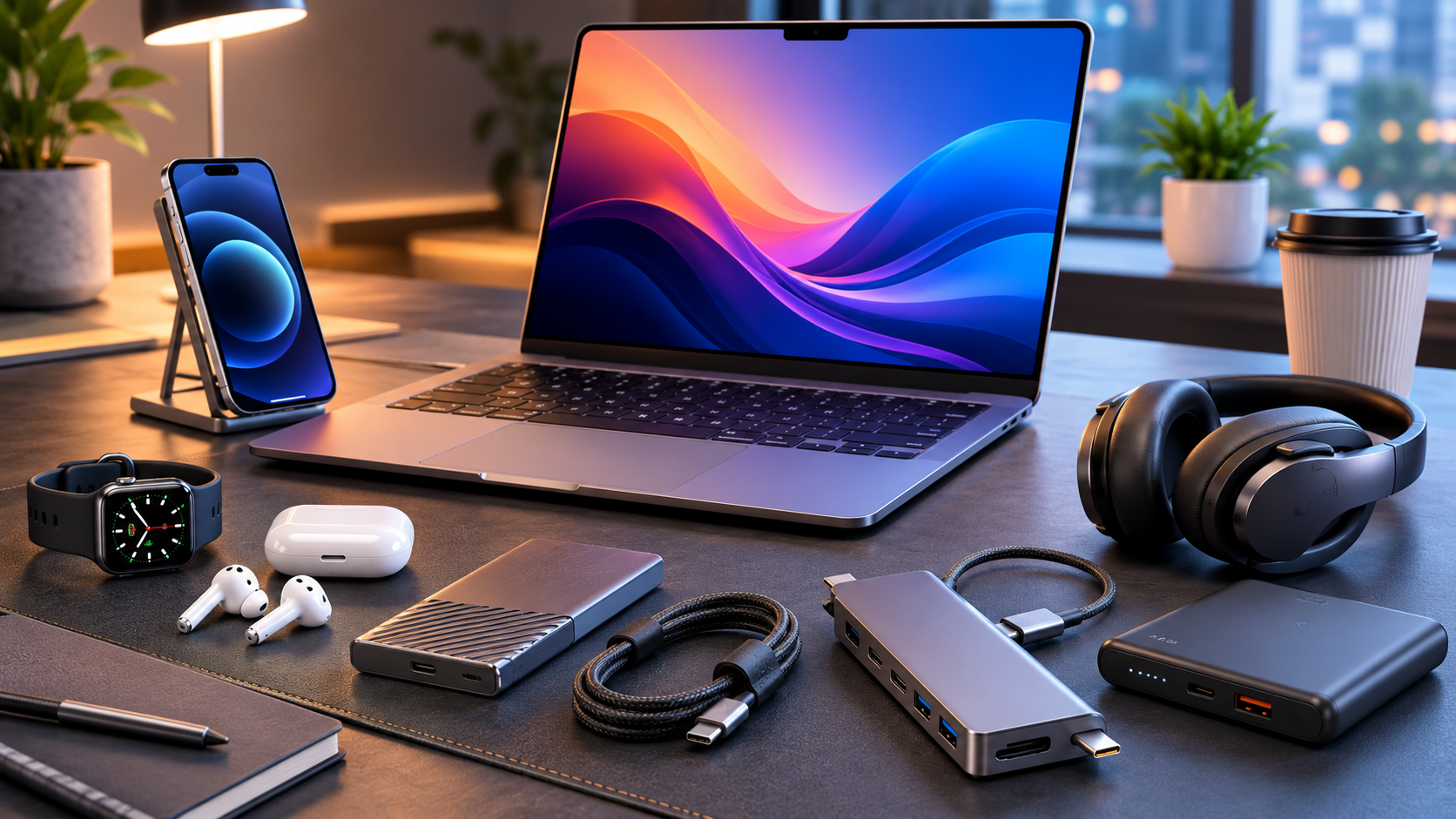
Technology has become more capable, but the right accessories often make a bigger difference than upgrading the main device itself. A good charger can simplify your entire desk, a reliable power bank can prevent battery anxiety, and a USB-C hub can turn a laptop into a much more flexible workstation.
The best tech 10 Best Accessories in 2026 are not necessarily the products with the longest feature lists. They are the ones that solve everyday problems, work reliably with your existing devices, and provide enough value to justify their cost.
This guide covers 10 useful tech accessories worth considering, including charging equipment, storage, connectivity, audio, productivity, and smart-home tools. Instead of focusing on one particular brand, the recommendations explain what to look for so you can choose the right product for your own setup.
What Makes a Tech Accessory Worth Buying?
A useful accessory should solve a genuine problem rather than simply add another gadget to your collection. Before buying, consider compatibility, build quality, warranty, portability, performance, and how frequently you will actually use it.
A practical accessory usually has at least one of these advantages:
- It replaces several separate devices.
- It makes an existing device easier to use.
- It improves productivity or convenience.
- It reduces cable or charging clutter.
- It provides useful functionality without requiring a major upgrade.
With those principles in mind, these are some of the most practical categories to consider in 2026.
Best Tech Accessories for Everyday Use
1. GaN USB-C Charger
A modern GaN charger is one of the easiest upgrades for anyone carrying multiple devices. Gallium nitride technology allows compatible chargers to deliver substantial power from relatively compact designs.
Instead of carrying separate chargers for a laptop, phone, tablet, and other USB-powered devices, a multi-port charger can potentially handle several of them from one location.
Look for USB-C Power Delivery support, sufficient wattage for your laptop if applicable, and multiple ports that match your devices. A charger should also come from a reputable manufacturer with appropriate safety protections.
For travelers, size matters almost as much as charging speed. A compact charger that can handle your primary devices is often more useful than carrying several basic adapters.
Best for: Travelers, students, remote workers, and people with multiple USB-C devices.
2. High-Capacity Power Bank
A dependable power bank remains one of the most useful accessories you can own. Phones are increasingly important for navigation, communication, authentication, photography, and work, so running out of battery at the wrong time can be inconvenient.
When choosing a power bank, do not judge it only by its advertised capacity. Check output power, charging protocols, port selection, physical size, weight, and whether it can charge the devices you actually carry.
For everyday use, a moderate-capacity model can be easier to carry. If you regularly travel or work away from outlets, a larger model may make more sense.
Also consider pass-through charging only if you genuinely need it, and avoid unknown products with questionable safety certifications.
Best for: Travel, commuting, outdoor use, and emergency backup power.
3. USB-C Hub or Dock
Modern laptops often prioritize thin designs, which means ports can be limited. A USB-C hub solves this problem by expanding one connection into several useful ports.
Depending on the model, you may find USB-A, additional USB-C, HDMI, Ethernet, SD card, audio, and power-delivery connections.
A compact hub is ideal for occasional use, while a larger docking station is better for a permanent desk setup.
Compatibility deserves special attention. Not every USB-C port supports the same capabilities, and a hub’s advertised features may depend on the host device. Check your laptop’s specifications before purchasing.
Best for: Laptop users, photographers, office workers, and desktop setups.
4. Portable SSD
Cloud storage is convenient, but a portable solid-state drive provides fast local storage that you control directly. It can be particularly useful for large video files, photography projects, backups, software projects, and transferring data between compatible computers.
SSDs are generally preferable to traditional portable hard drives when portability, speed, and resistance to everyday movement matter.
Before buying, check the drive’s interface, advertised transfer capabilities, capacity, compatibility, and included cable. Your computer’s port and storage interface can affect real-world performance.
A portable SSD can also be part of a sensible backup strategy. However, one external drive should not be treated as the only copy of important data.
Best for: Creators, students, professionals, and anyone managing large files.
5. Wireless Earbuds or Headphones
Good wireless audio equipment can improve calls, commuting, travel, entertainment, and focused work. The best choice depends heavily on how you use it.
For frequent calls, microphone quality and noise handling may matter more than maximum audio volume. For travel, active noise cancellation can be valuable. For long listening sessions, comfort and battery life become more important.
Do not assume the newest or most expensive model is automatically the best option. Codec support, device compatibility, controls, fit, charging case design, and software support can all affect the experience.
If you dislike in-ear designs, comfortable over-ear or on-ear headphones may be a better investment.
Best for: Calls, commuting, travel, music, and focused work.
6. Adjustable Laptop Stand
A laptop stand is a simple accessory, but it can substantially improve a desk setup. Raising the screen can make it easier to position the display at a comfortable viewing height, especially when using an external keyboard and mouse.
Look for a stable base, suitable height adjustment, adequate ventilation, and a design that supports your laptop’s size and weight.
A foldable aluminum-style stand can be useful for people who move between locations. A heavier adjustable stand may be preferable for a permanent workspace.
The stand itself does not make a laptop faster. Its value comes from improving desk organization, screen positioning, and the overall usability of a workstation.
Best for: Office workers, remote workers, students, and desktop users.
7. Mechanical or Ergonomic Keyboard
A keyboard is one of the accessories you interact with constantly, making it worth choosing carefully.
Mechanical keyboards can offer tactile feedback and customization, while low-profile and ergonomic keyboards can prioritize comfort and a compact footprint. Wireless models can reduce desk clutter, but wired keyboards remain attractive for users who prefer simplicity and consistent connectivity.
The most important factors are layout, key feel, noise, connectivity, build quality, and comfort.
If you write, code, edit documents, or spend several hours each day at a computer, a good keyboard can be a more meaningful upgrade than many flashy accessories.
Best for: Writers, programmers, office workers, and heavy computer users.
8. USB-C or Multi-Device Charging Cable
Cables are easy to overlook until one breaks or fails to support the required charging speed. A high-quality cable can be surprisingly useful, especially if you regularly move between devices.
Choose cables according to what you actually need. Charging capability, data-transfer support, connector type, length, flexibility, and durability can vary considerably.
A cable designed primarily for charging may not provide the data performance required for high-speed storage or displays. Similarly, a cable that works for a phone may not be suitable for every laptop or high-power application.
Buying fewer, better cables can reduce clutter and avoid compatibility surprises.
Best for: Anyone with multiple USB-C devices.
9. Bluetooth Tracker
A Bluetooth tracker can be a small but valuable addition to everyday life. Attached to keys, bags, luggage, or other frequently misplaced items, it can help you locate belongings through a compatible tracking network.
Before buying one, check compatibility with your smartphone’s operating system and understand how its tracking network works.
Privacy and security features are also important. Modern tracking systems need safeguards against unwanted tracking, so choose established products with clear privacy documentation.
A tracker is not a replacement for careful storage, but it can reduce the frustration of searching for everyday items.
Best for: Travelers, commuters, families, and people who frequently misplace essentials.
Read More: Top Tech Accessories Worth Buying
10. Smart Plug
A smart plug is one of the simplest ways to add basic automation to an existing appliance. Depending on the model and ecosystem, you can schedule devices, remotely control compatible loads, or integrate them with a smart-home platform.
The important consideration is electrical compatibility. Check the plug’s voltage, current rating, supported appliance types, and regional certification before using it.
Smart plugs are particularly useful for lamps, fans, and other suitable appliances where scheduled operation is genuinely helpful.
Avoid using a smart plug for equipment that should not be remotely switched or that exceeds its electrical rating.
Best for: Basic home automation and scheduled control of compatible appliances.
How to Choose the Right Accessories
The best accessory depends on your devices and routine. A professional photographer may benefit more from fast storage and card connectivity than from a smart plug, while a frequent traveler may prioritize compact charging equipment and a power bank.
1. Check Compatibility First
Before purchasing anything, verify that it works with your phone, laptop, operating system, ports, and other equipment. USB-C is a connector standard, not a guarantee that every device supports every USB-C feature.
2. Prioritize the Feature You Actually Need
If your main goal is charging, focus on power delivery and port selection. If your goal is storage, focus on capacity, interface, and reliability. Avoid paying extra for features you will never use.
3. Consider Total Value
The cheapest accessory is not always the best value. A poorly made charger, cable, hub, or storage device can become a replacement purchase later.
At the same time, paying a premium simply for a prestigious brand is not automatically justified. Look for a reasonable balance between reliability, support, features, and price.
4. Think About Portability
A powerful accessory that stays at home may be perfect for a desk. The same product may be frustrating if you carry it every day.
For travel accessories, weight, dimensions, cable management, and universal compatibility can be more important than maximum specifications.
Accessories Worth Buying Together
Some accessories work especially well as part of a complete setup.
| Accessory | Works Well With | Main Benefit |
|---|---|---|
| GaN charger | Phone, tablet, laptop | Consolidated charging |
| Power bank | Phone, earbuds | Portable backup power |
| USB-C hub | Laptop | More connectivity |
| Portable SSD | Laptop, tablet | Fast external storage |
| Laptop stand | Keyboard, mouse | Better desk setup |
| Wireless earbuds | Phone, laptop | Portable audio |
| Bluetooth tracker | Keys, bags, luggage | Easier item finding |
| Smart plug | Compatible appliances | Basic automation |
A useful strategy is to start with the accessory that solves your biggest daily inconvenience. There is little benefit in buying an entire collection at once.
Common Mistakes to Avoid
One common mistake is choosing accessories based only on appearance or advertised maximum specifications. A charger with high theoretical output may not provide the same capability to every connected device. Similarly, a fast storage device cannot perform at its full potential if the computer or connection becomes the limiting factor.
Another mistake is ignoring cables and adapters. Your accessory may support a particular charging or data standard, but the cable connecting it can determine what is actually possible.
Finally, avoid unknown electronics from unreliable sellers when safety matters. Chargers, power banks, and electrical accessories deserve particular caution because poor-quality hardware can create genuine risks.
FAQ’s About 10 Best Accessories in 2026 Worth Buying
What are the most useful tech accessories in 2026?
Useful choices include multi-port USB-C chargers, power banks, USB-C hubs, portable SSDs, wireless audio devices, laptop stands, keyboards, durable cables, Bluetooth trackers, and smart plugs.
Are expensive tech accessories worth buying?
Sometimes. Price should be evaluated against build quality, reliability, warranty, compatibility, and the frequency with which you will use the product. Expensive does not automatically mean better.
Is a GaN charger better than a traditional charger?
GaN chargers can offer compact designs and high power output, making them convenient for modern devices. However, the right choice depends on your required wattage, ports, compatibility, and safety features.
Do I need a USB-C hub for my laptop?
You may benefit from one if your laptop lacks ports you regularly need, such as USB-A, HDMI, Ethernet, or an SD card reader. If your existing ports cover your needs, a hub may be unnecessary.
What should I look for in a power bank?
Consider capacity, output power, charging protocols, ports, size, weight, safety features, and compatibility with your devices. Choose based on how you actually intend to use it.
Is a portable SSD better than a USB flash drive?
For frequent transfers and large files, a portable SSD is generally the more capable option. A flash drive can still be convenient when you need something extremely small for occasional file transfers.
How can I avoid wasting money on tech accessories?
Identify the problem first, check compatibility, compare essential specifications, and avoid buying features you will not use. One reliable accessory that solves a recurring problem is usually better than several inexpensive gadgets.
Conclusion
The best tech accessories in 2026 are the ones that make your existing technology more useful without creating unnecessary complexity. A compact GaN charger can simplify charging, a power bank can provide backup energy, and a USB-C hub can turn a minimalist laptop into a more capable workstation.
Storage, audio, ergonomic equipment, tracking devices, and basic smart-home products can also provide meaningful improvements when they match your routine.
The smartest approach is not to buy every new gadget. Start by identifying the inconvenience you encounter most often, then choose an accessory that solves it reliably. Pay attention to compatibility, safety, durability, warranty, and real-world usefulness rather than specifications alone.
