

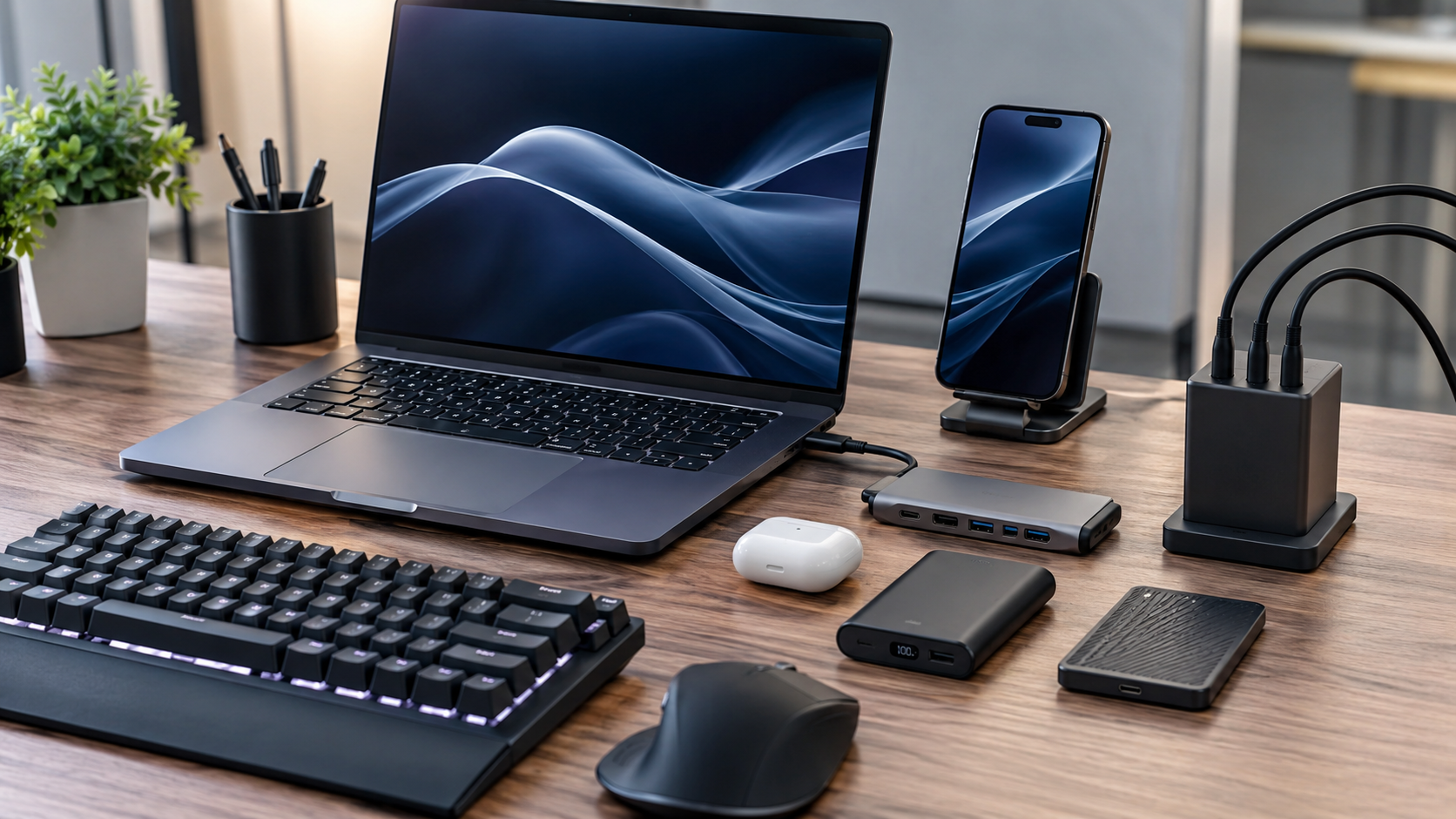
Technology purchases do not always need to involve a new phone, laptop, or tablet. The right Top Tech Accessories Worth Buying can make the devices you already own more convenient, productive, and enjoyable to use. In 2026, the strongest tech accessories are less about flashy specifications and more about solving everyday problems: charging multiple devices, reducing cable clutter, improving audio, expanding connectivity, protecting hardware, or making a workspace more comfortable.
The best tech accessories worth buying in 2026 therefore depend on how you use your devices. A frequent traveler may benefit most from a compact multi-port charger and power bank, while a home-office user may get more value from a USB-C hub, mechanical keyboard, or quality webcam.
This guide compares the most useful accessory categories by features, quality, compatibility, durability, and overall value so you can spend money where it actually improves your setup.
What Makes a Tech Accessory Worth Buying?
A useful accessory should do more than add another gadget to your desk or bag. Before buying, consider four basic factors.
First is compatibility. An accessory with excellent specifications is not useful if it does not work properly with your phone, computer, tablet, operating system, ports, or charging standards.
Second is build quality. Accessories are often handled, plugged in, unplugged, transported, and exposed to heat. Strong connectors, quality materials, sensible thermal management, and reliable construction can matter more than cosmetic design.
Third is functionality. Look for an accessory that solves a real problem. A charger that replaces several adapters or a hub that adds ports to a thin laptop can provide meaningful value.
Finally, consider long-term value. A slightly more expensive accessory may be the better purchase if it supports newer standards, offers useful ports, has replaceable components where applicable, or is durable enough to avoid frequent replacement.
Best Tech Accessories to Consider in 2026
1. Multi-Port USB-C Chargers
A modern USB-C charger can replace several separate power adapters. This makes it one of the most practical upgrades for people who regularly charge a phone, tablet, laptop, earbuds, or other USB-powered devices.
The key feature is not simply the maximum wattage printed on the box. Pay attention to how power is distributed when multiple devices are connected. A charger should provide enough output for your main device while remaining compact enough for travel or everyday use.
GaN, or gallium nitride, charging technology is particularly useful in compact chargers because it allows manufacturers to create relatively small high-output designs.
Best for: travelers, students, professionals, and multi-device households.
2. USB-C Hubs and Docking Stations
Modern laptops increasingly rely on USB-C, but slim designs may provide fewer physical ports. A USB-C hub can restore useful connectivity, while a larger docking station can turn a laptop into the center of a desktop workstation.
Depending on the model, useful connections can include USB-A, additional USB-C ports, HDMI or DisplayPort, Ethernet, SD card readers, and audio connections.
The important consideration is bandwidth. Not every USB-C port supports the same data, display, or charging capabilities. Check your computer’s specifications before buying, particularly if you need external displays or fast storage.
Best for: remote workers, creators, photographers, and laptop users with multiple peripherals.
3. Wireless Earbuds and Headphones
Wireless audio remains one of the easiest ways to improve everyday technology use. Good earbuds can provide convenient listening for commuting, calls, exercise, and casual entertainment without the cable management associated with wired headphones.
When comparing models, look beyond advertised battery life. Comfort, microphone performance, connection stability, active noise cancellation, transparency modes, controls, and charging-case design can have a greater effect on daily satisfaction.
For frequent travelers, effective noise cancellation may justify a higher price. For office use, microphone quality and comfortable long-session wear may matter more.
Best for: commuters, travelers, office workers, and people who frequently make calls.
4. Power Banks
A dependable power bank remains valuable even as phone charging becomes faster and more efficient. The most useful models combine adequate capacity with a practical size, USB-C input and output, and enough power for the devices you actually carry.
For laptop users, a higher-output power bank can be especially useful, but compatibility should be checked carefully. Capacity alone does not tell you how quickly a connected device will charge.
For flights and travel, always check the applicable airline and destination rules before packing a power bank.
Best for: travelers, outdoor users, commuters, and anyone who spends long periods away from outlets.
5. Wireless Charging Accessories
Wireless charging is most useful when convenience matters more than maximum charging speed. A charging stand on a desk or bedside table can make it easier to keep a compatible phone charged without repeatedly connecting a cable.
The Qi2 ecosystem has also made magnetic alignment an increasingly important consideration for compatible devices and accessories. Before purchasing, verify that your phone and case support the charging system you intend to use.
Wireless charging can produce more heat than some wired charging setups, so reputable products with sensible thermal management are preferable.
Best for: bedside charging, office desks, and users who prioritize convenience.
6. Mechanical Keyboards
A keyboard can have a surprisingly large effect on a computer user’s experience because it is used constantly. Mechanical keyboards offer different switch types and typing characteristics, allowing users to choose between softer, quieter, tactile, or more responsive experiences.
The best choice depends on your environment. A loud keyboard may be enjoyable at home but disruptive in a shared office. Wireless connectivity can improve desk organization, while programmable keys can be useful for repetitive workflows.
Do not assume an expensive keyboard automatically provides a better experience. Switch feel, layout, keycap quality, ergonomics, and software support should match your preferences.
Best for: writers, programmers, office workers, and heavy keyboard users.
7. Ergonomic Mice and Trackpads
A mouse is another accessory where comfort can matter more than headline specifications. If you use a computer for several hours each day, shape, weight, grip style, button placement, and tracking performance deserve attention.
Some productivity-focused mice include additional programmable buttons that can reduce repetitive keyboard shortcuts. Others prioritize portability and low weight.
For creative or productivity work, a precise sensor and comfortable shape can be more valuable than gaming-oriented features you will never use.
Best for: office work, creative applications, and long computer sessions.
8. Portable SSDs
Portable solid-state drives are useful for backups, transferring large files, storing media libraries, and expanding laptop storage without permanently modifying the computer.
Look at the interface as well as the advertised drive speed. The actual transfer rate depends on the SSD, enclosure, cable, computer port, and workload. A fast drive connected through a slower interface cannot reach its full potential.
For important data, remember that an external SSD is not a complete backup strategy by itself. Important files should ideally exist in more than one location.
Best for: photographers, video editors, students, businesses, and users with large files.
9. High-Quality Webcams
Built-in laptop webcams are convenient, but a dedicated webcam can be worthwhile for frequent video meetings, online teaching, streaming, and content creation.
Important factors include image quality, autofocus, exposure handling, microphone performance, field of view, mounting options, and software controls. Resolution is only one part of the equation.
Good lighting can also make a major difference. A modest webcam used in good lighting may produce a more useful image than a higher-resolution camera positioned in a poorly lit room.
Best for: remote workers, educators, streamers, and online professionals.
10. Smart Trackers and Cable Management
Small accessories can sometimes deliver more practical value than expensive gadgets. Bluetooth-enabled item trackers can help locate compatible everyday items such as bags, keys, or luggage, while cable organizers and clips can make a workstation considerably cleaner.
These products are particularly useful because they address small problems that occur repeatedly. Their value comes from convenience rather than technical complexity.
Best for: travelers, organized workspaces, families, and people who frequently misplace everyday items.
Comparing the Best Accessory Categories
| Accessory | Main Benefit | What to Check | Best For |
|---|---|---|---|
| USB-C charger | Faster, simpler charging | Output and power sharing | Multi-device users |
| USB-C hub | More connectivity | Port standards and bandwidth | Laptop users |
| Earbuds/headphones | Better audio | Comfort and microphone | Calls and travel |
| Power bank | Mobile power | Capacity and output | Travelers |
| Wireless charger | Convenience | Device compatibility and heat | Desk/bedside use |
| Mechanical keyboard | Better typing | Switches and layout | Heavy typists |
| Portable SSD | Fast storage | Interface and durability | Large files |
| Webcam | Better video calls | Lens, autofocus, lighting | Remote work |
How to Choose Without Overspending
1. Start With the Problem
Do not begin by searching for the most expensive accessory in a category. Identify what is frustrating you.
If your laptop lacks ports, consider a hub. If your phone frequently runs out of power, consider a power bank. If video calls look poor, investigate the webcam and lighting.
2. Check Compatibility Before Specifications
Compatibility should come before performance. Confirm ports, operating-system support, charging standards, wireless protocols, physical dimensions, and any software requirements.
This is especially important with USB-C because the connector itself does not guarantee identical capabilities.
3. Prioritize Quality for Frequently Used Items
Spend more selectively on accessories you use every day. A charger, keyboard, mouse, or primary pair of headphones deserves more attention than a rarely used adapter.
For inexpensive secondary accessories, a basic model may be perfectly adequate if it meets the necessary specifications.
4. Think About Your Next Device
A good accessory should ideally remain useful when you upgrade your phone or computer. Choosing widely supported standards and flexible connectivity can reduce replacement costs later.
This is one reason versatile USB-C accessories can be attractive: they can often serve multiple devices rather than being tied to a single product.
Read More: Best Laptop Accessories in 2026
Common Buying Mistakes
One common mistake is choosing based entirely on maximum specifications. More ports, higher wattage, greater resolution, or faster advertised speeds do not automatically create a better product.
Another mistake is ignoring the cable. A capable charger or SSD can be limited by an unsuitable cable. Always verify that the cable supports the power, data, or display requirements you need.
Buying too many accessories is another form of overspending. A desk filled with specialized gadgets can create more complexity than convenience. Start with the accessories that remove the biggest daily frustrations.
Finally, avoid choosing unfamiliar products solely because they are dramatically cheaper. For power-related accessories especially, reliability, protection features, thermal behavior, and manufacturer support are worth considering.
FAQ’s About Top Tech Accessories Worth Buying
What are the most useful tech accessories in 2026?
For many users, multi-port USB-C chargers, USB-C hubs, power banks, wireless audio devices, portable SSDs, and ergonomic computer peripherals provide the most practical benefits.
Are expensive tech accessories always better?
No. Price can reflect materials, engineering, support, and durability, but an expensive product may include features you do not need. The best value comes from matching specifications to your actual use.
Is USB-C the best connector for modern accessories?
USB-C is highly versatile, but USB-C connectors can support different power, data, and display capabilities. Always check the specifications of both the accessory and your device.
What should I look for in a power bank?
Consider capacity, USB-C support, output power, physical size, weight, charging speed, and compatibility. Travelers should also check current airline requirements before carrying one.
Is wireless charging worth buying?
Wireless charging is worth considering if convenience is important to you. It is particularly useful for desks and bedside charging, although wired charging may be preferable when maximum speed is the priority.
Should I buy a USB-C hub or a docking station?
A hub is generally better for portable use and basic connectivity. A docking station is more suitable for a permanent workstation with multiple displays and peripherals.
How can I get better value from tech accessories?
Buy based on a specific need, prioritize compatibility and durability, avoid redundant gadgets, and choose accessories built around standards that are likely to remain useful across multiple devices.
Conclusion
The best tech accessories worth buying in 2026 are not necessarily the newest or most expensive products. They are the accessories that solve genuine problems while offering dependable performance, broad compatibility, and useful longevity.
For most people, a quality USB-C charger is an excellent starting point, followed by accessories that address individual needs such as connectivity, mobile power, audio, storage, ergonomics, or video calls.
Before buying, compare the features that affect real-world use rather than focusing on a single headline specification. Check compatibility, understand the limitations of the relevant standards, and spend more where reliability matters. A carefully selected accessory can extend the usefulness of your existing technology and make everyday computing noticeably easier.
