

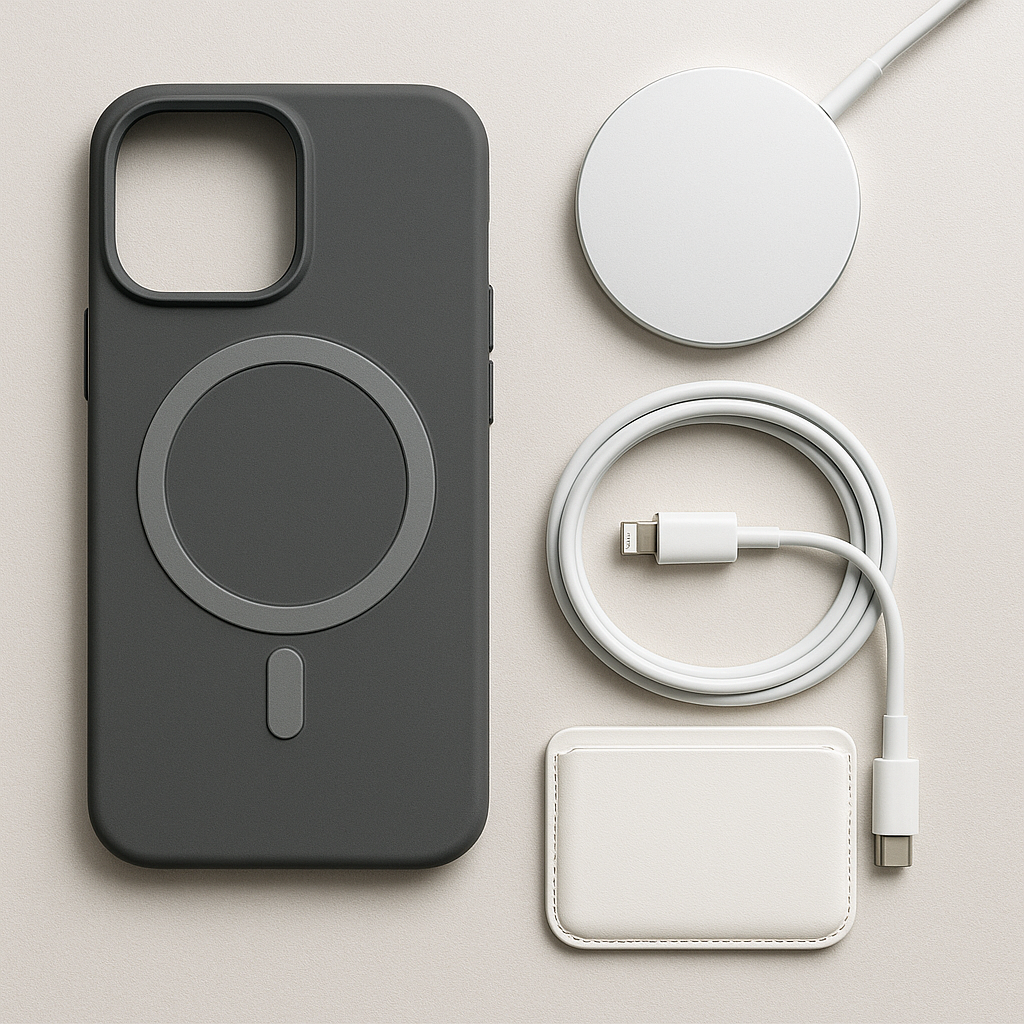
The iPhone 18 Pro and Pro Max are some of the most expensive phones Apple has ever sold, and a handful of well-chosen iPhone 18 accessories can genuinely improve how the phone fits into your day. The trick is buying the ones that solve a real problem — not filling a drawer with gadgets you use once.
This guide brings together what the top reviewers and buying guides are recommending in 2026: the cases, screen protection, MagSafe wallets, Qi2 chargers, power banks, car mounts and straps that are actually worth your money for the iPhone 18 Pro, Pro Max and the new iPhone Duo.
Why Accessories Deserve a Budget of Their Own
Buying a flagship has become the easy part. The expensive part comes afterward, when the case, charger, cable, stand and travel battery quietly colonise your cart. The best iPhone 18 accessories are not necessarily Apple-branded, and they are definitely not all essential for every owner.
Start with protection that fits the exact device, then build around the places you actually use the phone: your desk, your car, your travels and your daily commute. Everything else can wait until you know how you use the phone.
Best iPhone 18 Cases in 2026
A case is the one accessory where exact fit is non-negotiable. Camera layout, button placement and the MagSafe ring all depend on the model, so buy a case built for your specific iPhone 18 — not a “close enough” older design.
Best Overall: Apple TechWoven Case with MagSafe
Apple’s TechWoven Case with MagSafe is the cleanest first-party starting point for the iPhone 18 Pro and Pro Max. It is built around the current camera layout, buttons, dimensions and MagSafe system, and the re-engineered TechWoven material — a textured weave of recycled polyester — is designed to avoid the durability complaints that haunted Apple’s earlier FineWoven fabric.
The textured sides improve grip, anodised aluminium buttons give a satisfying clicky response, and built-in magnets keep every MagSafe accessory aligned. It also works with Apple’s Wrist Strap and Crossbody Strap, making it a tidy base for a hands-free setup.
Best Clear Case: Apple Clear Case with MagSafe
If you spent time picking your iPhone’s finish, a clear case lets you show it off. Apple’s Clear Case keeps the phone visible while retaining full MagSafe compatibility for wallets, chargers, battery packs and mounts. Just know that no transparent case stays pristine forever — clear cases are about looks and everyday protection, not maximum impact resistance.
Best Affordable Clear: Spigen Ultra Hybrid MagFit
For most people, Spigen’s Ultra Hybrid MagFit is the more rational recommendation. It costs materially less than Apple’s options, its DuraClear resin is designed to resist yellowing, and strong internal magnets keep MagSafe charging reliable. Air-cushion corners add drop protection without making the case bulky.
Best Rugged: Torras OStand Q3 Rugged
For anyone prone to butterfingers, frequent travellers or outdoor enthusiasts, the Torras Ostand Q3 Rugged delivers military-grade drop protection through a dual-layer shock-absorbing design. Its standout feature is a flush, built-in rotating metal kickstand that doubles as a finger grip — handy for flights, video calls and hands-free viewing in both portrait and landscape.
Best Everyday: Apple Silicone Case with MagSafe
Apple’s Silicone Case is the straightforward option: a soft-touch finish, microfibre lining inside, MagSafe and Qi2 charging support, and Camera Control compatibility. It comes in black, navy blue, crisp blue, olive, burgundy and magenta, and includes connection points for both Apple straps.
Screen Protection for the iPhone 18
The iPhone 18’s front glass is remarkably durable, but micro-abrasions from sand, keys and daily grit are inevitable. A high-end edge-to-edge tempered glass protector keeps 100% touch sensitivity and high refresh rate optical clarity intact while adding a sacrificial layer of defence against drops.
Belkin’s UltraGlass 2 and the Belkin Titan Pro are the names reviewers keep circling back to — both are straightforward screen-protection options from a brand Apple itself lists for the iPhone 18 Pro. Apply protection early: it is far easier to fit a protector before the phone has spent a week collecting pocket dust and tiny scratches. Just make sure it matches your exact model and is installed carefully to avoid dust, misalignment or interference with the case edge.
MagSafe Wallets: Slim Down Your Everyday Carry
A magnetic wallet remains one of the easiest ways to ditch a bulky traditional wallet. The right choice depends on whether you value premium materials, Find My tracking, a built-in stand or simply carrying a few cards.
The NOMAD Leather Mag Wallet is the premium pick: gorgeous Horween-style leather that develops a rich patina, room for up to four cards that stay securely in place, and — critically — built-in Find My support. Add it to the Find My app and it can play a sound when it is hiding nearby. For anyone who has ever felt the panic of losing a wallet full of cards, that feature alone is worth the price.
UAG’s Magnetic Wallet Stand takes the opposite approach: it attaches magnetically, opens like a regular wallet with room for at least four cards inside and three or four outside, and folds out into a stand for hands-free viewing. It is the better choice if you want the wallet to pull double duty on your desk or at dinner.
Apple’s own FineWoven Wallet with MagSafe now integrates with Find My too, sending a notification to your iPhone if it detaches unexpectedly so you can pinpoint its last known location. And a word of honest advice: if you regularly carry receipts, cash or more than three or four cards, do not pretend a magnetic sleeve will turn you into a minimalist. Buy a wallet that fits your real life.
Multi-Device Qi2 Charging Stands
One of the best upgrades you can make is retiring the pile of separate cables around your iPhone, Apple Watch and AirPods. Modern Qi2.2 3-in-1 chargers handle all three from a single outlet — and Qi2.2’s 25W magnetic charging is a genuine step up from the sluggish wireless chargers of the past.
The Anker Prime 25W Qi2.2 3-in-1 Foldable MagSafe Charger is the travel-friendly choice. It folds flat into a compact puck that slips into a backpack, making it an excellent hotel-room charger that replaces three cables, two bricks and the wrong watch puck. The Satechi 25W 3-in-1 Qi2 Stand goes the other route: a fixed desktop object in Space Black for people who want their nightstand to look less like a repair bench.
UGREEN’s MagFlow Pro 3-in-1 Magnetic Wireless Charger earns its spot with a cooling system that actually works. Wireless charging generates heat, and the MagFlow Pro combines a fan with thermoelectric cooling you can toggle on or off. A small display shows charging power, temperature and status, and even warns you if the connected adapter is underpowered. The Anker 3-in-1 Cube with Qi2 is another solid multi-device option worth comparing.
One caution: before you buy, check what is in the box. Multi-device stands sometimes include an adapter and sometimes very much do not — and there is nothing more irritating than unboxing a premium stand and discovering you still need a wall charger.
Magnetic Power Banks
A magnetic battery pack is the accessory for long workdays, travel, events and any stretch away from a wall outlet. But do not buy on capacity alone: thickness, weight, heat and how the pack feels while attached to the phone matter just as much.
Baseus’s PicoGo Air gets the formula mostly right. Its 5,000mAh capacity is paired with a genuinely slim 0.27-inch body and a light 3.7-ounce weight, so it sits almost invisibly against the phone — no awkward bulge in your pocket. It also ships in a Burgundy finish that matches the iPhone 18 Pro. The larger PicoGo AM52 doubles the capacity to 10,000mAh, but you will feel every milliamp-hour of that trade-off in thickness and weight. Both include low-temperature charging protection and a USB-C cable that doubles as a carrying loop.
UAG’s slim 5,000mAh magnetic power bank takes a cleverer route: it doubles as a stand. Prop your iPhone beside your MacBook to glance at notifications and take speakerphone calls, or stand it on a table for group photos without asking a stranger to hold the phone. Belkin’s BoostCharge Pro Magnetic Power Bank 5K is the safe mainstream choice, listed in Apple’s own iPhone 18 accessory catalogue.
And if you want the most futuristic-looking brick of the bunch, UGREEN’s MagFlow Pro Magnetic Power Bank packs 10,000mAh with a visible liquid-cooling system — best paired with the larger Pro Max, since thick power banks can overwhelm smaller phones.
Travel Chargers: One Brick, Many Countries
Travel accessories earn their space by replacing several separate items. The Twelve South ButterFly SE 2-in-1 Qi2.2 is a compact two-device setup for iPhone and Apple Watch — not a whole nightstand in a suitcase. It is aimed squarely at frequent travellers who would rather pack one small item than recreate their desk at the hotel.
Baseus’s Enercore 70W retractable USB-C travel adapter is the bigger splurge for serious travellers: plug formats for more than 200 countries, six-device charging and a built-in 70W retractable cable in one unit. Retractable cables have a history of becoming the weak link, so still pack a separate USB-C cable for long trips — but as a one-item hotel charger for an iPhone, iPad and MacBook, it is persuasive.
NOMAD’s 40W Slim USB-C GaN Power Adapter is the minimalist counterpoint: ridiculously compact, with foldable pins that tuck flush into the body, and 40W of USB-C Power Delivery that will happily charge an iPhone, AirPods, Android phones and even a MacBook. For raw wired speed, Apple’s 40W Dynamic Power Adapter with 60W Max uses Adjustable Voltage Supply to top the iPhone 18 Pro up to 50% in a claimed 15 minutes — but check that your brick actually supports AVS, because a big wattage number on the box is not automatically equivalent.
Car Mounts for the iPhone 18
Car mounts are a category where buying for your vehicle matters more than buying the product with the longest specification sheet. Vent placement, dashboard shape and charging needs change the answer completely.
MagSafe car mounts keep the phone visible for navigation with no fiddling — the magnet simply snaps the phone into place. ESR’s vent-mounted MagSafe option keeps the phone visible and charges it while driving, which is useful unless it obstructs controls or airflow in your particular vehicle. Vent mounts can also struggle with heavy phones and hot cabins, so drivers in warmer climates may prefer a dashboard or windshield solution. The rule is simple: the right iPhone 18 Pro accessory is often boring right up until the moment it prevents a bad decision at 70 mph.
Grips and Stands
Larger phones can be awkward to use one-handed, and a grip makes everyday scrolling, photos and reading considerably more comfortable. The PopSockets Kick-Out Grip & Stand gives a more secure grip and a stand for hands-free viewing — without committing you to a permanently bulky case. The built-in kickstand on the Torras Ostand case (above) serves the same purpose for anyone who wants it integrated.
Straps: Hands-Free Carrying
Apple’s Crossbody Strap ($59) and Wrist Strap ($29) clip onto compatible cases via built-in alignment magnets and stainless steel adjustment mechanisms. The crossbody strap keeps your device instantly accessible during busy commutes without holding it all the time, while the wrist strap is the compact option that also works with AirPods Pro. Check that your case has the connection points — Apple’s Silicone, TechWoven and Clear cases all do.
iPhone Duo Accessories: Compatibility Matters More
The iPhone Duo’s foldable form factor changes the game: standard iPhone 18 cases will not fit, and stands, mounts and grips deserve an extra compatibility check because hinge movement and device geometry affect how everything sits.
The Ridge iPhone Duo Case is the straightforward choice for slim protection designed around the foldable shape. Apple’s iPhone Duo Folio with Kickstand adds more coverage plus a built-in kickstand — a more specialised option that makes better use of what is different about the Duo for travel, video and desk use. For MagSafe and Qi2 charging, confirm the accessory works with the Duo’s physical shape and the way you plan to position it before ordering.
What to Buy First
Work through this order and stop when you have solved your actual problems:
- A case built for your exact iPhone model — the first thing every buyer should sort.
- Screen protection, if you normally use it — apply it on day one.
- A charging setup for the place you charge most — a Qi2 stand for your desk, a travel charger for your bag.
- A portable battery if you routinely finish the day low on power.
- A car mount if your phone handles navigation or music in the vehicle.
Then add wallets, grips, stands and straps only if they solve a real problem in your routine. The best iPhone 18 accessory setup is not the one with the most products — it is the one that removes friction from the way you already use the phone.
Accessories You Can Skip
Not every recommendation deserves your money. Camera lens protectors are largely unnecessary — a case with a raised edge around the cameras already protects them, and a cheap lens cover can add glare or blur to your photos. Big accessory bundles look like a deal, but not if you never use half the items in the box.
Skip expensive cables and extra chargers when the ones you already own work fine, and do not replace your MagSafe chargers, wallets and power banks simply because you upgraded the phone. Many magnetic accessories depend on MagSafe or Qi2 rather than the phone’s exact dimensions, so they carry across generations. Replace them only when you want faster charging, multi-device charging or a more convenient setup.

Frequently Asked Questions
Do iPhone 17 MagSafe accessories work with iPhone 18?
Many magnetic chargers, wallets, power banks and mounts carry across generations because they depend on MagSafe or Qi2 rather than the phone’s exact outer dimensions. Cases and screen protectors are different — those must be bought for your exact iPhone model, since camera layout, buttons and the MagSafe ring position all depend on fit.
Do I need an Apple-made case?
No. Third-party cases from Spigen, Torras, UAG and others can be excellent — and they often cost less. Whatever you choose, check exact model compatibility, MagSafe alignment, raised edge protection around the cameras, button access, warranty and the returns policy before ordering.
Is MagSafe worth using?
MagSafe is worth it if you value magnetic alignment for chargers, stands, wallets and compatible battery packs — snapping the phone into place instead of fumbling for position is genuinely convenient. Whether it is worth paying more depends on how often you actually use those accessories, so audit your routine before buying into the whole ecosystem.
Should I buy a magnetic power bank?
A magnetic battery is most useful when you need extra runtime while still actively using the phone — travel, long workdays, events and commutes. Do not buy on capacity alone: thickness, weight, heat and comfort while attached matter just as much as the milliamp-hour number on the box.
Is a Qi2 charger better than Apple’s MagSafe charger?
For multi-device setups, yes. Qi2.2 chargers deliver up to 25W of magnetic wireless charging and work across brands — some even charge Qi2-compatible Pixel phones and Pixel Buds. Apple’s MagSafe Charger is still the simple choice for a single-device bedside or desk charger where you do not need the extra flexibility.
Do I need a new charger for the iPhone 18?
Not automatically. If a charger you already own is compatible and meets your charging needs, replacing it simply because you upgraded the phone may not add much value. A new charger makes more sense when you want the fastest wired speeds (which need Adjustable Voltage Supply support), multi-device charging, or a more convenient stand or travel setup.
Will my accessories work with the iPhone Duo?
Magnetic charging accessories can remain useful, but the Duo’s foldable shape makes physical fit far more important. Check stands, mounts, grips and cases carefully — the way the phone folds and balances can matter as much as magnetic compatibility. Cases and folios must be designed specifically for the Duo.
Final Verdict
The best iPhone 18 accessories in 2026 are the ones that disappear into your routine. Start with a fitted MagSafe case and screen protection, add a charging setup that matches where you actually charge, and let travel, your car and your daily habits decide the rest. Buy fewer, better accessories — and skip everything that does not solve a problem you already have.
Related reading: Best Iphone 17 Cases 2026 and Best Magsafe Wallets 2026
