

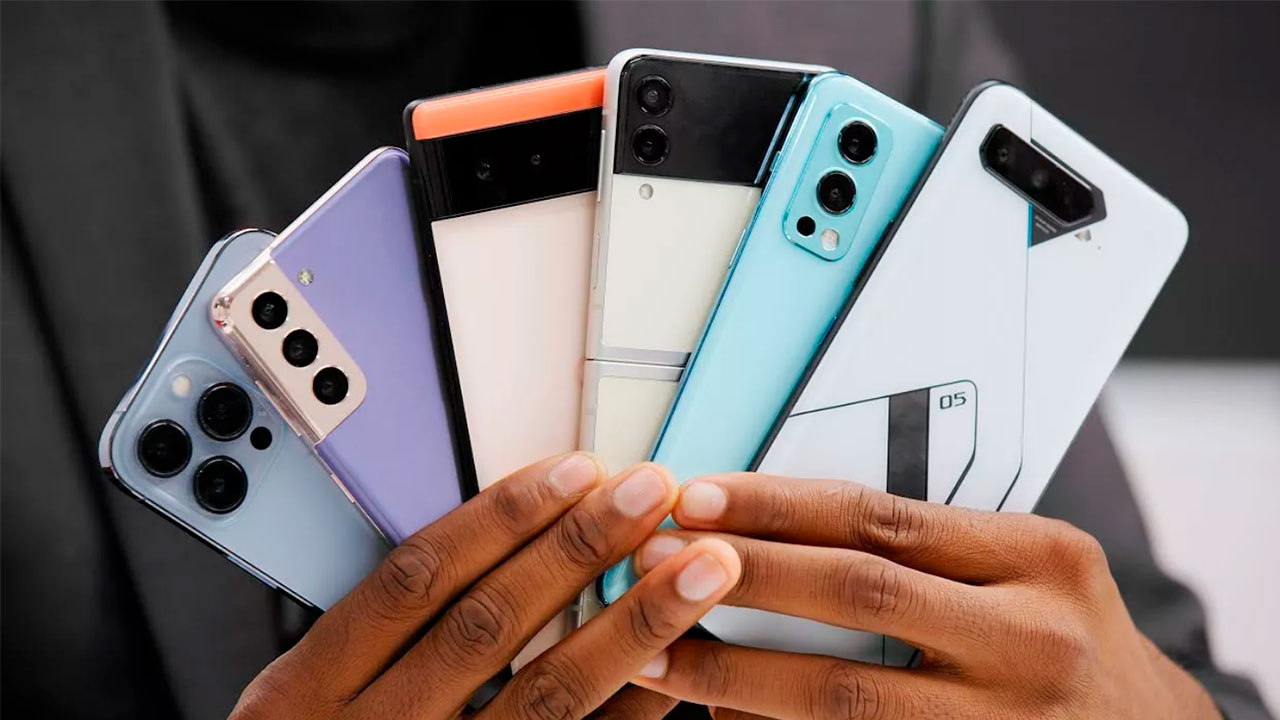
Buying a phone in 2026 is no longer about picking the biggest number on the spec sheet. A global RAM shortage is quietly reshaping what you get for your money, AI features have become a genuine differentiator, and a phone’s update policy now matters as much as its speed on day one. This guide explains how to choose a smartphone step by step — in priority order — so you pay for what you’ll actually use, not for marketing numbers.
Start With Your Budget First
Most buyers should pick one of three lanes: a budget phone, a mid-range phone, or a used flagship. Very few people need a brand-new flagship at full price. The mid-range ($500–$800) is the sweet spot — roughly 90% of the flagship experience without the silly money. Once you know your lane, our latest tech reviews and expert recommendations will help you pick the exact model.
Here’s the market reality: budget ($300–$450) buys great battery and a decent screen with compromised cameras, flagships ($900–$1,200) remove compromises with premium builds and top-tier cameras, and above $1,300 you’re paying for foldables and diminishing returns. And remember — a refurbished flagship from two years ago will often beat a brand-new mid-ranger at the same price, with the same hardware for a fraction of the cost.
Chipset & Performance: Welcome to the NPU Era
Stop staring at clock speeds. CPU performance has plateaued, and the real battleground is the Neural Processing Unit — the dedicated slice of silicon handling live translation, night-mode photography, and predictive text. This is also why 12GB RAM is becoming the baseline: on-device AI models are hungry.
Think in tiers, not model numbers. A current-generation chip matters most if you game, edit video, or keep your phone for 3+ years; for calls, messaging, and social media, even a two-year-old mid-range chip feels fine. And don’t trust benchmark scores blindly — they measure short bursts, while sustained performance after 30 minutes of gaming is what you’ll actually feel.
One 2026 twist: the global memory shortage is quietly trimming specs, so compare actual silicon instead of assuming this year’s model beats last year’s. A discounted 2024 flagship chip can easily outperform a new 2026 mid-ranger that was cost-cut to hit a price point.
RAM & Storage: What You Actually Need
The RAM crisis changed the math. With DRAM prices up 80–90%, brands are holding flagships at 12GB and quietly reverting mid-range phones to 8GB. For most people, 8GB comfortably covers real-world use through 2027 — you won’t feel a difference beyond 12GB unless you’re deep into multitasking or on-device AI generation.
Ignore “up to 18GB RAM” claims. That’s virtual RAM borrowing slow storage space, and it’s no substitute for physical memory. On storage, 128GB is the workable minimum and 256GB is the safer buy if you keep phones for years, while 512GB makes sense for heavy 4K video shooters. With microSD slots mostly gone from flagships, the storage you buy is the storage you live with.
Display: What Really Matters
Two red flags first: anything under 120Hz is unacceptable above $400, and don’t settle for an IPS LCD unless the phone is under $200 — OLED is cheap enough now. Resolution itself has hit diminishing returns; 4K phone screens are battery vampires.
What actually matters is brightness and refresh-rate variability. Look for at least 1,600 nits high-brightness mode so you can read messages in direct sunlight, and an LTPO panel that drops to 1Hz on static content and ramps to 120Hz or more for gaming. That dynamic shifting is the only reason modern phones survive the day despite their power-hungry chips.
Cameras: Beyond the Megapixel Myth
A 200MP sensor with a tiny sensor will always lose to a 50MP camera with a large one — physics wins, and a 2MP macro lens is just e-waste added to claim a “triple camera.” What separates good cameras in 2026 is AI: semantic rendering that understands it’s looking at a face, a sky, or a pet, plus optical image stabilization — the single most useful mid-range camera feature.
For video, check for 4K recording with proper stabilization; walk-and-record test footage never lies. And skip the spec sheet entirely when judging cameras — look up real sample photos from independent reviewers, because sensor size, aperture, and processing matter far more than any megapixel number.
Battery & Charging: What Actually Matters
Battery life matters more than charging bragging rights. A phone that cruises through the day calmly beats one that needs rescuing at 4pm but charges at cartoon speed. Capacity alone misleads — an efficient chip, an LTPO display, and good software tuning decide endurance more than the mAh number.
On charging, check two things: speed and what’s in the box. Many brands now sell the charger separately, so factor a certified fast charger into your budget. Also make sure the phone’s USB port isn’t a sluggish USB 2.0 if you move 4K video off the device — and expect Qi2 magnetic wireless charging as standard, since the accessory ecosystem is too good to miss.
Software Updates: The Spec Nobody Brags About
This deserves more weight than it gets. A phone that stops receiving security patches becomes a genuine risk for banking apps, no matter how well it still runs. Samsung and Google now promise up to 7 years on recent models, Apple supports iPhones 6–7 years in practice, while many other brands offer only 2–3.
If you plan to keep your phone for years, update commitment can matter more than a slightly faster chip. It’s also why refurbished flagships are such smart buys — an iPhone 15 or Galaxy S24 bought today stays supported well into the next decade. Always check the update page for your exact model, and avoid anything near end-of-life, like an iPhone 11 or Galaxy S21.
The Ecosystem Divide: iOS vs Android
The choice is no longer customization versus simplicity — it’s ecosystem lock-in and AI integration. Apple’s privacy-centric on-device AI keeps your data on the phone but demands heavy RAM; Google’s Gemini is now woven through Pixel and other Android skins. Don’t buy a phone for the AI badge alone — buy for the tools you’ll actually use.
Apple’s strengths remain resale value and app optimization; Android counters with real multitasking, file-system freedom, and desktop modes that turn your phone into a PC. If you already live in one ecosystem — watch, tablet, laptop — staying inside it usually pays off more than any single spec.
5G & Connectivity: Check Before You Assume
5G is standard across nearly every price segment now, so don’t pay extra for the logo — do verify the bands. “5G-ready” on the box doesn’t guarantee real-world speeds; confirm n78/n77 support for your carrier and city, especially on imported “global variants” with shaky VoLTE.
The connectivity features that actually affect daily life: dual SIM or eSIM if you travel, Wi-Fi calling, and NFC for tap-to-pay — worth confirming rather than assuming. A quick band check before buying an imported model saves expensive regret later.
The 2026 RAM Crisis: What Changed This Year
Here’s what most guides haven’t caught up with: a global memory shortage, driven by RAM makers redirecting capacity to AI data centers, pushed DRAM prices up 80–90% in early 2026. The result — 16GB flagships are getting rare, mid-range phones are sliding back to 8GB, and average selling prices are climbing around 14% while specs stay flat.
The practical fallout: don’t assume this year’s model is better specced than last year’s. Compare actual RAM and storage numbers side by side. A discounted 2024 flagship with 12GB RAM and a mature chip frequently beats a new 2026 mid-ranger that was trimmed to hit a price point — older stock on sale is genuinely one of the smartest buys right now.
New vs Refurbished: Where the Smart Money Goes
Start with the right lane before you look at specs. If you mainly use everyday apps and streaming, a budget phone is simply the right tool — not a compromise. If you want the safest all-rounder with no excuses, mid-range is the cleanest answer. And if cameras, build, and the premium touches matter, a used flagship is where the real value lives.
The math is hard to argue with: certified refurbished phones go through full testing and grading, cost 40–80% less than new, and receive the same OS updates for as long as the manufacturer supports the model. Just buy from a reputable source with at least a 12-month warranty and 30 days to return — and check battery health (aim for 85%+) before you commit.
Red Flags: Deal Breakers in 2026
If you see these on a spec sheet for a phone over $500, walk away: a 60Hz display, an IPS LCD panel, a 2MP macro camera padding the lens count, or USB 2.0 transfer speeds on a so-called flagship. None of these belong at that price anymore.
The subtler traps: a base variant with 4GB RAM and 64GB storage bought for the headline price, “virtual RAM” figures borrowed from slow storage, and megapixel counts hiding a tiny sensor. Judge phones by physical RAM, sensor size, real brightness, and charging speed — never by the marketing numbers.
Pricing Reality Check
Set your maximum budget first, then shop slightly above and below it — sales and bank offers regularly pull the next tier into your range. Inflation has hit hardware hard, so expect to pay more than you did two years ago for equivalent specs.
Remember the depreciation curve works in your favor: last year’s flagships, like a refurbished iPhone 15 or Galaxy S24, deliver premium hardware for mid-range money with years of updates ahead. And if you’re already holding an iPhone 15 or Galaxy S24, you can likely skip this generation unless your battery health has dropped below 80%.
AI Features: Hype vs Reality
Most phone AI is marketing foam — you’ll use it twice and forget it exists. The exception is computational photography: night mode, semantic rendering, and object removal are genuinely useful, powered by the NPU chips (Apple A19, Snapdragon 8 Gen 5, Tensor G5) that now define performance tiers.
Apple’s on-device approach keeps data private but needs 12GB+ RAM; Google’s AI-first Tensor feels faster in daily use because it predicts what you’ll do next. Either way, treat AI as a tiebreaker between two good phones — never as the reason to buy.
Build Quality, Security & Everyday Extras
Better build usually means better haptics, speakers, and tighter buttons — but glass backs crack, so budget for a case and screen protector from day one. Check the exact IP rating instead of trusting “water-resistant” marketing: IP54 handles splashes, while IP68/IP69 survive submersion.
On security, under-display fingerprint sensors and face unlock are standard now — just know optical sensors run slightly slower than ultrasonic ones, and camera-based 2D face unlock is less secure than 3D systems. Set up cloud backup on day one, and confirm the small things that annoy later: stereo speakers, NFC for payments, and whether that “fast charging” needs a charger you don’t own.
Bloatware: The Hidden Tax
Budget and mid-range phones — especially from Chinese brands — often ship with pre-installed apps and ads baked into the system UI, and some brands have gotten more aggressive to offset margin pressure from the RAM crisis. Before buying, search “[model] bloatware” to see what recent owners report.
If a clean experience matters to you, phones running close-to-stock Android (Pixel, Nothing, Motorola) are the safest bet — and check that the bloat you do get can actually be uninstalled. It’s a small detail that affects every single day you own the phone.
How to Choose a Smartphone: Your Quick-Start Checklist
- Fix your maximum budget, with a little flex for sale offers — then shop just above and below it.
- Pick the processor tier for your actual use, not the brand name; compare same-tier chips.
- Get at least 6GB RAM (8GB preferred) and 128GB storage; ignore “virtual RAM” claims.
- Demand a 120Hz AMOLED display with strong outdoor brightness if your budget allows.
- Prioritize battery life over charging speed; 5,000mAh+ with 25W+ charging is the baseline.
- Judge cameras by sensor size, OIS, and real samples — never by megapixels alone.
- Insist on 3–4+ years of updates; check the update page for your exact model.
- Confirm 5G bands, eSIM/NFC needs, and IP54-or-better durability before you pay.
Then match the specs to your daily life. A student, a gamer, and a vlogger need very different phones — the right choice is the one that fits your routine, not the one with the flashiest spec sheet.

After choosing your phone, complete the setup with our best tech accessories of 2026.
Frequently Asked Questions
How much RAM do I need in a phone in 2026?
For calls, messaging, social media, and streaming, 8GB is comfortable and should hold up through 2027. Heavy multitaskers, gamers, and anyone keeping a phone 4+ years should look at 12GB — 16GB is only worth paying for if your workflow specifically demands it.
Is 8GB RAM enough for a phone in 2026?
Yes. 8GB handles multitasking and most games without breaking a sweat. Only serious gamers and people who keep phones for many years have a real reason to step up to 12GB.
Snapdragon or Dimensity — which is better?
It depends on the exact chip, not the brand name. A Dimensity 8400 comfortably beats a Snapdragon 4s Gen 2, while a Snapdragon 7s Gen 4 beats a Dimensity 6300. Compare chips from the same tier and favor newer 4nm silicon, which runs cooler and sips less battery.
Should I buy an older flagship instead of a new mid-range phone?
Often yes, especially right now. A discounted 2024 or 2025 flagship with 12GB RAM can outperform a brand-new mid-ranger whose specs were trimmed during the RAM shortage — and you get better cameras, build quality, and materials as a bonus.
Why are phone specs getting worse while prices rise?
A global shortage of RAM and storage chips — driven by manufacturers redirecting production toward AI data centers — pushed component costs up sharply. Many brands are trimming RAM and storage on new models rather than raising prices even further.
How many years of software updates should a phone get?
Aim for at least 4 years of security updates on any phone you plan to keep long-term. Samsung and Google now lead with up to 7 years on recent models, Apple supports iPhones 6–7 years in practice, and most other brands offer 2–3 years.
Is 256GB storage enough in 2026?
Barely. With 4K video and larger OS installations, 256GB fills up fast — go 512GB if you plan to keep the phone more than two years, unless you rely heavily on cloud storage.
Should I buy a carrier-locked phone or an unlocked one?
Always buy unlocked if you can afford the upfront cost. Carrier contracts often hide the device cost inside inflated 36-month service agreements that are hard to break — and unlocked phones keep their resale value better.
Are curved screens still a thing?
They’re dying out. Most manufacturers, including Samsung and Google, have moved back to flat displays — they’re more durable, cheaper to repair, and don’t suffer from accidental edge touches.
How important is the NPU for a casual user?
Increasingly important. Even casual users rely on NPU-powered features daily: better low-light photography, voice isolation during calls, and smarter battery management. It’s not just for AI gimmicks anymore.
Is it worth upgrading from a 2023 or 2024 phone?
Generally, no. Phones from 2023–2024 are still very capable — unless you need specific new camera features or your battery is dying, hold onto your device for another year and save the money.
Is AMOLED better than LCD?
Usually, yes — deeper blacks, richer contrast, and better outdoor visibility. But a good LCD is still fine if choosing it frees up budget for a better chip or more RAM, which affect daily use more.
When is the best time to buy a phone?
Major festive and online sale events with bank offers bring the best prices. Avoid buying 2–3 weeks before a known launch — that’s when outgoing models see their steepest discounts.
Do I need more than a 50MP camera?
No. Sensor size, aperture, image stabilization, and processing software matter far more than raw megapixels. A well-tuned 50MP camera typically outperforms a poorly processed 200MP one.
What does an IP68 rating mean, and do I need it?
IP68 means dust-tight and able to survive submersion in water up to a rated depth and time. It’s now common even on mid-range phones and genuinely protects against spills and rain — though it’s not an excuse to swim with your phone.
Is expandable storage worth prioritizing?
If you shoot lots of video or keep large offline files, yes. Otherwise, buy one storage tier above your estimate — most flagships dropped microSD, so the storage you buy is the storage you live with.
What budget gets the best value right now?
The mid-range ($500–$800) currently offers the strongest balance of performance, 5G, cameras, and update support without flagship pricing. It’s the safest answer for most buyers.
My new phone has no charger in the box — is that a problem?
Only if you don’t already own a certified fast charger matching the phone’s supported wattage. Otherwise, factor a proper charger into your total budget — a cheap mismatched one hurts both charging speed and long-term battery health.
Android or iOS for a first-time smartphone buyer?
Neither is objectively better. Android offers more choice across prices and manufacturers; iOS offers tighter integration and typically longer real-world support. The devices you already own usually make the decision for you.
How can I check a phone for bloatware before buying?
Search “[phone model] bloatware” alongside recent reviews. Owner reports from the first few months after launch are the most reliable signal, since manufacturers sometimes add more pre-installed apps through later updates.
