

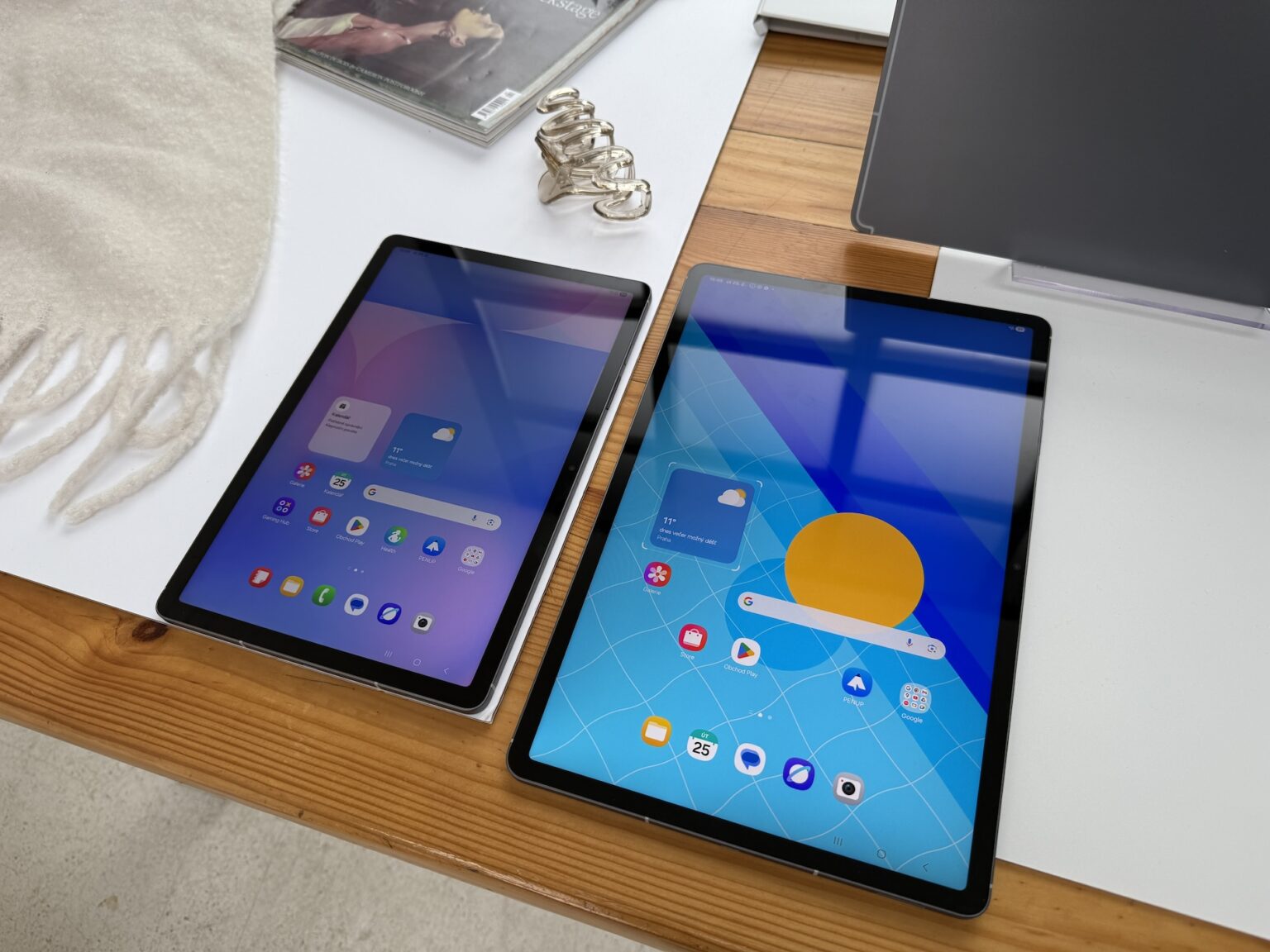
Most tablets ship as Wi-Fi-only devices, which means the moment you step outside your home or office network, you are tethering to your phone or hunting for a public hotspot. A tablet with built-in 5G changes that completely. Pop in a data plan — or activate an eSIM — and you have fast, standalone internet wherever there is coverage.
The best 5G tablets of 2026 span every budget and operating system, from sub-$200 Android slates with LTE to flagship iPads and Windows 2-in-1s with full 5G. Below are the picks worth your money, the real-world advantages of going cellular, the SIM-versus-eSIM catch nobody warns you about, and a practical buying checklist so you do not overpay for connectivity you may not need.
Why Buy a 5G Tablet?
A 5G tablet gives you seamless connectivity in more places — city centres, rural areas, airports, motorways. Instead of asking café staff for the Wi-Fi password or draining your phone battery as a hotspot, the tablet is simply online when you open it.
High download speeds mean you can stream HD and 4K video without buffering, which is ideal for media on long journeys and for high-bandwidth professional tasks. Low latency matters just as much: it makes cloud gaming genuinely playable, keeps video calls smooth, and lets VR and AR apps respond in near real time.
For remote workers, a 5G tablet means reliable video conferencing, fast uploads and downloads, and always-on access to cloud services from wherever you are sitting. And there is a future-proofing angle too — as more apps and services assume fast mobile data, a 5G-capable device stays relevant for longer than an LTE-only one.
5G on Tablets, Explained Simply
5G is the fifth generation of mobile networks. Compared with 4G LTE, it promises far faster data speeds — theoretically up to 10 Gbps — much lower latency, the capacity to handle far more devices at once, and more stable connections for anything that needs a constant data stream.
In practice, most tablets use sub-6 GHz 5G rather than the fastest millimetre-wave flavour, and real-world speeds depend on your carrier and location. Still, even a mid-band 5G connection comfortably beats crowded public Wi-Fi, and it is the difference between a video call that stutters and one that just works.
Best 5G Tablets of 2026 at a Glance
| Tablet | Display | Cellular | Best For |
|---|---|---|---|
| Samsung Galaxy Tab S10 FE 5G | 10.9″ LCD, 90 Hz | 5G + LTE | Best for most people |
| Apple iPad Pro 11″ (M5) | 11″ Ultra Retina XDR OLED | 5G + LTE (eSIM) | Best premium pick |
| Apple iPad mini (A17 Pro) | 8.3″ Liquid Retina | 5G + LTE (eSIM) | Best compact option |
| Samsung Galaxy Tab A9+ 5G | 11″ LCD, 90 Hz | 5G + LTE (eSIM) | Best budget choice |
| Microsoft Surface Pro 10 5G | 13″ PixelSense, 120 Hz | 5G + LTE (eSIM) | Best Windows pick |
Our Top 5G Tablet Picks for 2026
1. Samsung Galaxy Tab S10 FE 5G — Best 5G Tablet for Most People
The Tab S10 FE 5G is the easiest recommendation in this whole category. It pairs an Exynos 1580 chip, 8 GB of RAM and 128 GB of expandable storage with a 10.9-inch 90 Hz display and a 10,090 mAh battery that lasts a full working day of mobile browsing.
Samsung includes the S Pen in the box — something Apple still charges extra for — and the tablet carries IP68 water and dust resistance, which is genuinely unusual at this price. Sub-6 GHz 5G and LTE are both supported, and pricing sits around $600 for the cellular model. The one caveat: US carrier versions are often carrier-locked, so travellers should look for the unlocked model to keep their network options open.
2. Apple iPad Pro 11″ (M5) — Best Premium 5G Tablet
If budget is not the deciding factor, nothing touches the iPad Pro. The M5 chip handles 4K video editing, demanding CAD work and on-device AI without breaking a sweat, and the tandem OLED Ultra Retina XDR display produces deeper blacks and more accurate colour than any competing tablet screen.
Cellular models connect over 5G and LTE, but only via eSIM — there is no physical SIM tray. That is fine if your carrier supports eSIM, but it can be a problem in regions where eSIM activation is difficult. Expect to pay a premium of roughly $200 over the Wi-Fi model, and remember the Apple Pencil Pro and Magic Keyboard are sold separately.
3. Apple iPad mini (A17 Pro) — Best Compact 5G Tablet
The iPad mini remains the only premium small tablet with proper cellular support. Its 8.3-inch display fits jacket pockets and one-handed grips where larger slates feel unwieldy, which makes it a favourite for pilots running flight apps, clinicians referencing charts, and field workers who want a clipboard-sized device.
The A17 Pro chip runs console-quality games and Apple Intelligence features, and it supports the Apple Pencil Pro with hover detection. Like the iPad Pro, it is eSIM-only, and the 60 Hz display feels dated next to 120 Hz flagships — though on a screen this size the difference is subtle. Cellular configurations start at around $649.
4. Samsung Galaxy Tab A9+ 5G — Best Budget 5G Tablet
If you need cellular connectivity for browsing, email, streaming and light productivity without spending more than $200, this is the safest bet. The Snapdragon-class processor handles everyday tasks smoothly, and microSD expansion means the base storage goes further.
It will not win benchmarks, but it does exactly what a budget cellular tablet should do without frustrating compromises — and Samsung’s multi-year security update commitment means it will not become a security risk within a year, unlike no-name budget tablets. Just confirm LTE and 5G band compatibility with your carrier before buying, especially on unlocked international models.
For more strong-value Android options, see our roundup of the best Android tablets of 2026.
5. Microsoft Surface Pro 10 5G — Best 5G Tablet for Windows Users
Technically a 2-in-1, the Surface Pro 10 5G functions as a full standalone tablet with its kickstand — and it is the only pick here that runs complete Windows 11. If your workflow depends on desktop applications such as Excel, Photoshop, Visual Studio or enterprise software, no iPad or Android tablet can replace it.
Intel Core Ultra processors with a dedicated NPU handle on-device AI tasks, configurations reach 32 GB of RAM and 1 TB of storage, and two Thunderbolt 4 ports cover serious peripherals. The catch is cost: pricing starts well above $1,000 for the 5G model, and the Type Cover keyboard and Surface Pen are sold separately. It is also eSIM-only.
Physical SIM vs eSIM: What You Need to Know
The tablet market is moving away from physical SIM trays fast. Both Apple tablets and the Surface Pro 10 5G on this list are eSIM-only, while Samsung’s models still offer a physical nano-SIM slot alongside eSIM support.
That matters most if you travel internationally and rely on buying local prepaid SIMs — eSIM activation varies by carrier and region, so check before you fly. Most major US and European carriers support eSIM activation on tablets now, but some smaller carriers and MVNOs still require a physical SIM.
Do You Really Need Cellular, or Is Wi-Fi Enough?
Wi-Fi-only tablets cost less — typically $100 to $200 less than the equivalent cellular model — and they are perfectly fine if you spend most of your time at home, school or work. You can always tether from your phone when you are out.
Cellular becomes worth the premium if you travel often, work remotely from cafés and co-working spaces, navigate on the road, or need a secure connection that is not shared with strangers. A cellular tablet can also run without any data plan at all: it simply connects over Wi-Fi like a normal tablet until you activate a plan.

How to Choose the Right 5G Tablet
Work through this checklist before you buy:
Coverage first. Check that your carrier actually offers 5G where you live and travel. A 5G tablet on a network with no 5G coverage is just an expensive LTE tablet.
Mind the data plan. Cellular models cost more up front and usually need a monthly line on your carrier bill. Compare plan prices the same way you compare device prices — the running cost can dwarf the hardware premium over two years.
Battery matters more with 5G. Running on high-speed networks drains batteries faster. Look for tablets rated for 10+ hours of mixed use so you are not hunting for chargers mid-afternoon.
Set your budget honestly. 5G versions cost more than their Wi-Fi counterparts. Decide whether the extra convenience justifies the premium for your usage — or whether a cheaper Wi-Fi model plus phone tethering covers 95% of your needs.
Check accessory compatibility. Keyboards, styluses and cases add up fast. A tablet that looks competitively priced can become expensive once you add the pen and keyboard it needs to be productive.
Display and performance. Higher refresh rates (90 Hz and above) make scrolling, gaming and pen input noticeably smoother. For creative work, an OLED panel with strong colour accuracy is worth the step up; for reading and streaming, a good LCD is plenty.
RAM and storage. Six to eight gigabytes of RAM covers browsing, streaming and everyday multitasking. If you edit video or keep a tablet for five years, 12 GB or more gives valuable headroom. On storage, 128 GB suits light cloud-first users; 256 GB is the comfortable middle; creators should look at 512 GB or expandable microSD storage.
Camera and OS. A 12 MP front camera with features like Center Stage makes a real difference for video calls. On software, iPadOS leads for tablet-optimised creative apps, Android offers more hardware choice and DeX-style desktop modes, and Windows is unmatched if you need full desktop applications.
If you are weighing these trade-offs against a broader shortlist, our complete tablet buying guide for 2026 walks through every decision in more detail.
Frequently Asked Questions
Are 5G tablets worth buying in 2026?
Yes, if you spend meaningful time away from Wi-Fi. Wider 5G coverage means faster speeds, smoother streaming and better productivity on the go. If your tablet rarely leaves the house, a Wi-Fi model plus phone tethering saves you the premium and the monthly plan.
Which 5G tablet is best for most people?
The Samsung Galaxy Tab S10 FE 5G hits the sweet spot: 5G connectivity, an included S Pen, IP68 durability and a large battery at around $600. Apple users who want maximum performance should look at the iPad Pro, and Windows loyalists at the Surface Pro 10 5G.
Do 5G tablets need a separate data plan?
Usually yes. Cellular tablets connect over Wi-Fi for free, but mobile data needs a carrier plan — either a physical SIM or an eSIM activation. Some carriers let you add a tablet to an existing phone plan at a reduced rate, which is worth asking about.
Can I use a 5G tablet without activating cellular?
Absolutely. Without a data plan, a cellular tablet works exactly like a Wi-Fi-only model. The cellular hardware just sits idle until you activate it, so there is no penalty for buying the 5G version and enabling it later.
What is the difference between 5G and LTE tablets?
5G offers higher peak speeds, lower latency and better network capacity than 4G LTE. In daily use, the gap shows most in crowded areas and for demanding tasks like cloud gaming or 4K streaming. LTE remains perfectly adequate for browsing, email and HD video — and LTE-only tablets are often much cheaper.
Which brands make the best cellular tablets?
Apple (iPad lineup), Samsung (Galaxy Tab series) and Microsoft (Surface Pro) lead the field, each with multiple 5G or LTE configurations. Lenovo and Amazon also offer cellular options at the budget end. Stick to established brands — generic no-name cellular tablets often have poor band support and no security updates.
Does 5G drain the battery faster?
It can. High-speed radios consume more power, especially in areas with weak signal where the modem works harder. Mitigate it by choosing a tablet with a large battery (10,000 mAh or more on Android, all-day ratings on iPads), keeping brightness moderate, and downloading content over Wi-Fi before you travel.
Final Thoughts
The best 5G tablets of 2026 are no longer a niche luxury — they are practical tools for anyone who works, studies or streams beyond the reach of Wi-Fi. Start with how you actually connect: travellers and remote workers will feel the difference every day, while homebodies can pocket the savings of a Wi-Fi model.
Match the device to your ecosystem — iPadOS for creative apps, Android for value and flexibility, Windows for desktop software — then check the SIM situation before you buy. Get those two decisions right, and whichever 5G tablet you pick will stay useful and connected for years.
