

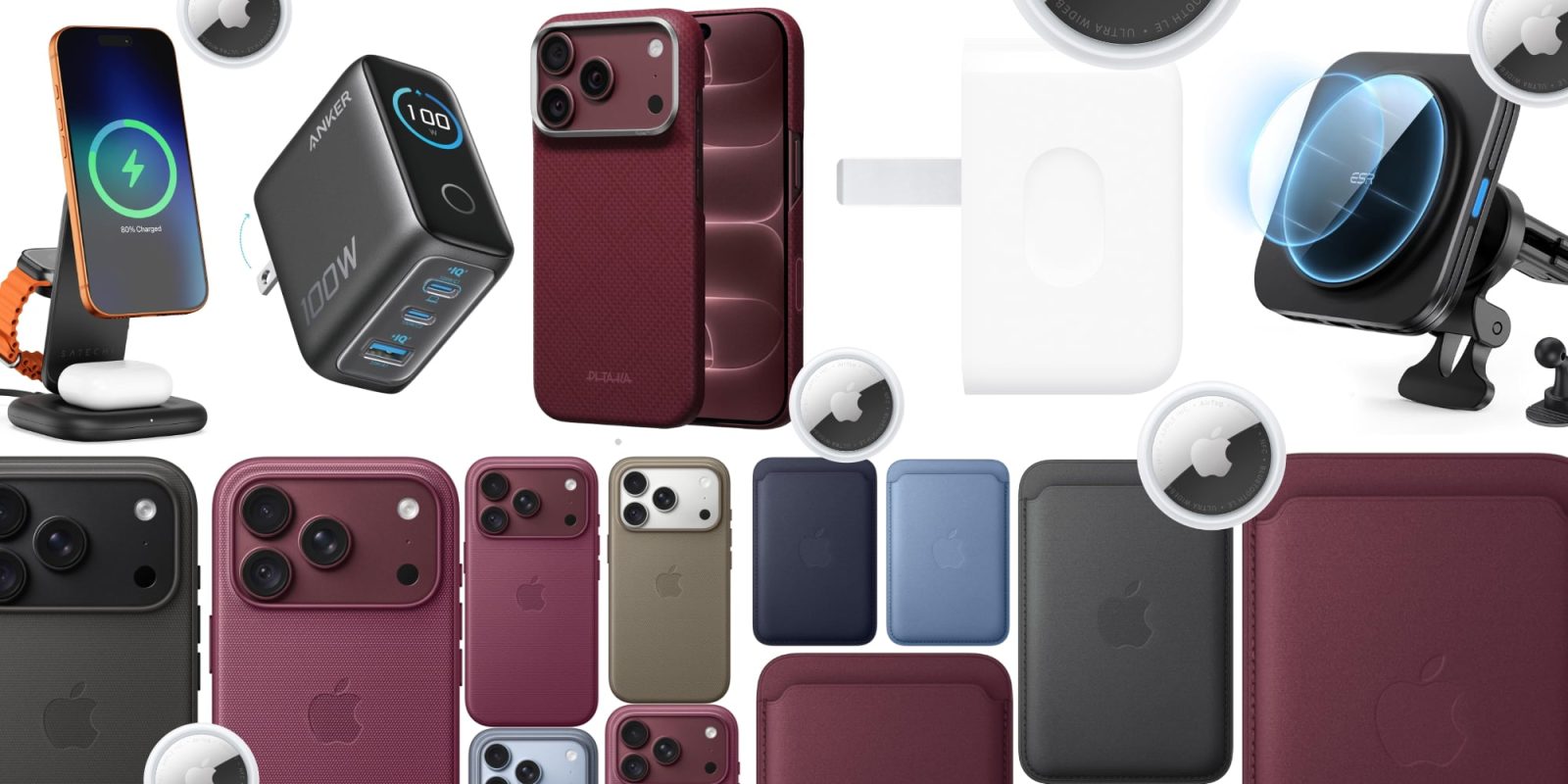
Finding the best iPhone accessories 2026 has to offer is harder than it looks. A new iPhone is rarely the last thing you buy — cases, screen protectors, chargers, MagSafe stands, wallets and cables all compete for a spot in your basket, and you definitely do not need most of them. This guide cuts through the noise and covers only the additions that bring real protection, charging convenience or everyday function.
The trick is buying in the right order. Protection comes first: a case and a screen protector, because a cracked display costs far more to repair than either one costs to buy. After that, choose charging gear based on how you actually use the phone — a power bank makes sense for travel, while a desk charger suits a phone that sits beside a computer all day. Everything else can wait until you know your routine.
Start here: the four accessories that matter most
Before browsing endless accessory lists, lock in the four day-one essentials. A tempered glass screen protector runs about $15 for a multi-pack — cheap insurance against an out-of-warranty screen repair that costs several hundred dollars. Get a multi-pack so you have a backup when one inevitably chips.
Second, a case with MagSafe. This is the one feature to insist on: built-in magnets mean chargers, stands, wallets and car mounts still snap on without taking the case off. Match the protection to how you live — a slim case is enough if the phone mostly sits on a desk, while extra bulk is worth it if you drop it often or work somewhere it can take a knock.
Third, a USB-C power adapter. If you already own one that works, keep using it — you probably do not need a new charger at all. If you do buy, a compact adapter with two USB-C ports is the most useful choice because it can charge your phone and your earbuds or watch at the same time.
Fourth, one good USB-C cable. A 6-foot braided cable lasts four to five times longer than the basic cable Apple includes, which tends to fray within a year of daily use. A cable rated for far more power than the phone can take will not charge it any faster, though — the phone, charger and cable all have to support the same standard.
Protection first: cases and screen protectors
Cases are the easiest accessory to justify. A cracked screen or back costs far more to repair than a decent case costs to buy, and you do not need Apple’s own — third-party cases can be excellent. Apple’s own line-up includes silicone, TechWoven and clear cases with MagSafe, while brands like Spigen, Nomad, Pitaka, TORRAS and Dbrand cover everything from slim shells to rugged builds.
The TechWoven case is Apple’s premium first-party option, combining an attractive look, grippy feel, tactile anodized aluminum buttons and a choice of deep colors — and it is made from 100% recycled polyester. On the value end, Spigen’s Ultra Hybrid MagFit comes well under the price of premium brands, with DuraClear blue resin-infused side TPU panels that resist yellowing, impact-absorbing designs, and a thin TPU layer over the camera control button.
One warning applies to every brand: avoid no-name cheap MagSafe cases under $15. Most have weak magnets that accessories fall off after two or three months, and most people end up replacing them with a proper case anyway.
Screen protectors are optional but sensible. iPhone glass is tougher than it used to be, but glass is still glass — a well-fitted tempered glass protector adds a layer against scratches and cracks, and it does not need to be expensive. What matters is that it lines up properly and does not interfere with the front camera or touch response. Apple itself lists the Belkin UltraGlass 2 for the latest iPhones, and it is worth fitting one early if scratches and everyday knocks concern you.
Skip camera lens protectors entirely. A case with a raised edge around the cameras already protects them, and a cheap lens cover can add glare or blur to your photos.
Chargers and cables: keep it simple
The iPhone charges fastest with a 30W USB-C PD adapter — anything less and you lose fast-charge speeds. Anker and UGREEN make reliable picks under $25, and Apple’s own line-up spans a 20W adapter, a 35W dual-port compact adapter and the 40W Dynamic Power Adapter with 60W Max, which uses Adjustable Voltage Supply and can take a new iPhone to 50% in just 15 minutes.
Do not overbuy on wattage. The iPhone caps at around 27W over USB-C, so 65W chargers marketed for iPhone are wasted money for iPhone-only use. And if your desk already has a USB-C hub or your monitor has a USB-C port, a magnetic charging puck on the end of a USB-C cable — like Satechi’s $25 option — adds MagSafe charging from any USB-C port with no extra wall adapter.
For cables, braided is the standard recommendation: Anker PowerLine III and UGREEN braided cables outlast Apple’s included cable by years. LISEN’s 6-foot 240W USB-C cables and Beats braided USB-C cables are solid alternatives, and a second cable for work, the car or a travel bag is a cheap quality-of-life upgrade.
One more note: iPhones are all USB-C now, so Lightning accessories are dead for new models. Do not let a clearance bin convince you otherwise.
MagSafe charging docks and 3-in-1 stations
MagSafe is one of the few accessory systems that changes how you use the phone. A magnetic charger snaps into place, a stand keeps the screen visible while it charges, and a car mount holds the phone without a clamp. Apple’s second-generation MagSafe puck delivers 30W to newer iPhones — the older first-gen puck caps at 15W — and it comes in 1m and 2m lengths for bedside or desk use.
If you charge an iPhone, AirPods and Apple Watch, a 3-in-1 station replaces three separate chargers with one pad and one cable. Anker’s MagGo 3-in-1 charges all three simultaneously for around $28 and folds flat for travel — it undercuts premium competitors by over $100 while delivering comparable speeds. The Anker Prime 25W Qi2.2 foldable MagSafe charger does the same job in a palm-sized form, and Anker’s 3-in-1 Cube with Qi2 is another trusted multi-device option.
For the desk, the Satechi 25W 3-in-1 Qi2 Stand in Space Black is a sleek, understated pick. Frequent travelers with deep pockets should look at the Twelve South Butterfly: two MagSafe chargers folded into a pocket-sized package wrapped in Saffiano leather, charging the iPhone at 15W and the Apple Watch at the same time. It is the most compact dual-charger form factor available, though at $130 it is a premium over simpler options — and it does not charge AirPods.
Is MagSafe worth it at all? It is useful if you value magnetic alignment for chargers, stands, wallets and battery packs — but whether it is worth paying more depends on how often you use those accessories. If you are happy charging with a cable, wireless charging is a convenience, not a requirement.
A multi-device station is also ideal if your desk holds more than just a phone — if you are picking a tablet too, see our guide to the best tablets for students in 2026 for a device worth charging alongside your iPhone.
Power on the move: MagSafe power banks
A magnetic power bank is worth it only if you spend long days away from a socket — if you work from home or sit near a charger all day, you do not need one. Treat it as a travel accessory, not something to leave attached all day, because it makes the phone noticeably heavier.
For pocketable top-ups, the Baseus Picogo Air sets the template for how a MagSafe battery should be made: just 0.27 inches thin, 3.7 ounces, a 5,000mAh cell, 7.5W wireless charging and 22.5W when wired in. Belkin’s BoostCharge Pro Magnetic Power Bank 5K is the Apple-listed alternative in the same pocketable class.
Need more capacity? The Anker MagGo Power Bank 10K snaps on via MagSafe and charges at 15W wireless — no cable between phone and battery, no fishing for a cable in your bag. Its 10,000mAh cell gives roughly 1.8 full charges, and a built-in LED display shows the remaining percentage rather than vague dots. For long trips and workdays, a 20,000mAh power bank with at least 30W USB-C PD output charges a big iPhone about three full times.
Whatever you buy, avoid no-name brands — they routinely overstate capacity by 30 to 50 percent. Stick to Anker, UGREEN and Baseus for reliable cells.
Wallets, car mounts and everyday carry
If you only carry an ID and a card or two, a magnetic wallet on the back of your phone can replace your normal wallet. Apple’s FineWoven Wallet with MagSafe is the minimalist classic, comfortably storing three to four cards. Spigen and Mujjo make excellent third-party alternatives at lower prices, and Apple’s own wallet has Find My tracking built in so you can locate it even when separated from the phone.
Two honest warnings: a magnetic wallet can slide off in a tight pocket, and it adds bulk to something you handle all day — buy one if it fits your routine, not to complete a set. The MOFT Snap-On Stand & Wallet takes the concept further: a kickstand, card holder and finger grip in one 5mm-thin MagSafe accessory, holding two to three cards while propping the phone up in portrait or landscape.
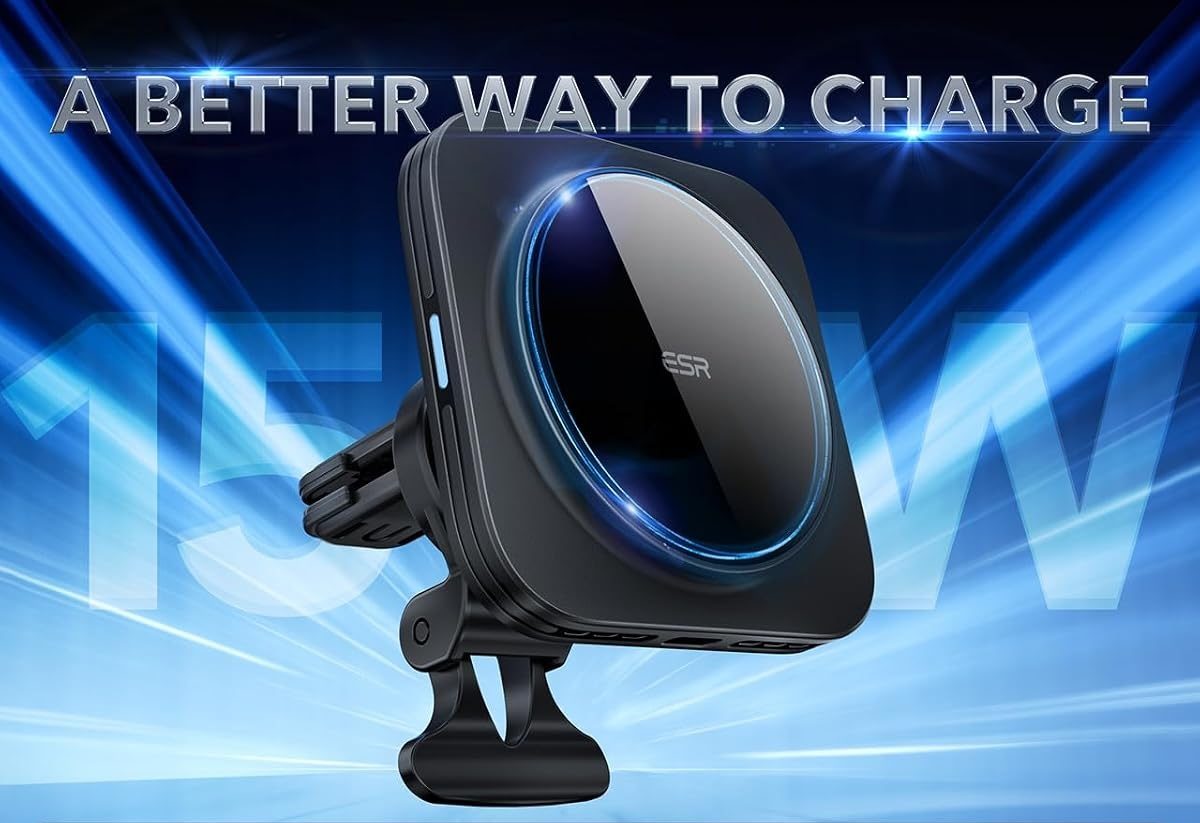
In the car, a MagSafe mount eliminates fumbling — you get in, snap the phone on, and navigation is at eye level. The ESR MagSafe Car Mount clips to your air vent and keeps the phone visible and able to charge on the go, while Spigen’s OneTap Pro is a $23 one-hand mount that works on the vent or windshield. Belkin and ESR make the reliable models; cheap mounts sag under a big Pro Max phone, and windshield suction cups can need reattachment in hot weather.
Road warriors should also consider the Carlinkit 5.0 wireless CarPlay adapter to cut the cable entirely, and a high-power car charger like UGREEN’s 145W 4-port retractable model. For flights and hotels, Baseus’s Enercore 70W travel adapter supports outlets in over 200 countries, powers six devices at once, and its built-in 70W retractable USB-C cable keeps your travel bag clutter-free.
Audio, tracking and desk upgrades
The single best audio accessory for any iPhone remains a good set of earbuds. AirPods Pro 3 (or AirPods 5) are the headline picks this year, while the AirPods Pro 2 remains a superb buy: adaptive noise cancellation that kicks back in when a colleague walks away, an H2 chip that keeps calls clear in noisy environments, six hours of battery plus 30 with the case, and seamless switching between iPhone, Mac and iPad.
For video calls, the Belkin iPhone Mount with MagSafe for Mac is the smartest $30 you can spend. It turns the iPhone’s rear camera into a 4K Mac webcam via Continuity Camera — with Center Stage and Desk View — making every built-in laptop webcam look like a security camera from 2010. Requirements: macOS Ventura or later and a MagSafe-compatible case.
The Peak Design Mobile Tripod snaps on via MagSafe and unfolds into a stable tripod in about two seconds, folding to about the size of a credit card stack and weighing just 45 grams — pocketable portability most desk stands cannot match. Content creators who shoot on their iPhone should look at the ShiftCam ProGrip instead: a DSLR-style grip with a physical shutter button, cold shoe mount for mics and lights, Bluetooth shutter remote, and a built-in 4,900mAh wireless charging battery.
For tracking, Apple’s AirTag is the obvious companion — a 4-pack covers keys, wallet, bag and car, and the latest AirTag 2 has dropped to around $24. The Nomad Find My tracking card is a slim wallet-friendly alternative that uses the same Find My network.
Honorable mentions worth a look: Apple’s wrist and crossbody straps, and the Twelve South Butterfly 2-in-1 for travel charging. Outfitting more than just your iPhone? Our roundup of the best accessories for every budget covers options across every device you own.
What to skip
Save your money on these. Camera lens protectors add glare or blur while a raised-edge case already protects the cameras. Big accessory bundles look like a deal until half the box goes unused. Expensive cables and extra chargers are pointless when the ones you own already work.
Skip sub-$15 MagSafe cases with weak magnets, 65W “fast chargers” that a 27W-capped iPhone cannot use, and any Lightning accessories — the port is dead on new iPhones. Heavy-duty cases like Lifeproof and OtterBox work, but most people return to a slim case within two weeks unless they genuinely work outdoors or on construction sites. Phone grips and ring holders block the MagSafe magnet ring unless specifically designed not to; a grip helps only if you struggle to hold a large phone one-handed, and a stand is mainly useful if you work at a desk.
How to choose the right accessories for you
Judge every accessory on three criteria: does it solve a concrete problem (dead battery, bad video call quality, tangled cables, awkward phone angles), is it built to survive daily use for months, and is it good value next to cheaper alternatives in the same category?
Base decisions on current retailer and manufacturer information and practical buying factors — not every round-up physically tests everything it lists, so check independent reviews where durability, charging performance or long-term reliability matter.
Then match purchases to your routine. If you travel, add a power bank. If you work at a desk, try a stand. If you drive a lot, a magnetic car mount is worth it. Protection first, charging second, lifestyle extras only when a real need shows up — the best accessories are the ones that solve a problem you actually have.
Frequently asked questions
What accessories do I need for a new iPhone?
Four things on day one: a tempered glass screen protector (around $15 for a multi-pack), a MagSafe case such as Apple’s silicone or the Spigen Ultra Hybrid ($25-$50), a 30W USB-C power adapter since Apple does not include one in the box, and a braided USB-C cable that outlasts Apple’s included cable. Everything else — a MagSafe charger, AirTags, a car mount, a power bank — is a smart add rather than essential.
Do I need an Apple-made case?
No. Third-party cases can be excellent, and value picks like the Spigen Ultra Hybrid often beat Apple on drop protection for less money. Just check exact iPhone model compatibility, MagSafe alignment where relevant, raised-edge protection, button access, and warranty and returns before buying.
Are MagSafe accessories worth buying for iPhone?
Yes — if you will use them. MagSafe accessories snap on and off magnetically, which removes the friction of plugging in cables, adjusting clamps and fiddling with mounts. The most useful ones are a charging stand, a snap-on power bank and a kickstand/wallet combo. But if you are happy charging with a cable, wireless charging is a convenience, not a requirement, and it is not worth paying extra for.
Should I buy a power bank?
A portable battery is most useful if you travel, commute or regularly spend long periods away from a wall outlet. A pocketable magnetic pack suits daily top-ups; a 20,000mAh bank with 30W USB-C PD output suits long trips, giving about three full charges. If you work from home or sit near a charger all day, skip it.
Do I need a MagSafe case for MagSafe accessories?
Most MagSafe accessories work best with a MagSafe-compatible case or no case at all. Non-MagSafe cases weaken the magnetic grip, which can cause chargers to misalign and mounts to drop your phone. Reliable options with built-in magnets include Apple’s silicone case, the Peak Design Everyday Case and Spigen’s MagSafe lineup.
Is the Anker MagGo 3-in-1 better than Apple’s MagSafe Charger?
For desk use, yes. The Anker MagGo 3-in-1 charges iPhone, AirPods and Apple Watch simultaneously for around $28, while Apple’s MagSafe Charger charges only the iPhone for $39. Apple’s standalone puck makes sense only if you need a single magnetic charger for travel and already charge your watch and earbuds separately.
What iPhone accessories help with video calls?
The Belkin iPhone Mount with MagSafe ($30) turns your iPhone into a 4K Mac webcam, the Peak Design Mobile Tripod ($40) props your phone at the right angle for FaceTime calls from anywhere, and the AirPods Pro 2 ($249) add noise cancellation and clear call audio. Together, these three transform video call quality for under $320.
Does the iPhone come with a charger in the box?
No. Apple stopped including wall adapters years ago — the box only has a cable. The iPhone charges fastest with a 30W USB-C PD adapter, and anything weaker sacrifices fast-charge speeds. Anker and UGREEN make reliable 30W adapters under $25.
Do fast chargers over 30W charge the iPhone faster?
No. The iPhone caps at around 27W over USB-C, so 65W chargers marketed for iPhone are wasted money for iPhone-only use. A quality 30W USB-C PD adapter delivers full fast-charge speed; on MagSafe, the second-generation Apple puck delivers 30W while the older first-gen puck caps at 15W.
Is AppleCare+ worth it with all these accessories?
Accessories reduce risk but do not eliminate it. AppleCare+ for a Pro Max runs $13 a month or $269 for two years, while one out-of-warranty cracked screen costs around $379 to repair — so it pays for itself the first time you drop the phone. You must add it within 60 days of purchase; after that it costs more or is not available.
What is the best iPhone accessory for productivity?
The Belkin iPhone Mount with MagSafe for Mac is the single best productivity pick at $30 — it turns your iPhone into a 4K webcam for Mac video calls using Apple’s Continuity Camera, replacing a separate webcam purchase. Pair it with a 3-in-1 charging station to declutter your desk and a snap-on stand for a kickstand you will use daily, and all three cost under $100 total.
