

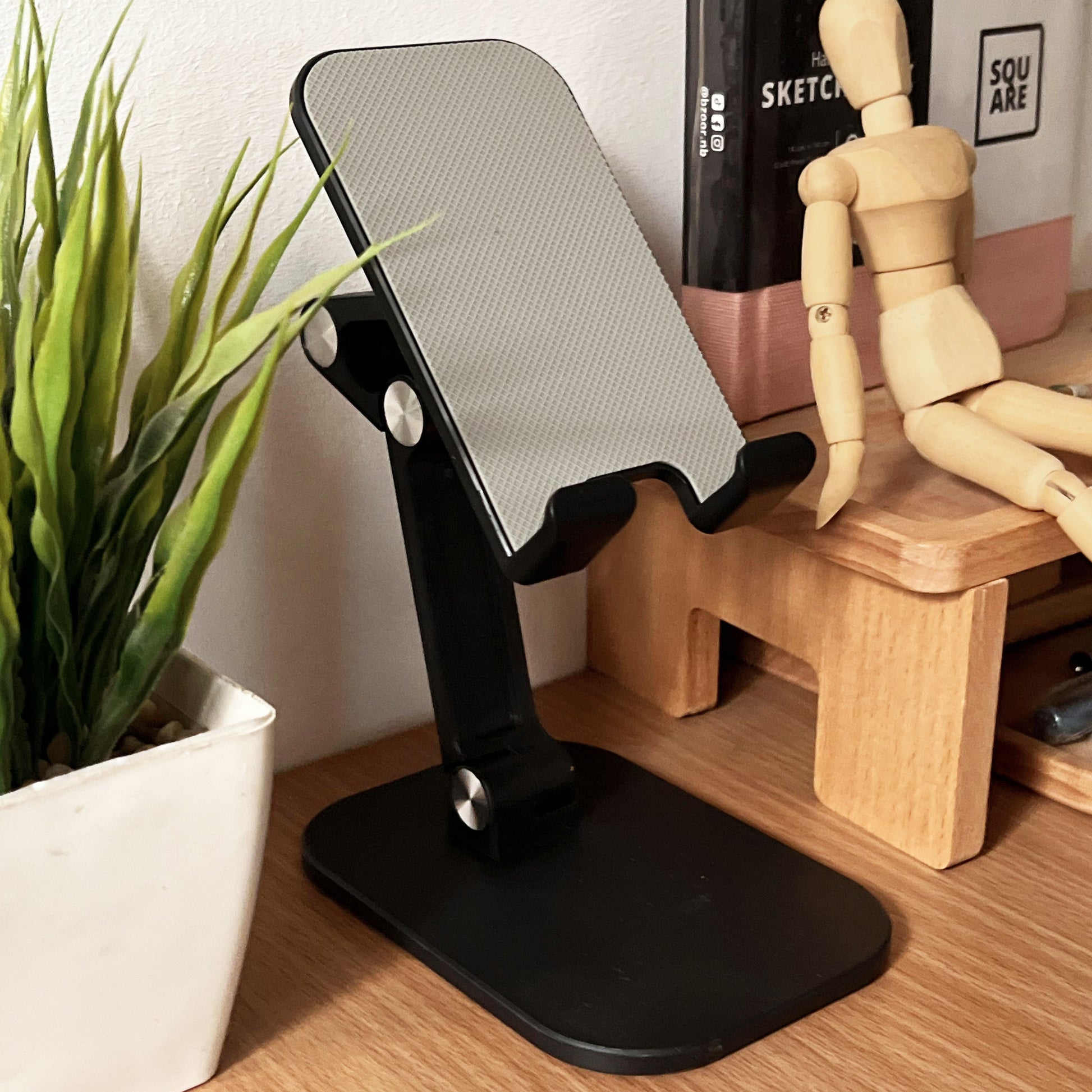
The best phone stands are the ones you stop thinking about. A good stand keeps your screen steady during video calls, props your phone at a comfortable angle in the kitchen, and turns a bedside table into an alarm clock with iPhone StandBy mode. A bad one wobbles every time you tap the screen.
This year the category changed in one important way: Qi2 wireless charging finally went cheap. A true 15W magnetic charge used to sit near $70, but 2026 brought Qi2-certified stands under $50. We compared this year’s most-reviewed desk and bedside stands on build, adjustability, and charging trade-offs.
The Best Phone Stands of 2026 at a Glance
| Stand | Price | Best For | Charging | Adjustability |
|---|---|---|---|---|
| OMOTON Adjustable | ~$9 | Best budget desk stand | None (cable cutout) | Tilt |
| POQOD 2 Pack | ~$4 for two | Cheapest two-pack | None | 5 angles |
| Lamicall Height & Angle | ~$25 | Video calls at eye level | None | 5.9–10.6 in + tilt |
| Nulaxy Dual Folding | $12–18 | Foldable travel workhorse | None | Dual hinge |
| UGREEN MagSafe Stand | ~$15–20 | Magnetic, non-charging | None | Height + 360° rotate |
| COOPER MagStand | ~$17–25 | Flexible framing | None | 8–13 in + 360° + 55° tilt |
| Anker MagGo Qi2 Stand | ~$36–40 | Best Qi2 charging stand | 15W Qi2 | Tilt |
| Belkin BoostCharge Pro 3-in-1 | ~$66 | iPhone + Watch + AirPods | 15W + Watch + AirPods | Tilt |
| MOFT Snap-On Stand | ~$25–30 | Ultra-portable | None | Portrait/landscape |
Prices are street prices from major retailers and move around.
Best Phone Stand Picks for 2026
Best Budget Desk Stand: OMOTON Adjustable Cell Phone Stand
The OMOTON is the stand every comparison ends up recommending first: a proper aluminum cradle with a wide anti-slip base and silicone-padded arms, for about nine dollars. With more than 67,000 reviews behind it, it is the single most battle-tested phone stand you can buy.
The hinge tilts from nearly flat to almost vertical, covering reading, on-screen typing, and video. It fits 3.5- to 10.5-inch phones with a case on, and a base cutout lets a charging cable pass through while the phone is docked. The trade-off is fixed height, but for a stand that stays in one spot, that is a compromise most people never notice.
Cheapest Two-Pack: POQOD 2 Pack
At roughly four dollars for two, the POQOD two-pack is the cheapest entry point in the category: one stand for the desk, one for the nightstand, for less than a coffee. Each unfolds into five angles and works in portrait and landscape, so switching from a video call to scrolling recipes takes seconds.
The plastic build is the concession — it feels basic next to aluminum stands and will not survive years of daily abuse. But at this price it does not have to. If you want a stand in two places without thinking twice, this is the pick.
Best for Video Calls: Lamicall Height and Angle Stand
Most desk stands park your phone too low, which means hours of hunched shoulders on video calls. The Lamicall fixes it with a slide-bar that lifts the cradle from 5.9 to 10.6 inches — roughly eye level next to a laptop or monitor — plus adjustable tilt for portrait or landscape calls. A weighted base keeps it stable at full extension.
Around $25, it is the tallest stand under $50 and the best ergonomic upgrade for video calls. The Cooper ChatStand covers the same lane: height-adjustable to 14 inches with a universal clip for 4- to 7-inch phones, and a wide non-slip base that stays planted even on soft surfaces.
One note for all cradle-style stands: thick cases change the fit. A bulky case can make the cradle snug or unstable, so check the listed size range against your phone in its case. If you are still shopping for one, our roundup of the best phone cases in 2026 pairs well with this guide, since slimmer cases play nicer with cradle-style stands.
Best Foldable Stand: Nulaxy Dual Folding Cell Phone Stand
The Nulaxy is the stand for people who move around. Two hinges — one at the base, one at the cradle — fold into a flat profile that disappears into a backpack or drawer, then open to any angle. A wide non-slip base and rubber pads keep it steady while deployed, and a cutout allows charging while the phone sits in the cradle.
Expect the hinges to feel stiff for the first few uses; they loosen with time, so adjust in small increments rather than forcing them. The cradle takes cases up to about 0.74 inches thick. It is not built for tablets — ask it to hold a heavy one and it will let you down.
Best Budget Magnetic (Non-Charging): UGREEN MagSafe Stand
For a MagSafe-compatible phone, a magnetic stand is a better daily experience than a cradle: one-handed snap-on and snap-off, 360-degree rotation for landscape calls or vertical scrolling, no fiddling with cradle arms. UGREEN’s height-adjustable magnetic stand delivers that for under $20.
The honest trade-off is that it does not charge. Pair it with your existing MagSafe puck or a wired cable for power. For people who already own a MagSafe charger, it is the cheapest clean magnetic perch.
Best for Flexible Framing: COOPER MagStand
The COOPER MagStand is the pick reviewers point creators toward. A height-adjustable aluminum rod runs 8 to 13 inches with 360-degree rotation and 55 degrees of tilt, so you can frame eye-level video calls, top-down shots, or low-angle footage from the same stand. A weighted base and MagSafe compatibility (iPhone 12 through 17) round it out.
The height adjustment is friction-based, so tighten it before mounting a heavier phone. At around $17–25 it is the most versatile magnetic stand in this range, and its Amazon’s Choice status reflects a long run of steady reviews.
Best Qi2 Charging Stand: Anker MagGo Wireless Charger (Stand)
This is the sweet spot of 2026’s charging stands. The Anker MagGo is Qi2-certified with 15W output for iPhone 12 through 17, adjustable tilt, StandBy support, and an anti-slip silicone base — for around $36–40. That price would have been unthinkable for a certified 15W magnetic stand a year ago.
It rotates a full 360 degrees, so it doubles as a nightstand clock or photo display while charging, and Anker’s temperature monitoring is a real safety feature for overnight charging. The catch: the wall adapter is sold separately — budget for a 30W or higher USB-C charger for full speed.
Best 3-in-1 Charging Stand: Belkin BoostCharge Pro
For an all-Apple nightstand, the Belkin BoostCharge Pro 3-in-1 remains the splurge pick worth considering at around $66. It charges an iPhone, an Apple Watch, and AirPods simultaneously, with adjustable tilt and StandBy support, on a single dock instead of three tangled cables.
Belkin includes a 40W power brick in the box — a genuine plus, since most rivals make you buy the adapter separately. It only makes sense for a household that uses all three devices daily, and it is a fixed setup rather than one you will travel with.
Best Ultra-Portable: MOFT Snap-On Stand
The MOFT attaches to the back of a MagSafe-compatible iPhone and folds to about 5mm thick when not in use. Deployed, it props the phone in portrait or landscape, and some versions double as a card wallet.
This is the stand for a kickstand available everywhere — coffee shops, airplanes, kitchen counters — without carrying a separate accessory. The magnet holds for tabletop use, but it is less stable than a weighted desk stand and blocks wireless charging while attached.
How to Choose a Phone Stand
Charging vs non-charging. Qi2-certified stands like the Anker MagGo deliver 15W of wireless power and act as a stand at the same time, but they cost more and usually need a separate USB-C PD wall charger. Non-charging cradles pair with your existing MagSafe puck or wired charger and run $15–30 for comparable build quality. If your phone is always low at your desk, a charging stand earns its price. Otherwise, a plain cradle is the smarter buy.
Height adjustability. For video calls, lifting your phone to roughly eye level is the single biggest upgrade you can make. A phone parked at desk height forces you to hunch; one at laptop-monitor level fixes your framing and your posture. Few sub-$50 stands reach eye level — the Lamicall (5.9–10.6 in), the Cooper ChatStand (up to 14 in), and the COOPER MagStand (8–13 in).
MagSafe vs cradle. MagSafe or Qi2 magnetic attachment lets you snap the phone on and off with one hand, and it is the only way to get iPhone StandBy mode automatically. A traditional cradle grips any phone with or without a case, which is more universal if you swap between iPhone and Android, or use a case that breaks magnetic alignment.
Base and footprint. A weighted base with silicone or rubber pads is non-negotiable for taller stands — a tall stand without a heavy base tips the moment you tap the screen. If desk space is tight, clamping stands that fasten to a table edge are the space-saving alternative, though they can wobble when fully extended and struggle with heavier phones.
Build material. Aluminum alloy is the material to look for: substantial, resistant to flex, and long-lasting. Plastic stands are fine at the bottom of the price range but rarely survive daily use. Look for silicone padding at every contact point — it protects the phone and stops the cradle sliding.
Foldability and portability. If the stand leaves your desk, foldability matters most. The Nulaxy and OGMAPLE collapse to pocket size — the OGMAPLE folds smaller than the phone it holds. Snap-on stands like the MOFT travel on the phone itself.
Case compatibility. Cradles are universal but size-limited; magnetic stands need a MagSafe-compatible phone or case. Check the listed fit range against your phone with its case on, not the bare phone. Heavy cases can also tip lightweight stands, so match the stand’s stability to what you will actually put on it.
What Changed in 2026
The biggest shift this year is Qi2 trickling down into budget territory. A year ago, comparable 15W magnetic stands typically sat closer to $70. In 2026, Qi2-certified stands from Anker and Mophie cost under $50, and brands like UGREEN and Lamicall have widened their lineups of weighted, silicone-padded non-charging stands.
The other change is iPhone StandBy mode maturing. Introduced with iOS 17, it turns the iPhone into a smart display — clock, widgets, photos — when placed on a charger in landscape. Any good MagSafe charging stand triggers it automatically, a genuine reason to upgrade from a basic cradle if your iPhone doubles as your alarm clock.
What to Avoid
Featherweight folding plastic stands sold as marketplace add-ons typically lack a weighted base, so any tap on the screen tips them over. Some cradles route the cable through a slot narrower than a cased USB-C connector, so measure before you buy if you use thicker cables.
And be wary of unbranded “Qi2” stands without certification. Real Qi2 chargers list their certification; if a listing just says “15W magnetic” with no certification mentioned, assume it is an older Qi puck with optimistic marketing. For charging stands, stick to certified brands — our guide to the best MagSafe chargers and accessories 2026 explains what certification actually means and which brands hold it.

Frequently Asked Questions
What is a phone stand?
A phone stand is a device designed to hold your smartphone in a stable position, either horizontally or vertically. It lets you use your phone hands-free, making it easier to watch videos, take video calls, follow recipes in the kitchen, or work at your desk without holding the device.
Why should I use a phone stand?
A phone stand gives you better ergonomics, hands-free use, stability for video calls and recording, and a more comfortable viewing angle for media. It also turns your phone into a mini workstation or a bedside clock.
Do I need a phone stand with a built-in charger?
Only if your phone is constantly running out of battery at your desk. Charging stands cost more and need a nearby outlet. If your phone lasts the day, a non-charging stand plus your existing charger is cheaper and just as effective.
Is MagSafe worth it on a phone stand?
For iPhone users, yes — one-handed snap-on and snap-off beats a cradle, 360-degree rotation makes switching orientations effortless, and a MagSafe charging stand triggers StandBy mode automatically. Just confirm your phone or case is MagSafe-compatible first.
Are cheap phone stands any good?
Surprisingly, yes — up to a point. Budget aluminum stands like the OMOTON and Nulaxy are reviewed tens of thousands of times and last for years. The very cheapest plastic stands (under $5) work for light use but feel basic and wear out fast.
Will a phone stand improve my video calls?
A height-adjustable stand is one of the best video-call upgrades you can buy. Lifting your phone to eye level fixes unflattering framing and stops you hunching. For calls, prioritize height adjustment — like the Lamicall or Cooper ChatStand — over charging features.
What size phones do phone stands fit?
Cradle-style stands usually list a supported range, typically 4 to 10.5 inches, which covers nearly every phone. Magnetic stands fit any MagSafe-compatible phone regardless of size. Always check the range against your phone with its case on, since thick cases add width.
Can I charge my phone while it sits in a stand?
Yes — most quality stands leave room for a cable. Look for a charging cutout at the base of the cradle wide enough for your cable with the case on. Qi2 and MagSafe charging stands charge wirelessly with no cable at all.
Can a desk phone stand work as a bedside clock?
Yes, if it is a MagSafe charging stand. Tilt your iPhone to landscape and StandBy mode kicks in automatically, turning the screen into a clock or photo frame. Stands like the Anker MagGo and Belkin BoostCharge Pro are designed for exactly this.
Are foldable stands less stable than fixed ones?
They can be, but the good ones are not. Stands like the Nulaxy stay firm with stiff hinges and a wide non-slip base. The unstable ones are featherweight plastic stands with no weighted base — a tall, light stand always loses to a tap on the screen.
What is the difference between a cradle stand and a magnetic stand?
A cradle grips the phone mechanically and works with any phone or case — the universal option. A magnetic stand attaches via MagSafe or Qi2 magnets: faster and one-handed, but only for compatible phones. Choose a cradle if you switch phones or use non-magnetic cases; choose magnetic if your phone supports it.
A phone stand is one of those purchases where spending more rarely buys you more — a $10 aluminum cradle often outlasts a $40 plastic gimmick. Decide whether you need charging, height adjustment, or portability, match the stand’s stability to your phone’s weight, and it will earn its spot on your desk for years.
