

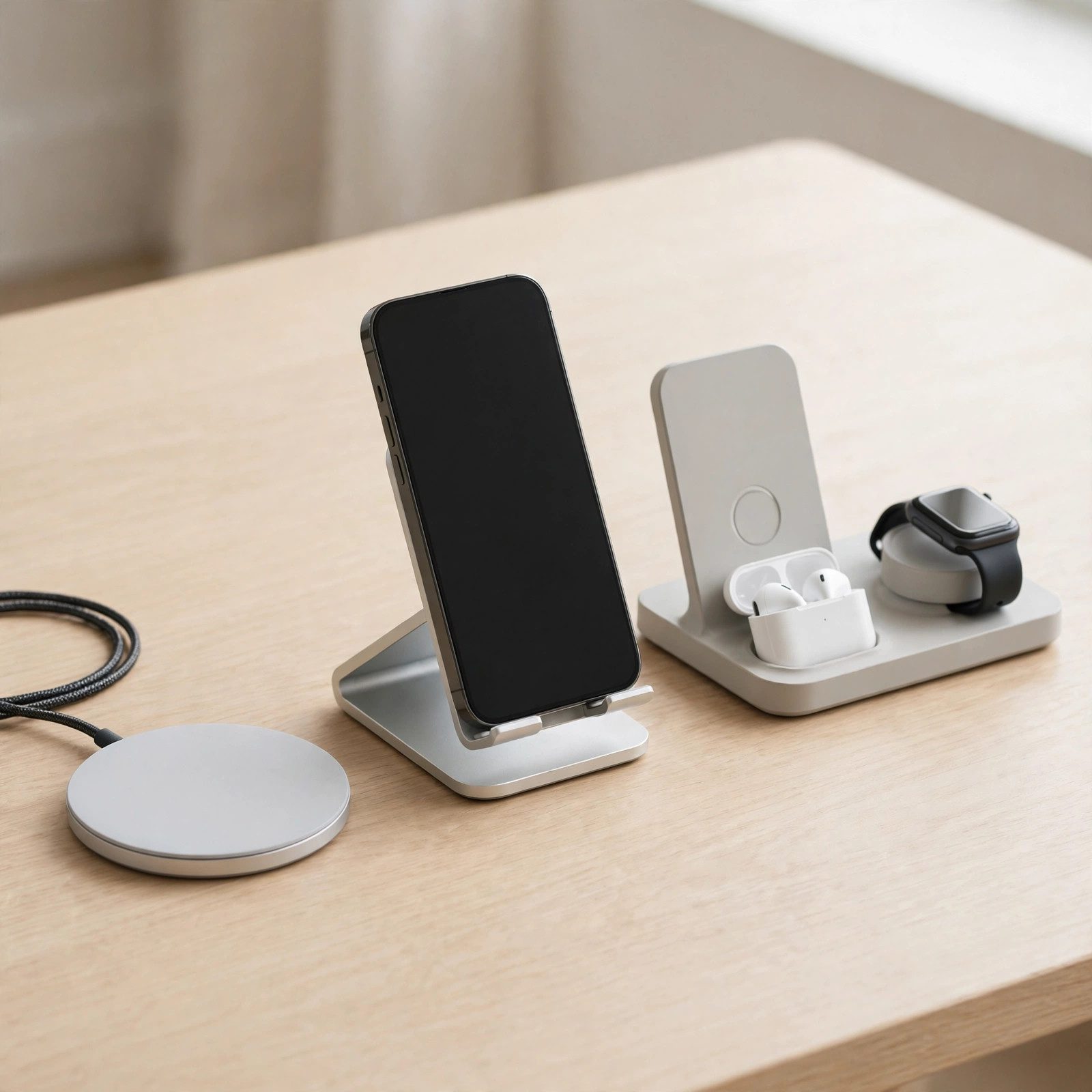
The best wireless chargers 2026 has to offer finally make ditching cables painless. A ring of magnets now snaps your phone into perfect coil alignment every time, ending the nightly gamble of a phone that sat half off the pad and woke up at 12 percent. This guide distills the findings of five major review sites into the chargers genuinely worth buying, from cheap single-device pucks to 25W multi-device docks.
Best wireless chargers 2026 at a glance
The market has split cleanly in two. One tier is the universal 15W Qi2 charger: it works with every recent iPhone, Samsung Galaxy and Pixel, costs between ten and thirty dollars, and covers desk and nightstand duty for most people.
The second tier is the new 25W class, certified under the Qi2.2 update. It nearly doubles wireless speed, but only for phones that support it, and it demands a beefy 45W USB-C power brick to reach its ceiling.
Between those tiers sit the specialist picks: 3-in-1 stations that erase three cables, travel-friendly foldables that disappear into a bag, and Samsung-tuned dual pads for Galaxy households.
Our top product picks
Anker MagGo Magnetic Wireless Charger (Pad) — best overall
The consensus best buy across every roundup is this small Qi2 pad. It delivers the full 15W to compatible phones, snaps on with strong magnets, and one independent test recorded 8.2W still getting through a 3.2mm case. At around $26 it undercuts Apple’s own puck while doing the same job.
It is single-device only and ships without a wall adapter, so budget a USB-C brick. For a nightstand or a secondary desk spot, though, nothing else matches its value.
Belkin UltraCharge Pro 3-in-1 — fastest multi-device dock
This is the speed king: a Qi2.2-certified 25W dock that charges phone, watch and earbuds from one plug. Belkin claims an iPhone 16 goes from empty to half in 25 minutes, and reviews confirm the real-world jump over 15W models.
Crucially, the 45W adapter and 5-foot cable come in the box — most 25W rivals make you buy the brick separately. Active cooling with a switchable quiet fan keeps heat in check, and a 2-year warranty backs it up. The watch puck is Apple-only, so full-Android households get less value.
Anker MagGo 3-in-1 Foldable — best for travel
One unit that charges iPhone, AirPods and Apple Watch, then folds flat into a laptop bag. It tops out at 15W Qi2 rather than 25W, trading peak speed for portability — and the 40W adapter is included, so it works out of the box.
The foldable hinge means it trades some stability for travel-friendliness; it is the pick for hotel rooms, not a permanent desk anchor.
ESR Qi2 Charger with Kickstand — best budget pick
This is the charger that exposes how much of Apple’s $49 puck price is branding. Qi2-certified at 15W with a built-in kickstand for video calls, it costs about ten dollars if you already own a 20W+ USB-C adapter.
The braided 5-foot cable feels far more premium than the price suggests. Students pairing a phone with one of the best tablets for students in 2026 will find it the ideal cheap desk companion.
Twelve South HiRise 3 Deluxe — best premium 3-in-1
For Apple-only households that care about what sits on the nightstand, this vertical stacker is the design pick. It holds iPhone on top, Apple Watch in the middle with a genuine fast-charge puck that tilts up for Nightstand mode, and AirPods on the base.
The weighted base prevents tipping when you grab your phone one-handed. It ships with international plug adapters, a rare bonus for travelers — but Android users should look elsewhere.
Samsung Wireless Charger Duo — best for Samsung
Galaxy owners get a pad tuned for Samsung’s fast wireless charging, with spots for a phone and a second device side by side. A small cooling fan keeps 15W cycles cool, and the matte finish resists fingerprints.
There are no magnets, so placement is manual, and the fastest speeds are Samsung-only. But for a Galaxy-first home it is the most natural fit.
Baseus Nomos 5-in-1 — best desk power station
Instead of just charging your phone, the Nomos replaces your entire cable tangle: a 15W Qi2 pad on top, three USB-C ports including a 100W retractable cable, and a USB-A port. The whole unit is about the size of a coffee mug.
Pull the retractable cable out for a laptop or one of the top tablets of 2026 and it snaps flush when done. For a permanent desk it is the tidiest single purchase you can make.
Qi2 vs MagSafe vs Qi: what’s the difference?
The old Qi standard has no magnets. You place the phone by hand, and if the coils are slightly off-center, charging slows to a crawl or stops entirely — the classic “why is it still at 12 percent” pad.
MagSafe is Apple’s magnetic version of the same idea, locking iPhone 12 and newer into perfect alignment with up to 25W on the latest models. Qi2 is the open standard that borrows that magnetic ring for everyone: iPhones and Androids alike, including the Pixel 10’s built-in magnets, at up to 15W.
Qi2.2 — marketed as Qi2 25W — is the newest certification tier, pushing the ceiling to 25W for supported phones. If you have a recent phone, a Qi2 charger future-proofs you; plain Qi2 tops out at 15W while the 25W tier favors newer iPhones on iOS 26+ and the Pixel 10.
How to choose the right wireless charger
Start by matching the charger to your phone’s intake. An older iPhone caps at 15W no matter what you plug it into, while a Galaxy S26 or iPhone 17 can drink from the 25W tier — but only with a certified Qi2 25W or MagSafe puck.
Then think about form. A flat pad suits a nightstand, where you set the phone down half asleep. A stand belongs on a desk: it keeps notifications visible, props the phone up for video calls, and triggers iOS StandBy or Android Always-On clock modes.
Consider where the charger will live and how hot it runs. Cheap pads can run warm through a full charge; models with active cooling or ChillBoost-style heat dissipation protect long-term battery health. Look for the Qi2 certification logo — uncertified generics often fall back to a sluggish 5W or 7.5W.
How much speed actually matters
Here is the honest math, measured from zero on a current iPhone: 25W Qi2 takes roughly 90 minutes to fill the battery, 15W Qi2 takes about two and a half hours, and 7.5W legacy Qi takes around four. Empty to half lands in about 30 minutes at 25W — close to mid-tier wired speeds.
That only matters for daytime top-ups between meetings or before heading out. Overnight, even 7.5W finishes the job while you sleep, and slower overnight charging is gentler on the battery. Do not pay the 25W premium if your charger only ever works while you dream.
Single vs multi-device chargers
If you only charge a phone, save your money. A single puck or stand does the identical job at the same speed for a fraction of the price — a 3-in-1 station only earns its premium if all three devices actually live on your desk every night.
The multi-device sweet spot is the Apple trio: phone, watch, earbuds. A good 3-in-1 dock replaces three cables and three wall adapters with one plug, and the weighted bases on premium models let you lift the phone one-handed without dragging the dock along.
Watch out for the watch-puck trap: fast Apple Watch charging on 3-in-1 docks is Apple-only. Galaxy Watch owners should confirm compatibility before buying any station.
The power adapter catch
Most 25W-class chargers do not include a power adapter in the box, and 25W speed needs a 45W USB-C brick — feed one a weak brick and you leave the speed you paid for on the table. The Belkin UltraCharge Pro and Anker’s foldable travel dock are the notable exceptions that bundle a brick.
Budget 15W Qi2 picks skip the adapter too, but any 20W+ USB-C charger you already own unlocks full speed. Before checkout, always confirm whether a brick is included and what wattage it must supply.
What to remember before you buy
Magnetic alignment is the feature that matters most. The Wireless Power Consortium reports that Qi2’s magnetic alignment delivers up to 50 percent more usable power than legacy non-magnetic pads at the same advertised wattage, because the coils stay perfectly aligned instead of relying on your aim.
A 3-in-1 stand only earns its price if all three devices actually live on your desk. If you only own an iPhone, a ten-dollar Qi2 puck charges it at the same speed as a $130 dock.
And remember: wireless is the convenience pick, never the speed pick. A simple 20W or 30W USB-C PD wall adapter will always outrun any wireless charger — you are paying for the snap-on ritual, not raw watts.

FAQs
Is wireless charging slower than wired charging?
Yes, a bit. The fastest wireless chargers peak at 25W while wired USB-C can hit 30 to 45W on most phones, and some Androids go far beyond. For overnight or desk charging the gap is invisible — you still wake up to a full battery.
Does wireless charging hurt your battery?
Not in any meaningful way. Modern phones throttle speed and manage heat on their own, and they stop drawing power at 100 percent. The real risk is cheap no-name pads that run hot with no thermal management — which is why sticking to certified brands matters.
Can I use a wireless charger with my phone case on?
Usually, yes. Most cases under 3mm thick work fine, and Qi2 magnets punch through easily. Thick rugged cases, metal plates, and wallet cases with cards can block charging — remove those first, or switch to a MagSafe-compatible case.
What is the difference between Qi, Qi2, and MagSafe?
Qi is the original standard: no magnets, slower, fiddly placement. Qi2 is the new universal standard with MagSafe-style magnets for perfect alignment at up to 15W, or 25W on the latest Qi2.2-certified tier. MagSafe is Apple’s own magnetic implementation, built for iPhones.
Do wireless chargers work with Android and iPhone?
Qi and Qi2 chargers work with both. MagSafe chargers work best with iPhones but will still charge Qi-capable Android phones — you just lose the magnetic snap unless the Android phone has built-in magnets like the Pixel 10.
Can I use a Qi2 charger with an older phone?
Yes. Qi2 is backward compatible with plain Qi, so an older phone still charges at whatever speed it supports — usually 7.5W to 15W. You just will not get magnetic alignment or 25W speeds without a compatible device.
Do I need the charger brand to match my phone?
No. Qi2 is a universal standard, so a Belkin charger works with Samsung, Google and Apple phones alike. The only exceptions are some MagSafe-specific accessories designed exclusively for the iPhone ecosystem.
Why are some chargers so much more expensive?
You are paying for four things: faster charging speeds, multi-device support, build quality and materials, and included accessories like wall adapters. A $10 puck charges your phone; a $130 dock charges three devices, looks great, and ships with everything in the box.
Is 25W wireless charging actually faster than plugging in?
Not quite. Wired charging still wins on raw speed. But 25W wireless is fast enough to go from 20 to 80 percent during a lunch break — close enough that for daily use, the convenience of snap-and-go outweighs the difference.
The verdict
For most people, the Anker MagGo Pad is the smart buy: full 15W Qi2 magnetic charging for about $26, small enough to toss in a bag. If you charge a phone, watch and earbuds nightly and want the fastest wireless speeds available, step up to the Belkin UltraCharge Pro 3-in-1 — it is the only 25W dock that ships with the 45W brick in the box.
Budget buyers should grab the ESR Qi2 kickstand puck and supply their own adapter. Whatever you pick, confirm the current price and whether a power brick is included before you check out.
