

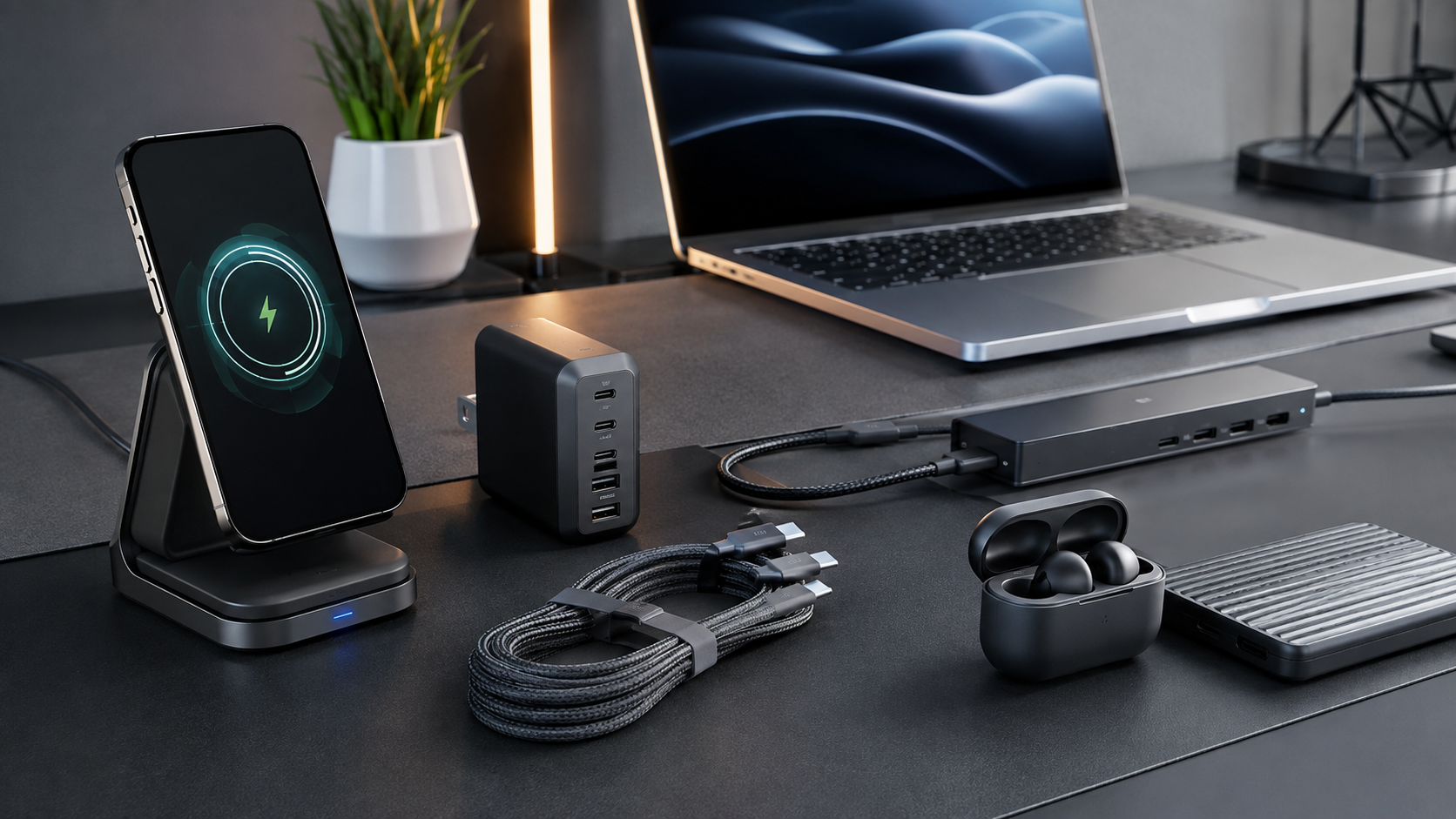
The latest tech accessories in 2026 are less about adding gadgets for the sake of having them and more about making everyday technology faster, cleaner, and easier to manage. Better charging standards, higher-speed connectivity, improved wireless audio, smarter docks, and more capable travel accessories are changing what people expect from relatively small devices.
The best accessory is not necessarily the newest one. A useful charger should match your devices, a USB-C hub should provide the ports and bandwidth you actually need, and wireless accessories should offer dependable compatibility rather than impressive-looking specifications alone.
This guide explores the most useful accessory categories for 2026, the technologies worth watching, and the practical factors that should influence your buying decisions.
What Makes a Tech Accessory Worth Buying in 2026?
A good accessory should solve a specific problem. That might mean reducing cable clutter, expanding laptop connectivity, charging several devices from one adapter, improving audio, or making a mobile workstation easier to carry.
Compatibility is increasingly important. USB-C may look universal, but capabilities can differ considerably between cables, ports, chargers, hubs, and devices. USB-IF documentation, for example, distinguishes different USB4 capabilities and certification requirements, while its 2026 documentation continues to evolve.
The most worthwhile accessories therefore combine compatibility, reliability, convenience, durability, and appropriate performance. A cheaper accessory that does exactly what you need can be a better purchase than a premium product whose extra features you never use.
Top Tech Accessory Categories for 2026
1. Multi-Port GaN Chargers
GaN chargers remain one of the most practical upgrades for people carrying several devices. A single compact charger can potentially replace separate adapters for a phone, tablet, laptop, earbuds, or other USB-powered equipment.
When comparing chargers, look beyond the maximum wattage. Check how power is distributed when multiple ports are occupied. A charger capable of high output from one port may provide considerably less power to individual devices when several are connected.
For travelers and hybrid workers, the ideal charger is compact, supports the relevant USB Power Delivery profiles, and provides enough ports for a typical day.
2. Qi2 Wireless Chargers
Magnetic wireless charging is becoming increasingly relevant because alignment can make wireless charging easier and more consistent. The Wireless Power Consortium says Qi2 launched with 15W charging, while Qi2 25W was introduced in 2025 as a faster version of the standard.
For 2026 buyers, certified compatibility matters more than simply seeing “magnetic wireless” on a product listing. A genuine Qi2 or Qi2 25W accessory provides a clearer indication of interoperability than an unverified magnetic charger.
A good desk setup might use a magnetic charging stand for the phone while keeping a separate wired USB-C connection available for devices that need faster charging.
3. USB-C Hubs and Laptop Docks
Modern laptops increasingly rely on USB-C, making hubs and docks essential for users who connect external displays, storage, Ethernet, keyboards, mice, cameras, or other peripherals.
USB4 can support high-bandwidth data and display workloads, with USB-IF documentation describing operation up to 80Gbps for appropriate implementations and certified cables.
However, buying a hub simply because it says “USB-C” can lead to disappointment. Check the actual capabilities of the upstream connection, display outputs, USB data ports, power delivery, and card readers.
For a desk, a full dock can provide a cleaner single-cable connection. For travel, a smaller hub is usually more practical.
4. Thunderbolt 5 Accessories
For professionals working with large files, high-resolution displays, external storage, or demanding workstation setups, Thunderbolt 5 accessories are among the more advanced connectivity options available.
The important point is that the entire connection chain matters. A high-performance laptop connected to an unsuitable cable, dock, or peripheral cannot deliver the expected experience.
Thunderbolt 5 equipment therefore makes the most sense for users who can actually benefit from higher bandwidth. For ordinary office work, a simpler USB-C hub may provide better value.
5. High-Speed External SSDs
Portable SSDs continue to be useful for photographers, videographers, content creators, developers, and anyone who regularly moves large files.
In 2026, the key considerations are not just advertised transfer speeds. Look at the interface, sustained performance, thermal behavior, enclosure quality, compatibility, and the type of files being transferred.
Someone moving large video projects can benefit much more from a high-performance external SSD than someone who primarily stores documents and photographs.
6. Wireless Earbuds and Headphones
Wireless audio remains one of the most competitive accessory categories. The strongest products increasingly focus on a combination of sound quality, microphone performance, battery management, active noise cancellation, comfort, and device integration.
For frequent travelers, effective noise cancellation may matter more than minor differences in audio specifications. For office users, microphone clarity and reliable multipoint connectivity can be more important.
The best choice depends heavily on how the headphones will be used rather than which model has the longest feature list.
7. Smart Tracking Accessories
Bluetooth-based trackers are particularly useful for keys, bags, luggage, wallets, and other objects that are easy to misplace.
A tracker should be evaluated according to ecosystem compatibility, network support, battery replacement or charging method, physical durability, and privacy features.
For frequent travelers, a tracker attached to luggage can provide useful reassurance. For everyday use, a smaller accessory may be preferable because it adds less bulk.
Features to Prioritize When Shopping
Specifications can make accessory shopping confusing. A simpler approach is to rank features according to your actual use.
| Accessory | Most Important Features | Best For |
|---|---|---|
| GaN charger | Power delivery, port allocation, size | Travelers and multi-device users |
| Qi2 charger | Certification, alignment, compatibility | Wireless charging |
| USB-C hub | Ports, bandwidth, display support | Laptop users |
| Thunderbolt dock | Bandwidth, display support, power delivery | Professionals |
| Portable SSD | Interface, sustained speed, durability | Creators and large-file users |
| Wireless headphones | Comfort, ANC, microphones, battery | Travel and work |
| Tracker | Ecosystem, battery, privacy | Keys and luggage |
This approach prevents a common mistake: paying for specifications that do not improve your daily workflow.
How to Choose the Right Accessories
1. Start With Your Devices
Make a list of the devices you use every day. Include phones, laptops, tablets, cameras, headphones, monitors, storage devices, and other peripherals.
Then identify the connections they require. USB-C alone does not tell you whether a port supports high-speed data, video output, charging, or all three.
2. Identify the Bottleneck
If your laptop has too few ports, buy a hub or dock. If your bag contains several charging adapters, consider a multi-port charger. If file transfers are slow, investigate the storage and connection standards before replacing everything.
The accessory should address the bottleneck rather than simply add another feature.
3. Check the Complete Compatibility Chain
A charger, cable, and device all influence charging performance. The same principle applies to high-speed data connections.
Before buying an advanced accessory, check compatibility across the host device, cable, accessory, and peripheral. This is particularly important with USB4, high-speed displays, and Thunderbolt equipment.
4. Consider Portability
A powerful desktop dock may be excellent at a permanent workstation but inconvenient in a backpack. Conversely, an ultra-small travel hub may not have enough ports for a complete desktop setup.
Think about where the accessory will spend most of its time.
5. Prefer Certification Where Relevant
Certification can be valuable when interoperability and safety matter. The Wireless Power Consortium notes that Qi and Qi2 certified products undergo testing before receiving permission to use the relevant certification marks.
For USB products, consumers should also pay attention to the exact performance claims rather than assuming every USB-C accessory offers the same capabilities.
Common Buying Mistakes to Avoid
1. Choosing by Maximum Numbers Alone
A charger advertising extremely high wattage is not automatically better. A dock advertising numerous ports may have limitations when several are used simultaneously.
Look for the complete specification rather than one headline number.
2. Ignoring Cable Quality
An advanced charger or high-speed dock paired with an unsuitable cable can become the weakest part of the setup. When buying high-performance accessories, verify that the cable supports the required charging or data capabilities.
3. Buying More Ports Than You Need
A large dock can look impressive, but unused ports add cost and size. Choose based on the peripherals you actually connect.
4. Assuming All Magnetic Chargers Are the Same
Magnetic attachment does not automatically mean the product follows the same certification and interoperability standards as Qi2. If standardized wireless charging is important, check the certification information.
5. Replacing Working Accessories Too Quickly
New technology is appealing, but an older charger, hub, or pair of headphones can still be perfectly suitable. Upgrade when a new accessory solves a genuine problem or provides a meaningful improvement.
Read More: Best Tech Accessories in 2026
Are Premium Tech Accessories Worth It?
Sometimes. Premium accessories can offer better construction, thermal management, warranty coverage, compatibility, port selection, or sustained performance.
But price alone does not determine quality.
For example, a professional who regularly transfers large files may benefit from a high-performance dock and SSD. Someone who mainly browses the web and charges a phone may get little practical benefit from the most expensive connectivity hardware.
A useful rule is simple: pay for the feature you will repeatedly use, not the specification you will rarely notice.
FAQ’s About Latest Tech Accessories in 2026
What are the most useful tech accessories in 2026?
Multi-port GaN chargers, Qi2 chargers, USB-C hubs, laptop docks, portable SSDs, wireless headphones, and tracking accessories are among the most broadly useful categories.
Is Qi2 worth considering in 2026?
Yes, particularly for users who want magnetic wireless charging and broader standardized compatibility. Qi2 25W also offers a higher-power option than the original Qi2 standard.
Do I need a Thunderbolt 5 dock?
Not necessarily. Thunderbolt 5 is most valuable for demanding workflows involving high-bandwidth peripherals, displays, and fast external storage. For ordinary office use, a simpler USB-C dock may be sufficient.
Are USB-C cables interchangeable?
No. USB-C describes the connector, not one universal level of performance. Data speed, charging capability, display support, and other functions can vary between cables and devices.
What should I look for in a travel charger?
Prioritize appropriate power output, multiple useful ports, compact size, USB Power Delivery support, and compatibility with your devices.
Is an expensive accessory always better?
No. The best accessory is the one that matches your workload and devices. Premium construction can be valuable, but unnecessary features do not automatically create better value.
Conclusion
The best tech accessories in 2026 are becoming more capable while also serving a clearer purpose. Faster connectivity standards, compact GaN charging, Qi2 wireless power, versatile USB-C hubs, high-speed storage, improved wireless audio, and smart tracking can all make modern devices easier to use.
The biggest buying lesson is to start with the problem rather than the product. Determine what is slowing down your workflow, check compatibility carefully, and then choose an accessory that solves that specific issue.
For most people, a well-chosen charger, reliable USB-C hub, quality wireless audio device, and practical storage solution will deliver more everyday value than a collection of expensive gadgets purchased simply because they are new.
