

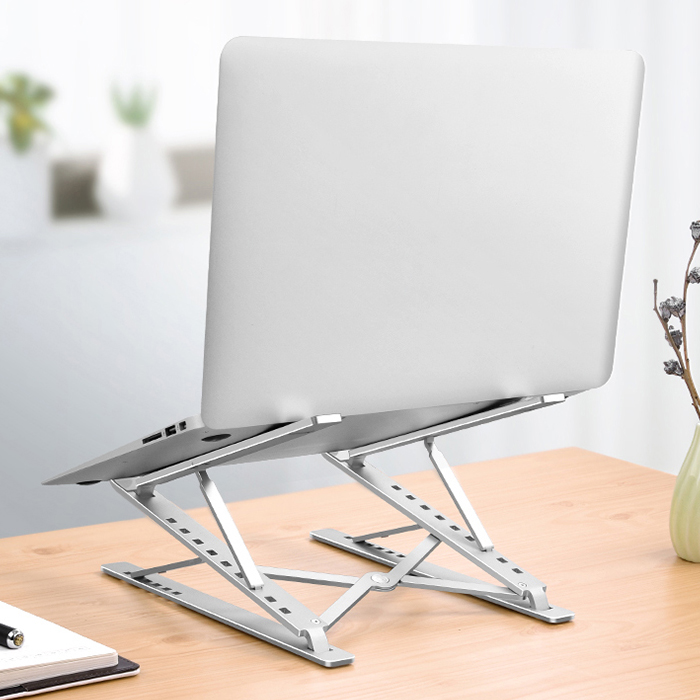
Best Laptop Stands 2026
The best laptop stands 2026 has to offer all solve the same basic problem, but they solve it in very different ways. A laptop is a brilliant portable machine and a poor desk machine: its screen sits too low, its keyboard sits too high, and the two can never be in the right place at the same time. A good stand breaks that compromise by lifting the screen towards eye level, while a separate keyboard and mouse stay down where your hands are comfortable.
That single change does three useful things at once. It eases the neck strain that comes from looking down for hours, it opens up airflow underneath the laptop so the machine can breathe, and it frees up desk space, because a keyboard can slide underneath a raised stand when you finish work. The catch is that no single stand suits every worker. A commuter needs something that disappears into a bag, a home-office worker needs something that never wobbles, and a standing-desk fan needs something that reaches far higher than a normal riser. This guide works through all of those cases, drawing on five published 2026 buying guides, so you can match the stand to the way you actually work rather than buying the longest feature list.
One honest warning up front: a stand is not a replacement for a proper external monitor, and it will not rescue a laptop whose fan is already failing. If your machine is loud at idle, fix that first. What a stand does well is make the laptop you already own far more comfortable to live with, day after day.
Best Laptop Stands 2026 at a Glance: Our Quick Picks
- Best overall: Lamicall Adjustable Laptop Stand — the most balanced choice for everyday desk and home-office work.
- Best budget fixed stand: Besign LS03 — a simple, rock-solid aluminium riser at a student-friendly price.
- Best for travel: Roost Stand V3 — feather-light, folding, and adjustable enough for coffee shops and airports.
- Best budget adjustable: Nexstand K2 — Roost-style folding adjustability for roughly half the price.
- Best fixed desk stand: Rain Design mStand — a single sculpted block of aluminium that never moves.
- Best for heavy laptops: Nulaxy C3 — thick aluminium and a very high weight rating for gaming laptops and big MacBook Pros.
- Best for standing work: LIFELONG UpRyze — lifts a laptop to around 20 inches, turning an ordinary desk into a standing desk.
- Best sit-stand hybrid: MOFT Z 5-in-1 — a folding sheet that works sitting, standing, and in between.
- Best for sharing a screen: OMOTON 360 Rotating Stand — swivels the screen towards a colleague without moving the whole stand.
- Best for couch and bed: LapGear Home Office Lap Desk — a cushioned lap desk for work away from a desk.
Why a Laptop Stand Is Worth It in 2026
Work on a flat laptop for a full day and the strain builds quietly. It starts as stiffness in the shoulders, then becomes a headache that ruins the evening. The human head weighs around 12 pounds in a neutral position, and several guides point out that the effective load on the neck climbs steeply as you tilt forward to look down at a low screen. Raising the screen to eye level is the simplest postural fix available, and it costs far less than a new desk or chair.
The second benefit is cooling. A laptop flat on a desk or, worse, on a blanket, traps heat underneath itself. Lifting it opens a gap that lets intake fans pull in cooler air across the bottom plate. On modern thin machines, that small assist can be the difference between steady performance and a thermally throttled afternoon. Open designs, cutouts, and U-shaped trays all help here, while solid platforms with no ventilation can work against you.
The third benefit is desk discipline. A raised laptop leaves room underneath for a keyboard, and a fixed riser with a cable cutout lets charger and hub cables drop straight down instead of snaking across the desk. That is a small thing, but it is the kind of small thing you notice every single day. If your desk setup also needs more ports, a hub-style stand or a separate hub can help; our guide to the best USB-C hubs 2026 covers that side of the setup in detail.
Best Laptop Stand Overall: Lamicall Adjustable Laptop Stand
Every guide we read recommends Lamicall in some form, and for good reason. The Lamicall adjustable stand is the middle of the category in the right way: considerably more adjustable than a basic folding riser, but without committing you to the tall, specialised setup of a standing stand. It supports laptops from roughly 10 to 17.3 inches, offers substantial height and angle adjustment, and works well as part of a permanent workstation or as a second screen beside an external monitor.
TechRadar’s tested model is a foldable aluminium stand weighing 3.25 lbs (1.47 kg), with a heavier base, large rubber pads, and a hook that stops the laptop tipping forward. Its list price in that guide is $55.99, and it comes assembled in grey or silver. The hinge is the defining detail: it needs two hands and real force to adjust, which reviewers treat as a virtue rather than a flaw, because a stiff hinge does not sag. A loose hinge means an expensive laptop slowly sinking over a working day; the Lamicall stays exactly where you put it.
There are trade-offs. At 3.25 lbs it is heavy to carry every day, and when folded it takes up more room than slimmer travel stands. Cutouts on either side of the tray give the laptop airflow, and a recessed area under the tray can hold headphones or small accessories. If your stand will spend most of its life on one desk, this is the safest first choice in this guide.
Best Budget Fixed Stand: Besign LS03
The Besign LS03 proves that you do not need to spend much to fix your posture. It is a fixed stand, which means you cannot change its height, and that limitation is also its greatest strength. With no moving parts or hinges, it is extremely stable: the three pieces snap together into a solid triangle, and triangles do not bounce. Reviewers repeatedly describe it as rock-solid under typing, where adjustable stands can flex.
The open design is the other half of the appeal. There is no metal plate blocking the bottom of the laptop, so the fans can breathe freely during long study sessions or video calls. The fixed lift is around 6 inches, which suits most seated desk setups, though taller users may want more. You do have to take it apart to travel with it, and if your chair, desk, and laptop never change, that is barely a drawback at all. For students and budget buyers, this is the value pick of the whole category.
Best Laptop Stand for Travel: Roost Stand V3
The Roost Stand V3 is the travel legend of this category, and the guides agree on why. It weighs only around 178 grams according to one guide, or 0.38 lbs (about 170 grams) according to another — sources differ slightly on the exact figure, but all agree it is exceptionally light. It folds down to the size of a baton, fits laptops from about 12 to 18 inches, and locks across a height range of roughly 6.5 to 12.5 inches.
That range matters because travel stands usually force a compromise: light means flimsy. The Roost avoids it with a folding truss-style frame that reviewers describe as having no visible flex under a real laptop, and a grip mechanism that locks onto the front edge of the machine so it cannot slide off if someone bumps the table in a coffee shop. The price is the sticking point, at around $90, and the glass-filled nylon build does not feel as premium as aluminium. For digital nomads, hybrid workers, and anyone who works from more than one place in a week, it is still the stand to beat.
Best Budget Adjustable Stand: Nexstand K2
The Nexstand K2 has been the long-running budget answer to the Roost, and it still is in 2026. At around $45, it uses a similar folding design in glass-fibre-reinforced nylon rather than aluminium, weighs about 234 grams, and offers eight locking positions from 5.5 to 12.6 inches. For half the price of the Roost, it covers the same daily use cases: home, office, library, and hotel room.
The compromises are honest ones. It is a little less rigid than the Roost under heavier laptops, the plastic catches do not feel as confident, and reviewers warn that the detents wear in over a year of daily folding — if you travel with it every week, budget for a replacement after about 18 months. As a second stand to leave at the office, or as a first adjustable stand on a tight budget, it is hard to argue with.
Best Fixed Desk Stand: Rain Design mStand
Some stands are tools; the Rain Design mStand is furniture. It has been around for nearly 20 years and has barely changed, because the design is a single sculpted block of anodised aluminium with zero moving parts, which means zero wobble. One guide puts its fixed lift at about 6 inches, another at 5.9 inches — close enough that the difference is rounding, not disagreement. It costs around $50.
The mStand’s solid metal body acts as a heat sink, pulling warmth away from the laptop, and the famous teardrop hole at the back organises cables neatly. The front lip is shallow, which helps if you sometimes type directly on the laptop, but reviewers warn that the lip can dig into wrists during long typing sessions, so this stand is best paired with an external keyboard and mouse. It is heavy, it is not portable, and it looks exactly like it belongs next to an iMac. If your laptop lives on one desk forever, that is the whole point.
Best Stylish Desk Stand: Twelve South Curve SE
The Twelve South Curve SE is the style-forward desk pick that manages to cost less than the mStand. Its arched aluminium body lifts a laptop about 6.5 inches and leaves the entire underside exposed to room air, which helps thermals on fanless machines during long video calls. At 683 grams it is roughly half the weight of the mStand, and the curved silhouette plus a wide front lip keeps even a heavy 16-inch laptop locked in place.
Watch for two things. There is no cable channel, so you will route cables yourself, and the extra height suits taller users better than shorter chairs. Sources disagree on this model’s price — one guide lists around $40 in its comparison table but a much lower figure in the body text — so treat any single price you see for it as approximate and check the current listing before buying. On design and airflow alone, though, it earns its place.
Best Laptop Stand for Heavy Laptops: Nulaxy C3
Heavy gaming laptops break the assumptions of most stands. A stand rated for a 17-inch laptop by screen size is not automatically rated for a heavy 17-inch chassis, and gaming machines commonly weigh far more than thin ultrabooks. The Nulaxy C3 is built for that reality: 5 mm-thick aluminium, a single-column hinge, and a height range from about 2 inches up to 10 inches.
Its headline weight rating is 44 lbs (20 kg) in one guide — no laptop weighs that much, but that safety margin means it will never bend under normal use. The trade-off is the cantilever design: because the laptop hangs in the air, it can bounce slightly if you type aggressively on the built-in keyboard, so Nulaxy and reviewers alike recommend an external keyboard. If you own a 17-inch gaming laptop or a 16-inch MacBook Pro, this is the stand most likely to hold it without complaint.
Best Laptop Stand for Standing Work: LIFELONG UpRyze
The LIFELONG UpRyze solves a different problem from every other stand here. Where a normal riser lifts a laptop a few inches, the UpRyze reaches up to roughly 20 inches with multiple locking positions, which is enough to turn an ordinary desk into a standing desk without buying standing-desk furniture. It supports laptops and tablets from around 10 to 17 inches and folds down when not in use.
That height brings two bonuses. It aligns the laptop with a tall monitor, and it raises the webcam to a flattering angle for video calls, eliminating the unflattering up-the-nose view of a low camera. The physics, however, are unavoidable: a laptop 20 inches in the air will wobble if you type on it, so a wireless keyboard and mouse on the desk surface are effectively mandatory at full height. Buying this just to raise a laptop a few inches misses the point; buying it because you genuinely want to stand is exactly the point.
Best Sit-Stand Hybrid: MOFT Z 5-in-1
The MOFT Z is the closest thing to a one-stand-does-everything pick. Its origami-style folded sheet of vegan leather and fibreglass sets up in five height positions, from flat to full standing, at around $70. At 960 grams it is heavier than a true travel stand, but it is still the lightest real sit-stand option in this guide.
It is not as rigid as an aluminium riser at full standing height, so reviewers would not pair it with a 16-inch gaming laptop, but on 13- to 14-inch ultrabooks it works as a genuine sit-stand desk without the desk. The folded form is wide and best slid into a backpack’s laptop sleeve. For hybrid workers who alternate between sitting and standing during the day, and who do not want a full sit-stand desk, it is a clever middle path.
Best Laptop Stand for Sharing a Screen: OMOTON 360 Rotating Stand
Most stands assume one user, one screen, one direction. The OMOTON 360 rotating stand assumes you sometimes need to show your work to the person next to you. Its turntable base rotates a full 360 degrees with a satisfying click at each step, so instead of dragging the whole stand across the desk, you simply swivel the screen towards a colleague or client.
The stand itself is aluminium and supports laptops up to 16 inches, though the rotating mechanism in the base makes it slightly less rigid than a fixed stand, and heavy typists may notice a little bounce. For team work, open offices, and client meetings, that trade is worth it. A close premium cousin, the Twelve South Curve Flex, offers a similar folding, rotating idea with a travel sleeve, but reviewers note its premium price buys finish and portability more than any capability a cheaper stand lacks.
Best Laptop Stand for Sitting and Standing: obVus Solutions minder Tower II
TechRadar’s most unusual pick deserves its own mention. The obVus Solutions minder Laptop Tower II is one of the only laptop stands its reviewers found that can genuinely be used while seated or standing, thanks to an extendable arm with a button-release hinge that reaches a maximum height of 20 inches (508 mm). It folds for portability, costs $89.99 in that guide, and fits 10- to 17-inch laptops.
Its second edition adds an integrated phone or tablet stand with four levels of tilt — a small detail that matters if you keep a phone beside your laptop for messages or two-factor codes. Adjusting the tray angle takes two hands and some effort, but reviewers found no movement during use, and the stand works well for presentations, where you can stand in front of an audience and read from the laptop without looking down and back up again. If you present often, this is a specialist pick worth knowing about.
Best for Couch and Bed: LapGear Home Office Lap Desk
Not every working session happens at a desk, and not every stand needs to be a riser. The LapGear Home Office Lap Desk is the pick for couch, bed, and recliner use: a cushioned underside that conforms to your legs, a hard top surface that keeps the laptop level, small standoffs underneath that restore airflow so the chassis is not smothered by a blanket, and a front ledge that stops a thin ultrabook sliding off when you shift position. A built-in side slot holds a phone upright for second-screen reference.
Look for a platform wide enough for your largest laptop plus an external mouse if you use one. Skip lap desks with built-in cooling fans powered by USB: they draw from the laptop’s own battery and rarely move enough air to matter. A heavier alternative, the Lululook 2-in-1 lap desk and pillow stand at 1.9 kg, adds an articulating arm for hands-free reading on a tablet or e-reader, but it is strictly a couch-and-bed product, not a travel one.
How to Choose the Best Laptop Stand for You
Start with the simplest question: does the stand live on your desk or in your bag? That one answer eliminates half the category. A stand that stays on one desk can afford to be heavier, wider, and more adjustable. A stand you carry every morning has to earn every inch of space it occupies, which is why folding weight and folded thickness matter more than maximum height for commuters.
Next, check fit before features. Find your laptop’s weight, not just its screen size, and compare it with the stand’s weight rating. Check the front-edge thickness and hinge clearance too, because thick gaming laptops and chunky rear hinges can defeat a stand that claims the right screen size. Then check vent placement: if your laptop’s fans are on the bottom, you want cutouts or an open design in exactly the right places, not a solid plate that blocks them.
Then think about how you type. Raising a laptop significantly puts the built-in keyboard in an awkward position, and at standing heights an external keyboard and mouse are not optional extras but the practical way to work. Budget for them if you do not already own them, and remember that a good stand plus a cheap external keyboard often beats an expensive stand used with a strained posture.
Finally, weigh adjustability honestly. More height is only useful if you need it, and taller, more complicated mechanisms add bulk and complexity. If your chair, desk, and laptop never move, a fixed riser like the Besign or mStand does the basic job with less to go wrong. If your working position changes through the day, or you share a desk, adjustable stands earn their premium. And if you are still choosing between a stand for a laptop and a stand for a phone, note they are different products for different weights and angles — our guide to the best phone stands 2026 covers the smaller side separately.
Materials, Stability, and Cooling: What Actually Matters
Aluminium is the default material for good reason: it is rigid, it stays cool to the touch, and it doubles as a heat sink that pulls warmth away from the laptop body. Its weaknesses are that it scratches easily and adds weight. Glass-filled nylon and reinforced plastic are lighter and cheaper, which suits travel, but they flex more, which is fine for a portable riser and risky for a daily desk stand. Silicone grips well but attracts dust; rubber pads protect both desk and laptop but wear over time.
Stability is not a marketing claim but a geometry problem. True stability comes from base weight distribution, footprint size, and contact points with rubber grips, not from materials alone. A stand that feels solid empty can still flex or wobble under a heavier laptop, so look for a wide base, rigid materials, and reviews that specifically mention typing stability. Press down on the top platform in product photos or in-store if you can: visible flex when the lid opens or closes is a red flag, and reviews mentioning bouncy typing should be taken seriously.
Cooling follows the same logic. Open aluminium construction, ventilation holes positioned under the laptop’s vents, and an elevated design that creates airspace underneath all help. Solid platforms with no ventilation, plastic construction that insulates heat, or designs that block air intakes all hurt. A stand will not fix a failing fan, but the right one will stop a healthy laptop from slowly cooking itself on a soft surface.
Mistakes to Avoid When Buying a Laptop Stand
The first mistake is buying on screen size alone. Weight rating, front-edge thickness, and hinge clearance matter just as much, especially for gaming laptops. The second is buying maximum height you will never use: a 20-inch stand is brilliant for standing work and pure overkill for a conventional desk. The third is ignoring the keyboard question — if you raise the laptop high, you need an external keyboard, so factor that into the budget.
Then there are the gimmicks reviewers consistently warn against. Stick-on kickstands lift the back maybe an inch, which is not enough for real ergonomic gain, and they leave residue when removed. Single-arm acrylic stands look beautiful in photos but flex alarmingly under a real laptop. Foldable mousepad stands combine two products poorly: the stand is too short for ergonomic lift and the mousepad too small for comfortable tracking. Vertical-only docks have their place in closed-lid setups with an external monitor, but they are not a substitute for a riser if you ever need the laptop screen open.
Finally, do not confuse premium design with universal value. A polished, folding, rotating stand may be worth every penny to someone who values finish and portability, and a waste of money to someone who just needs a fixed riser. Both decisions can be rational. Buy the stand that fits your desk, your laptop, and your working day — not the one with the prettiest product photos.
FAQs About the Best Laptop Stands 2026
Is an adjustable laptop stand worth it?
It can be, if your working position changes or you want to align the laptop with another display. If the computer remains in exactly the same position every day, a fixed riser accomplishes the basic job with less complexity and usually greater stability. Adjustability earns its price when you share a desk, alternate between sitting and standing, or travel between workspaces.
Which laptop stand is best for travelling?
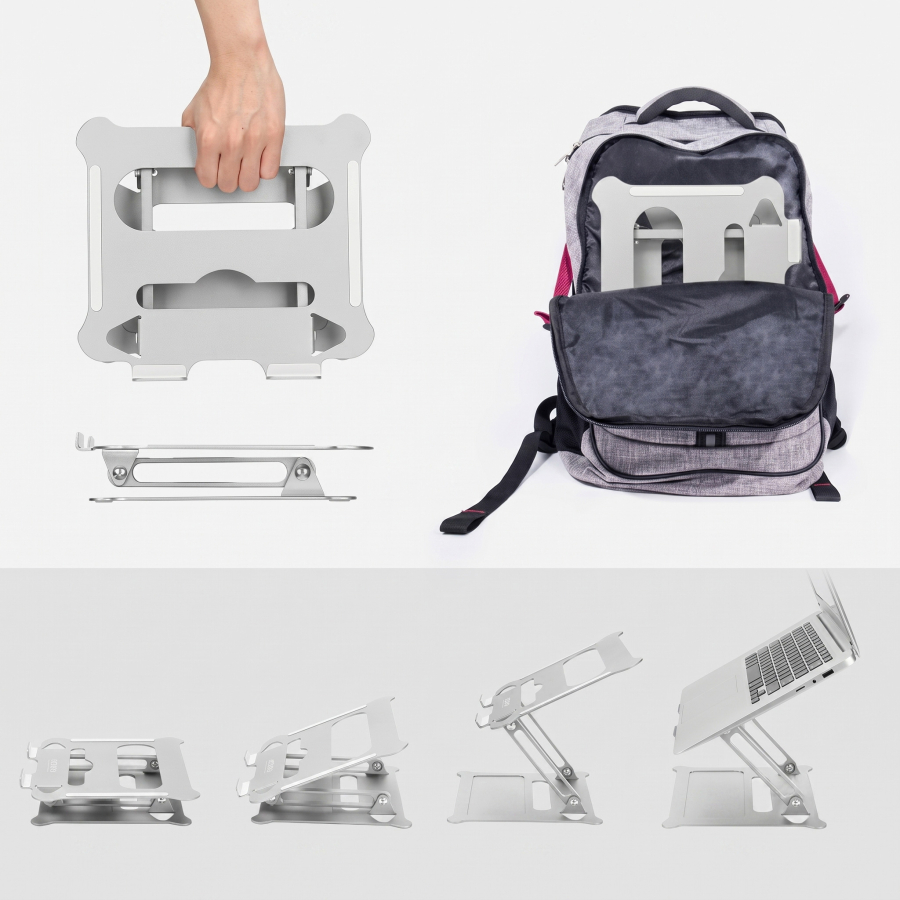
For frequent travel, reviewers favour compact folding stands with preset or locking positions over elaborate adjustment. The Roost V3 is the premium answer, and the Nexstand K2 is the budget answer; both fold small and cover a wide height range. The iVoler 6-angle stand is another simple, inexpensive travel option, though its preset positions are less flexible than a full hinge system.
Which stand is best for a home office?
The Lamicall adjustable stand is the general recommendation, because it provides enough adjustment to adapt to different desks and laptop sizes without becoming as specialised as a very tall sit-stand solution. If your setup never moves, a fixed stand such as the Besign LS03 or Rain Design mStand is equally sensible and often more stable.
What if I want to work standing up?
A tall stand such as the LIFELONG UpRyze, or TechRadar’s minder Tower II, is much better suited to that use than a conventional folding riser. At substantial heights, pairing the laptop with an external keyboard and mouse usually creates the more practical workstation, because typing on a keyboard 20 inches in the air is uncomfortable and unstable.
Do laptop stands really help with neck pain?
They help by removing one of the main causes: looking down at a low screen for hours. Raising the screen towards eye level reduces the forward tilt of the head, and several guides cite the head’s roughly 12-pound weight and the sharply rising load on the neck as the angle increases. A stand alone will not fix a bad chair, poor lighting, or a failing laptop fan, but as part of a sensible setup with a separate keyboard, it is one of the cheapest ergonomic improvements available.
Will a laptop stand keep my laptop cooler?
Yes, modestly, provided the design suits your machine. Elevation creates airflow underneath the chassis, and open designs or cutouts let intake fans breathe. The effect is largest on thin laptops that throttle under sustained load and smallest on machines whose vents are on the sides rather than the bottom. Check your vent placement before choosing, and avoid solid platforms that block intakes.
Can I type on my laptop while it is on a stand?
At modest heights, yes, though a shallow front lip or a flexing tray can make it uncomfortable. At greater heights, or on stands designed as viewing risers, an external keyboard is the better choice. Fixed stands such as the mStand and the Soundance riser are explicitly designed as viewing stands rather than typing platforms, and tall stands such as the UpRyze effectively require a separate keyboard.
What size laptop stand do I need?
Match both screen size and weight. Most stands in this guide cover 10 to 17 inches, but a 17-inch gaming laptop needs a higher weight rating than a 17-inch ultrabook. Measure your laptop’s weight, check the stand’s rating, and confirm the tray is wide enough for your machine plus any front lip or hook. If you switch laptops often, a wide-compatibility stand such as the Lamicall is the safer bet.
Verdict: The Best Laptop Stands 2026
If you buy one stand and want the safest all-round choice, buy the Lamicall adjustable stand. It balances adjustability, stability, and compatibility better than anything else in this guide, and its stiff hinge is a feature, not a flaw. If your budget is tight, the Besign LS03 gives you a rock-solid fixed riser for very little money. If you travel, the Roost V3 — or the Nexstand K2 if the Roost’s price stings — is the stand that will actually leave the house with you.
For a permanent desk that never changes, the Rain Design mStand remains the design classic, while the Twelve South Curve SE is the stylish alternative. For heavy machines, trust the Nulaxy C3’s thick aluminium and high weight rating. And if standing work is the goal, the LIFELONG UpRyze or the minder Tower II will take your laptop where no ordinary riser can reach. Whatever you choose, measure your laptop, think about how you type, and buy the stand that fits your working day — your neck will notice the difference within a week.
