

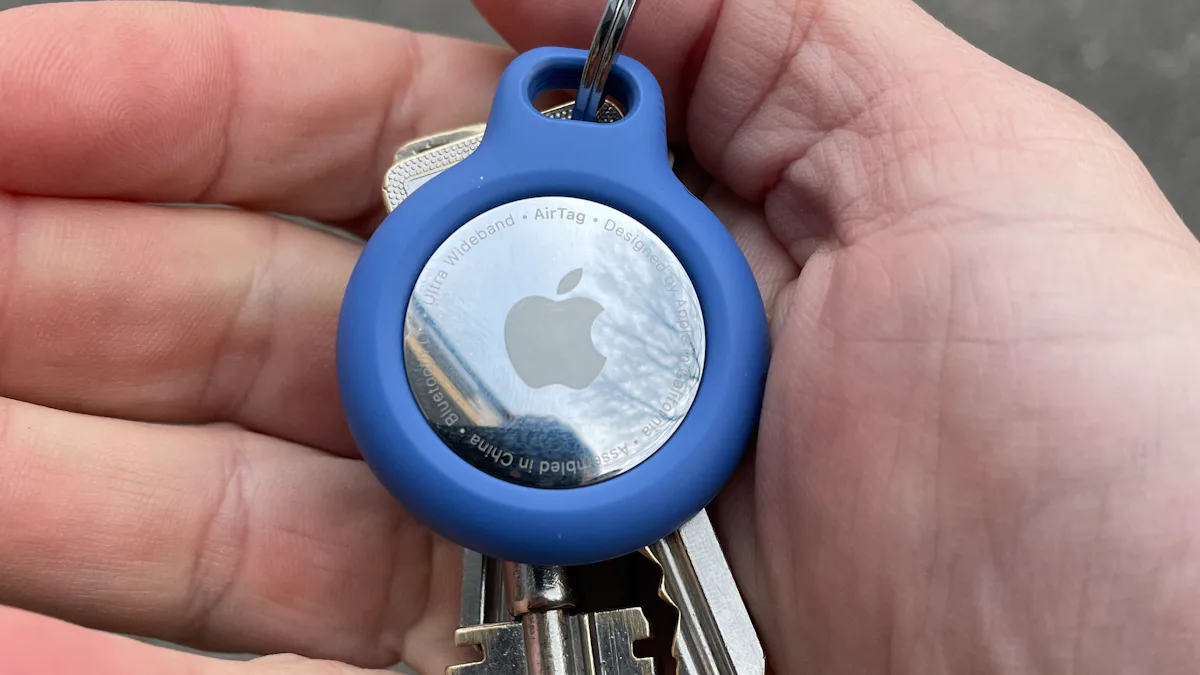
Bluetooth trackers are one of those small gadgets you barely think about — until your keys vanish ten minutes before you need to leave. In 2026 the category looks different than it did a few years ago: Apple has a second-generation AirTag, Samsung’s SmartTag 2 is stronger than ever, and a new wave of dual-network trackers means you’re no longer locked to one phone brand forever. Here’s how to pick the right one for the phone in your pocket.
Our Top Picks at a Glance
Before comparing individual models, understand the one rule that decides 80% of this purchase: the network matters more than the tracker. A Bluetooth tracker finds nearby items by ringing them, but it updates far-away locations only when other phones in its finding network pass by and relay the signal. These are not GPS trackers — if you need live tracking for a vehicle or emergency safety, you need a different product category entirely.
The networks stack up like this: Apple’s Find My uses roughly a billion devices, Samsung’s SmartThings Find covers 300–400 million Galaxy devices (strong in North America and Europe, weaker in Japan and parts of Asia), and Google’s Find Hub reaches around a billion Android devices — but participation is opt-in and most users never flip the switch, so real-world updates run slower, often one to four hours. Tile’s network, built on app installs, has shrunk to an estimated 50–70 million and keeps getting smaller.
That gives you a simple decision tree: iPhone owners should buy into Apple’s network, Galaxy owners into Samsung’s, other Android users into Google’s. Only if your household genuinely mixes iPhones and Androids does the cross-platform question matter — and even then, there are better answers than there used to be.
Best Bluetooth Tracker for iPhone: Apple AirTag 2
If you carry an iPhone, this is the default recommendation and it isn’t close. The Find My network is the largest and fastest in the category — drop a tag at a foreign airport and there’s a good chance someone’s iPhone walks past within the hour and relays its location back to you.
The second-generation AirTag, updated in 2026, keeps the same basic idea and improves the finding hardware: longer Precision Finding range, a louder speaker for the buried-under-a-couch-cushion scenario, a replaceable CR2032 battery rated at more than a year, and IP67 water and dust resistance. At $30 for one or $100 for a four-pack, the four-pack is the sensible entry point — keys, wallet, backpack, luggage.
The honest knocks: the speaker is still quieter than rivals, there’s famously no built-in keyring hole (budget about $10 for a third-party holder), and it can’t ring your phone from the couch the way some competitors can. Android users should skip it entirely — an Android phone can detect an unwanted AirTag but can’t use one as a full tracker.
Best Bluetooth Tracker for Samsung Galaxy: Galaxy SmartTag 2
Galaxy owners get the closest thing Android has to the AirTag experience. The SmartTag 2 runs on Samsung’s SmartThings Find network and adds Ultra-Wideband for directional nearby finding on Galaxy S21 and later — the phone literally points you toward the tag in the last few metres.
Battery life is a genuine standout: up to 500 days in normal mode, stretching toward 700 in power saving. You also get a loud 85 dB speaker, a proper metal-reinforced loop built into the tag (no extra accessory needed for your keys), and IP67 resistance. At $29.99, it’s priced to compete directly with the AirTag.
The limitation is the ecosystem wall. Pixel, OnePlus, and Motorola owners get a reduced experience — precise finding is Galaxy-only — so this is a Samsung phone owner’s tracker, full stop.
Best Bluetooth Trackers for Other Android Phones: Chipolo ONE Point and POP
If your Android phone isn’t a Galaxy, Chipolo is the name to know. The ONE Point is the Android-side twin of Chipolo’s Apple-certified model: same key-friendly hardware with a built-in keyring hole, certified for Google’s Find Hub instead of Apple’s network. For Pixel and OnePlus owners, it’s the closest thing to an “AirTag for Android” for keys and bags.
The more interesting option might be the Chipolo POP at $29. It can work with either Apple Find My or Google’s Find Hub — you choose one network at setup — so you’re not buying a tracker that becomes useless if you switch phone brands next year. It packs a replaceable CR2032 rated for about a year, a claimed 120 dB speaker (realistically around 90 dB, still loud), and up to 90 metres of Bluetooth range.
Set expectations honestly on the Google side: the Find Hub network works, but because participation is opt-in, far-away updates are slower than Apple’s — think hours, not minutes. In busy places that’s still genuinely useful; in empty places, patience is required.
Best Bluetooth Tracker for Mixed iPhone and Android Households: Tile Pro
Tile invented this category back in 2013, and while its finding network has fallen behind, the current Tile Pro still owns one specific job: the loud, long-range, cross-platform key finder. It works through the Life360 app on both iPhone and Android, so in a household split between blue bubbles and green bubbles, one tracker family covers everyone.
What it wins on is the short-range use case. A 110 dB-plus ring — the loudest in this roundup — and up to 500 feet of Bluetooth range in ideal conditions mean you can ring your keys from across a large house. If you lose things inside your own walls more than outside them, the network barely matters and the Tile Pro is arguably the best tool for the job.
The caveats are real: the network is the weakest of the major options, the tag itself is the largest here at over two inches, and full features like location history and smart separation alerts sit behind a $29.99-per-year Premium plan while rivals include them free. If everyone in your house uses iPhones, buy the AirTag instead. If everyone’s on Android, buy the Chipolo.
Best Wallet, Budget, and Rechargeable Options
For wallets: a round tag in a wallet feels like carrying a coin that lost a fight with your back pocket. Card-slim trackers fix that — Chipolo’s card options slide into a wallet slot at around 2.5 mm thin, and Pebblebee’s card is even thinner at 1.8 mm. Just note the tradeoff: wafer-thin cards usually have sealed, non-replaceable batteries by design.
For budgets: the Nutale Key Finder four-pack brings the per-device cost down to roughly $10, with a 10-month battery and a surprisingly long tested range. The branding and app situation is confusing (multiple names, multiple apps), and build quality feels cheaper — but for blanketing a house in trackers on the cheap, it works.
For rechargeable: Pebblebee is the only meaningful player here. The Clip 5 recharges over USB-C about once a year, works with either Apple Find My or Google Find Hub (one network per setup, factory reset to switch), and has a built-in clip that doubles as a pet-collar mount. Everyone else runs on coin cells you’ll swap annually.
What Actually Matters When Buying Bluetooth Trackers
Rank your decision on these five factors, in order:
1. The finding network. Covered above — this is the bulk of the decision. Match the network to your phone.
2. Ultra-Wideband. UWB lets a supported phone point an arrow toward the tracker with a live distance readout in the last few metres. It’s not GPS and it’s not Bluetooth signal strength — it’s proper directional pointing, and it changes the daily experience. Only the AirTag 2 (iPhone 11 and later) and SmartTag 2 (Galaxy S21 and later) offer it; everything else relies on signal strength, which tells you how close you are but not which direction.
3. Speaker volume. For the lost-in-your-own-house scenario, the buzzer matters more than the network. Tile Pro’s 110 dB-plus ring carries through floors; the AirTag’s ~60 dB can disappear under a cushion.
4. Battery plan. Most trackers use a replaceable CR2032 lasting about a year — cheap and simple. Pebblebee goes rechargeable. Sealed-battery budget tags are disposable by design; fine at $8, less fine if you’re replacing them yearly.
5. Form factor. Keyring disc is the default, but check for a built-in hole or loop — the AirTag famously needs a separate holder. Card shapes suit wallets, clip shapes suit collars and bag straps. Water resistance is IP67 across the board on the good ones; none of them enjoy saltwater or hot tubs.
Two red flags while shopping: no-name “Find My-compatible” tags on marketplaces are unlikely to be Apple-certified and may stop working after a firmware update, and any tracker advertising it “works with both iPhone and Android” on one piece of hardware is hiding the real limitation — protocols are incompatible, so you always pick a network.
Setup Tips That Actually Help
A few habits make trackers far more useful than the defaults. Put the tracker on your luggage, not in it — sewn into an interior lining or zipped into a hidden pocket beats a side pocket a baggage handler can reach into. Rename each tracker specifically (“Keys: house,” “Keys: car”) instead of just “Keys,” because three keychains named “Keys” gets confusing fast.
Register the tracker to whoever carries the phone most: AirTags and SmartTags tie to a single Apple ID or Samsung account, and family members on other accounts can’t locate it. Setup itself is painless — the AirTag 2 shows a guided pairing card when held near an iPhone with no extra app needed, the SmartTag 2 uses the pre-installed SmartThings app, and the dual-network models walk you through choosing Find My or Find Hub during pairing. For a pet collar, pick a tag with a reinforced housing rather than trusting a naked disc. And if you already own Tiles you’re replacing, reset them in the Tile app before discarding so they don’t keep pinging.

Privacy and Anti-Stalking Protections
This matters and the industry has genuinely improved. Both Apple and Google now run cross-platform unknown-tracker detection: an unknown AirTag traveling with you will alert an Android phone after about 20 minutes of sustained movement, and an unknown Google-network tag will alert an iPhone in a similar window. That’s a massive reduction in abuse potential compared to the early AirTag days.
If you ever get such an alert, both operating systems let you disable the tracker, view its serial number, and report it to local police — don’t ignore it, and don’t just pull the battery without reporting. One related caution: Tile’s parent company Life360 has faced scrutiny over location-data practices, which is worth knowing if privacy is a deciding factor for you. Read Apple’s documentation before hiding a tracker in anyone else’s bag, ever.
Bluetooth Tracker FAQs
Is Tile still worth buying in 2026?
For most people, no. Its finding network is a fraction of Apple’s or Google’s, premium features cost $29.99 a year, and its range hasn’t meaningfully improved in years. The exception is the specific in-house use case — loudest ring, longest Bluetooth range, works on both phone platforms — where it still earns its place.
Can one tracker work with both iPhone and Android?
Not simultaneously. Pebblebee Clip 5 and Chipolo POP support both Apple Find My and Google Find Hub, but one network is active per setup — switching requires a factory reset and re-pairing. Tile works on both platforms through its own app instead, at the cost of a much smaller network.
Which Bluetooth tracker is the cheapest good option?
The Chipolo POP at $29 with no subscription is the best value among the serious options — dual-network support and a 90-metre range. Below that, budget tags like Nutale’s four-pack (~$10 per device) work for basic in-house finding but give up network coverage and build quality.
Do any of these trackers need a subscription?
No — AirTag 2, SmartTag 2, Chipolo, and Pebblebee all work fully without one. Tile is the outlier: location history, smart separation alerts, and unlimited sharing sit behind its Premium plan. If a tracker you don’t recognize demands a subscription for basic finding, skip it.
Which trackers have Precision Finding?
Only the AirTag 2 (with iPhone 11 or later) and the Galaxy SmartTag 2 (with a UWB-equipped Galaxy phone) offer true directional finding. Everything else estimates proximity from Bluetooth signal strength — helpful for “getting warmer,” not for pointing.
Is AirTag better than Tile for luggage tracking?
In countries with heavy iPhone use — the US, UK, Japan, Australia — yes, dramatically, because the Find My network is so much denser. For travel in Android-dominant regions, a Google-network tracker like the Chipolo POP gets better coverage from Android relays.
Should I upgrade from the original AirTag?
Not automatically. If your current AirTags work fine, there’s no reason to replace them. But if you’re buying today, get the AirTag 2 — the longer Precision Finding range and louder speaker are exactly the upgrades that matter when you’re actually hunting for something. And while you’re kitting out your iPhone, our roundup of the best iPhone accessories covers the add-ons worth buying — plus, if your keys keep disappearing somewhere between the front door and the driver’s seat, a solid iPhone car mount keeps your phone where you can see it on the road.
